
Speedify Keeps You Online During a Starlink Outage by Using Starlink Together with Wi-Fi, 4G/5G Cellular, Wired Ethernet or Another Satellite Dish
Yes, Starlink goes down sometimes. When your Starlink is down, do three things: check whether the problem is your Starlink dish or a wider Starlink outage, move your most important work to your phone’s 4G/5G cellular connection, and set up a second internet connection before the next outage.
Below: what to do during a Starlink outage, step by step, and how Speedify keeps your calls and work going by using Starlink together with Wi-Fi, 4G/5G cellular, wired Ethernet or a satellite internet service other than Starlink. Speedify needs that second internet connection: on Starlink alone, it works as an encrypted VPN and cannot keep you online in an outage.
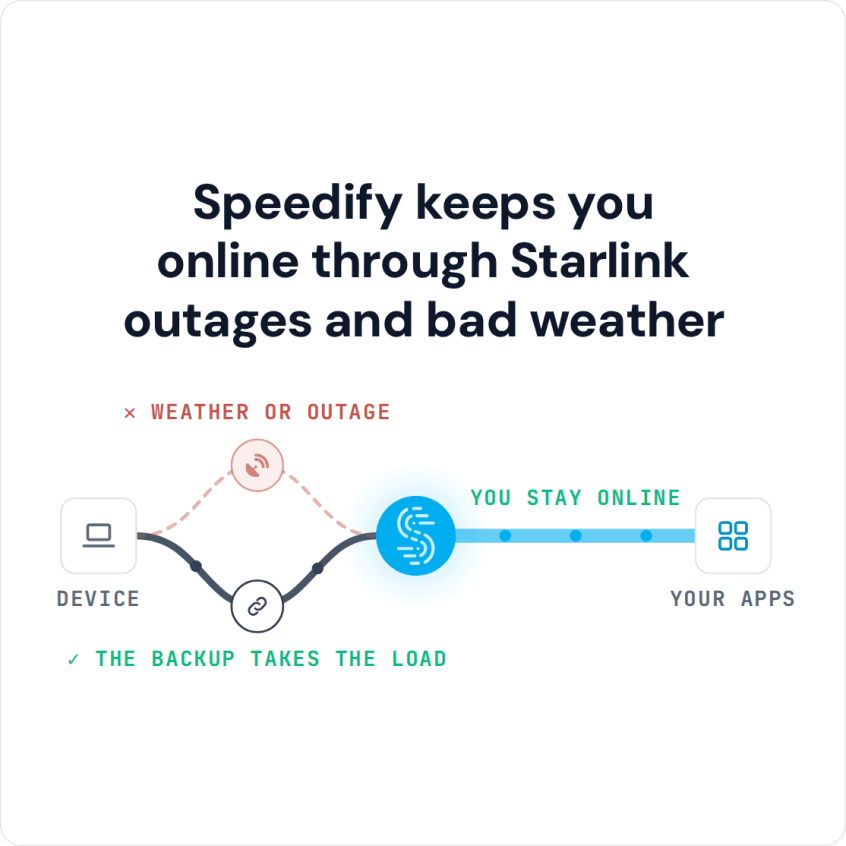
Speedify keeps you online through Starlink outages and bad weather
Starlink Internet Connection Dropouts Happen to Everyone
Speedify measures thousands of Starlink users in more than 150 countries. From 29 September to 12 October 2026, fixed Starlink dishes went offline for about 37 minutes a day on average, and Starlink dishes on RVs and boats for about 61 minutes a day.
Starlink also switches each dish to a new satellite every 15 seconds, and a switch can cause a short dropout. Even a perfectly installed Starlink dish goes offline, and about 7 in 10 Starlink users on Speedify use Starlink together with a second internet connection, like 4G/5G cellular.
Step 1: Check Whether Starlink Is Down or Your Starlink Dish Has a Problem
Before you do anything else, find out whether the problem is yours or Starlink’s.
- The Starlink app. The Starlink app names the reason your Starlink dish is offline, and shows a service outage if there is one.
- The Starlink Help Center. Starlink explains what each status and alert means, and how to fix it, at the Starlink Help Center.
- Outage trackers. A sudden jump in reports on a site like Downdetector means the outage is widespread, not just yours.
If the outage is on Starlink’s side, restarting your Starlink dish won’t fix it: you can only wait or switch to another internet connection. For every place to check, and how often Starlink goes down, see is Starlink down. Starlink-wide outages are rare: in 31 days of Speedify Starlink Index data, no day looked like a Starlink-wide outage. Read whether Starlink is down or your dish is down.
Step 2: Get Back Online Right Away on Your Phone’s 4G/5G Cellular Connection
The fastest way to get back online while Starlink is out is your phone. Turn on its mobile hotspot, or connect your laptop to it with a USB cable, and move your most important work to 4G/5G cellular. That works for a short outage, but you have to move each device over by hand, anything in the middle of an upload or download starts over, and you have to switch back when Starlink returns. For a live call or a card payment, that manual switch is where things break.
Step 3: Set Up a Second Internet Connection Before the Next Starlink Outage
The better way is to have a second internet connection already running together with Starlink through Speedify, so during an outage your traffic simply moves over on its own. 4G/5G cellular, from a phone or a separate cellular modem, is the usual second internet connection, because it runs on a completely different network from Starlink’s satellites. For the full setup, see how to set up automatic failover between Starlink and another internet connection.
A Starlink outage hurts most for people who work from home, small businesses taking card payments or bookings, and homes where Starlink is the only internet connection. For offices and shops, see how businesses stay online during a Starlink outage.
Stay Online During a Starlink Outage with Speedify
Speedify is an app that makes the switch from step 2 automatic, using Starlink together with 4G/5G cellular, Wi-Fi or a wired line at the same time. When Starlink drops, Speedify moves every call, stream and upload to your other internet connections. Your calls and streams keep going, and when Starlink comes back, Speedify starts using it again. A second Starlink dish doesn’t help in a Starlink-wide outage, because both dishes go down together. Speedify needs that second internet connection: if Starlink is your only internet connection, you’re offline during an outage either way.
To track outages as they happen, see how to monitor Starlink outages and uptime with Speedify, or see how Speedify combines internet connections.
Speedify
Get started with Speedify today.
Speedify combines Wi-Fi, 4G/5G cellular, Ethernet, Starlink and satellite into one faster, more reliable internet connection. Free to try: 5 GB a month with a free account. No credit card required.
🚀 Speed
Faster uploads and downloads, because Speedify uses all your internet connections at once.
📶 Stability
If one internet connection drops, Speedify moves your traffic to the others in milliseconds.
🔒 Security
AES-256 encryption on every internet connection, on any network you join.



15M+ downloads worldwide. 75K+ five-star reviews on iOS and Android.