
You Can Unblock TikTok at School or Work While Also Avoiding Slow TikTok with the Speedify VPN Software App
Getting past a school or office block is only half the problem. TikTok still buffers when the internet connection underneath is weak, so a tool that only hides your traffic leaves you loading one video at a time.
Speedify does both jobs: the app encrypts your internet traffic and sends it through a Speedify server outside the school or office network, and it combines Wi-Fi, 4G/5G cellular, Ethernet, Starlink and satellite internet connections at the same time, so the TikTok feed keeps scrolling. That needs two or more internet connections, such as school Wi-Fi plus your phone’s 4G/5G cellular; on a single connection, Speedify works as an encrypted VPN, can be a little slower and cannot stop that connection from dropping. The same steps work on college Wi-Fi, office Wi-Fi and other networks that filter TikTok, not just at school. Read on for the steps to get TikTok unblocked, why TikTok gets blocked and what Speedify does for scrolling speed. Follow the network rules your school or employer sets.
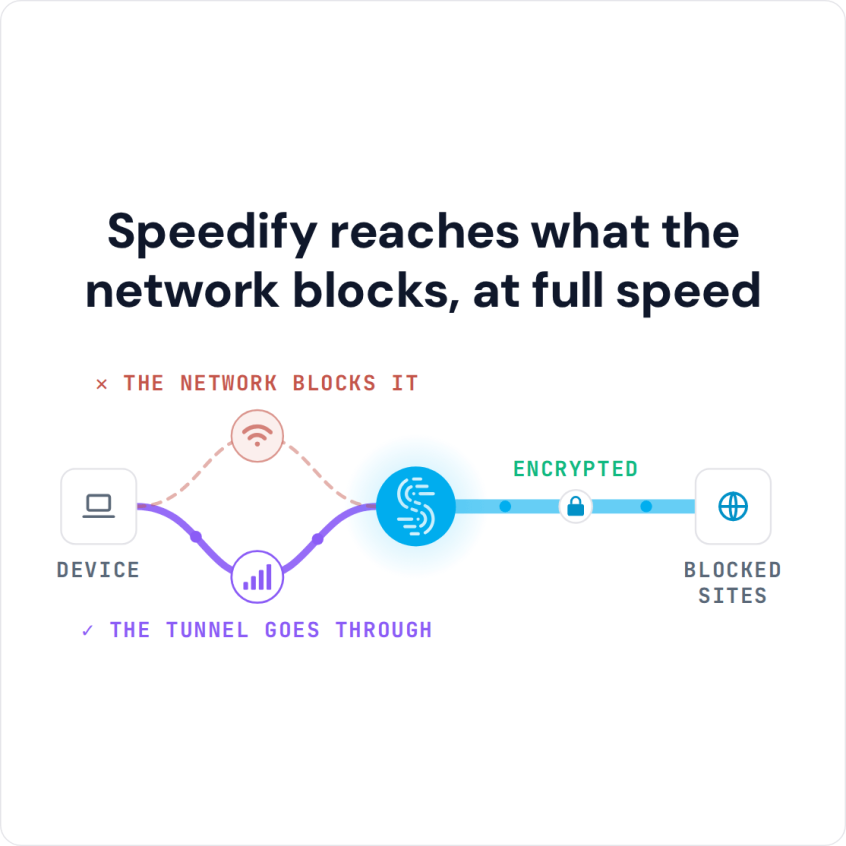
Speedify reaches what the network blocks, at full speed
Why Schools Block TikTok and How Speedify Gets Past the Block
You are not the only one who finds TikTok blocked at school. Schools and offices cannot shut down TikTok itself, but they can block the web addresses TikTok uses on their own Wi-Fi networks, so the app stops loading for everyone on that network.
Speedify unblocks TikTok by hiding your online activity from the Wi-Fi network you’re using to connect to the Internet. Your traffic travels encrypted to a Speedify server outside the school network, so a block built on web addresses has nothing to match. On a phone, Speedify can also combine Wi-Fi and 4G/5G cellular at once, which deals with the second problem, slow videos.
Get TikTok Unblocked at School in Five Steps
- Download Speedify on the phone or computer you use at school. Speedify runs on Windows, macOS, iOS, Android and Linux.
- Open Speedify and create a free account (the free tier includes 5 GB per month; Linux needs a paid plan), or sign in.
- On a phone, tap Allow when your phone asks to add a VPN configuration.
- Speedify connects to a Speedify server automatically. The school network now sees only an encrypted connection to that server, not the apps and sites you open.
- Open TikTok and watch as usual.
How Speedify Stops TikTok Video Lag on a Weak School Connection
The reason for your slow TikTok experience is most likely your Internet connection. Your smartphone can reach Wi-Fi and 4G/5G cellular, but by default it uses only one of them at a time. If that one connection is weak or keeps dropping, TikTok videos buffer. A single connection is like a freeway with only one lane open: one slowdown and everything backs up.
Speedify lets your phone use multiple connections simultaneously, so TikTok gets the bandwidth of Wi-Fi and 4G/5G cellular combined. If the school Wi-Fi slows down, videos keep loading over 4G/5G cellular instead of stalling.
Before Speedify, combining internet connections took special hardware, mostly bought by companies with big budgets. Speedify does it with an app on your phone or computer.
How Speedify Keeps TikTok Playing When One Connection Drops
Speedify also runs in the background, monitoring the quality of your internet connections. With automatic failover, if one connection drops or becomes unreliable, Speedify moves your TikTok traffic to your other working internet connection until the first one recovers, so the video keeps playing.
Stable, Encrypted TikTok at School or Work with Speedify
Speedify was designed to give you the security of a VPN connection without giving up speed. Your traffic is encrypted, which also protects you on compromised Wi-Fi networks. The same steps work for getting Minecraft unblocked at school and for getting Instagram unblocked at school or work.
Speedify’s encryption covers every connection it uses, Wi-Fi and 4G/5G cellular alike, so moving between them does not expose the TikTok videos or lives you watch.
Get TikTok unblocked at school or work with Speedify. Get started with Speedify today for FREE; a free account includes 5 GB per month.
Speedify
Get started with Speedify today.
Speedify combines Wi-Fi, 4G/5G cellular, Ethernet, Starlink and satellite into one faster, more reliable internet connection. Free to try: 5 GB a month with a free account. No credit card required.
🚀 Speed
Faster uploads and downloads, because Speedify uses all your internet connections at once.
📶 Stability
If one internet connection drops, Speedify moves your traffic to the others in milliseconds.
🔒 Security
AES-256 encryption on every internet connection, on any network you join.



15M+ downloads worldwide. 75K+ five-star reviews on iOS and Android.