
What Is a Wi-Fi Access Portal (Captive Portal)? Get Connected with Speedify, an Unbreakable VPN Connection that Combines Starlink, Wi-Fi, 4G, 5G, and DSL
Nearly every hotel lobby, airport and coffee shop hotspot greets you with the same thing: a welcome page you have to accept or log into before the internet works. That is a Wi-Fi access portal, also called a captive portal, and it is the point where public Wi-Fi is least private. When that page does not appear at all, see getting a missing captive portal to load.
Speedify is an app that encrypts what you send and carries it over the Wi-Fi and your phone’s mobile data at the same time.
This article explains what a Wi-Fi access portal does, the trouble it causes, and how using Speedify gets you past it and keeps you private and online afterwards.
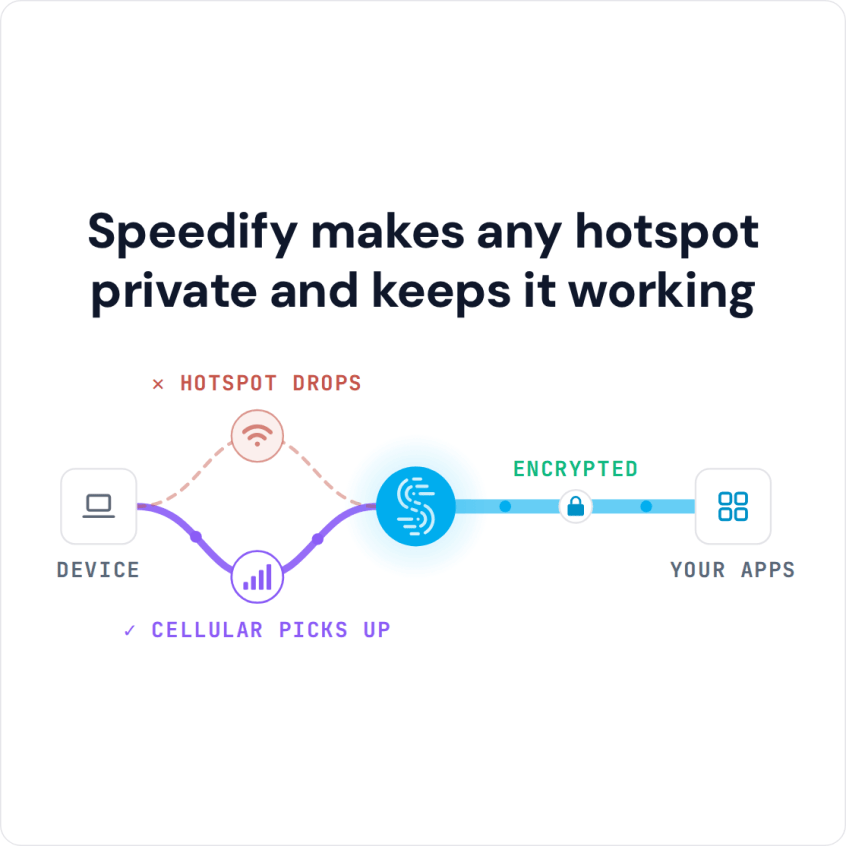
Speedify makes any hotspot private and keeps it working
Common Issues with Wi-Fi Access Portals
A Wi-Fi access portal solves many problems when it comes to regulation, but can generate others. The most common issue is when the Wi-Fi access page doesn’t show up. If you are having this issue, take a look at our cheat sheet here.
A bigger problem is online security and privacy. When you connect to a public Wi-Fi network, your device is exchanging data, syncing your emails, social media accounts and other profiles. But what if somebody intercepts that traffic and gets a hold of your credit card numbers, social media password, confidential emails and messages, and browsing history?
Online privacy is an easy thing to achieve with a VPN. Already using one? You may have noticed that you can’t connect to a network that is using a Wi-Fi access portal while you are connected to the VPN. In some cases you can connect to the VPN after you log into the WiFi access portal, but in most cases VPNs won’t work at all.
Why can’t a regular VPN protect you on a Wi-Fi access portal network? Let’s find out!
VPNs and Wi-Fi Access Portals: What Happens in the Background
When joining a Wi-Fi network that runs a captive portal, the router will assign you a specific IP address from a range that is accepted. But since you are using a VPN to mask your IP address and protect your private data, the login page will see the VPN server’s IP address and not the one assigned by the hotspot / router. Therefore, you won’t be able to connect to the network. Sadly, since there is no way to bypass WiFi login page with a VPN, you will either have to give up your privacy or not connect to the network at all.
Or you can use Speedify as your VPN to stay both connected and protected on Wi-Fi networks with access portals.
How Speedify Bonding VPN Works on Wi-Fi Captive Portals
When you join a Wi-Fi hotspot with a login page, Speedify will:
- Show you a notification asking you if you want to login.
- Keep you connected over cellular data so your other ongoing online activities (like Skype / Slack calls, streaming, gaming) will continue to work via the cellular connection, protected by Speedify so you don’t have to worry about dropped calls or streams.
- If you click the notification prompting you to connect to the WiFi hotspot, Speedify will pop up the login screen in a window.
- Once you login successfully, Speedify will immediately start using the WiFi connection, allowing you to seamlessly switch over from cellular to WiFi without stopping any of the things you are doing online.
Speedify uses channel bonding technology in order to bond multiple Internet connections at once. In the example above, it uses both WiFi and cellular connections on your smartphone or laptop.
Speedify is the only VPN app that can help you combine multiple internet connections (Wi-Fi, 4G, 5G, Ethernet, Starlink, Satellite and more) to improve the stability, speed and security of your online experiences. Moreover, Speedify handles captive portals better than any other VPN:
- when it detects a captive portal, it automatically moves the traffic to and from the captive portal login page outside of the encrypted VPN tunnel
- once you successfully log onto the network, Speedify moves that direct traffic back to the VPN tunnel
- you can always use the split tunneling feature (Bypass) for specific services – this will put traffic to and from those outside of the bonded VPN tunnel.
Now you can finally connect to any hotspot and not worry about your data and privacy.
Speedify
Get started with Speedify today.
Combine Wi-Fi, 4G/5G cellular, Ethernet, Starlink, and more into one faster, steadier connection. Free to try — no credit card required.
🚀 Speed
Faster uploads and downloads by bonding all your connections at once.
📶 Stability
Automatic failover in under a second when any connection drops.
🔒 Security
AES-256 encryption on every connection, on every network you join.



15M+ downloads worldwide. 75K+ five-star reviews on iOS and Android.