
The Best Move You Will Ever Make for Your Beloved Yahoo Fantasy Football Team
Yahoo Fantasy not working usually comes down to one of two things: an outage on Yahoo’s side, or your own internet connection dropping for a moment just as you submit a waiver claim or a lineup change. Yahoo is usually up and running, so the weak link is more often your Wi-Fi or cellular signal, and the claim hangs while somebody else takes the player.
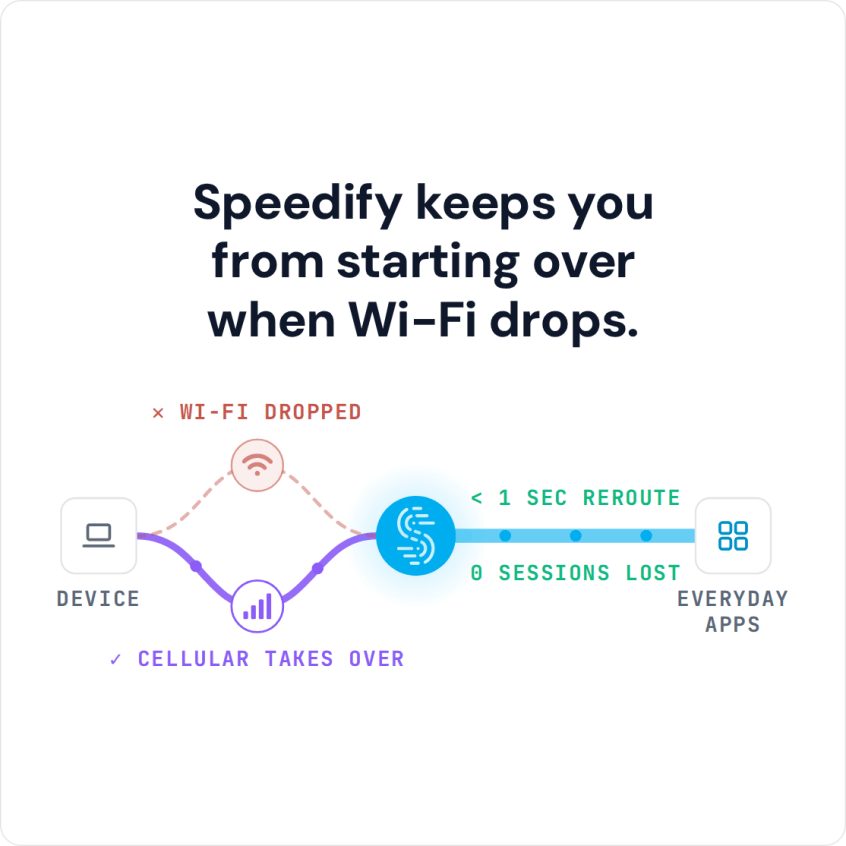
Speedify is an app that combines Wi-Fi, 4G/5G cellular, Ethernet, Starlink and satellite internet connections and encrypts your traffic like a VPN. With two internet connections, such as Wi-Fi plus your phone’s 4G/5G cellular, Speedify keeps the Yahoo Fantasy app talking to Yahoo when one signal fades. On a single connection, Speedify works as an encrypted VPN and cannot stop that connection from dropping.
This guide walks through why Yahoo Fantasy Football stops working, and what using Speedify does for you: waiver claims and last-minute starts that actually go through.
Why the Yahoo Fantasy App Is Not Working
The most common cause of Yahoo Fantasy Football not working is actually your network. When you have a slow or unreliable Internet connection, the service / app isn’t able to work properly.
Yahoo Fantasy Football uses the internet to send your actions, such as waiver claims, trades and lineup changes, to Yahoo’s servers and to pull back live scores. Each of those is a small request that has to reach Yahoo and come back.
If your Wi-Fi connection has a momentary blip or your cellular connection fluctuates, some of those requests get interrupted, and it can take a few moments for the app to catch up.
The result is a Yahoo Fantasy Football app that fails to save lineup changes or update scores. CBS Sports players hit the same problem; see why the CBS Fantasy app stops working.
Check Whether Yahoo Fantasy Is Down First
Before you change anything on your end, check whether Yahoo Fantasy is down for everyone: an outage tracker such as Downdetector shows whether other players are reporting the same problem right now, and Yahoo Fantasy’s own social accounts are where known problems get announced. If Yahoo is down, nothing on your phone will fix it, and the app comes back when Yahoo does.
If Yahoo is up, try the quick fixes next: update the Yahoo Fantasy app, close it fully and reopen it, sign out and back in, and switch between Wi-Fi and cellular to see whether one connection is the problem. A lineup change that saves on cellular but not on Wi-Fi points at your Wi-Fi.
How Speedify Keeps Yahoo Fantasy Working When the Connection Drops
Speedify keeps the connection side of Yahoo Fantasy Football working. The Speedify app monitors the quality of your internet connections in the background and can combine your Wi-Fi and cellular connection simultaneously in a single “pipe” on your phone.
That cuts down on Yahoo Fantasy Football issues like scores that stop updating on the matchup page, because a weak moment on one connection no longer stalls the app. Speedify cannot fix an outage on Yahoo’s side.
If you move between Wi-Fi networks, or your Wi-Fi or cellular connection suddenly drops, Speedify intelligently and automatically reroutes your data to the connection that is still working, so the app stays connected as long as one of the two is up.
Speedify is available for iOS, Android, macOS, Windows and Linux devices.
How to Keep Yahoo Fantasy Online with Speedify
- Download Speedify on the phone or computer you manage your team on (iOS, Android, Windows or macOS).
- Open Speedify and create a free account (the free tier includes 5 GB per month), or sign in.
- Keep Wi-Fi on and turn on cellular data too, so Speedify has a second internet connection to work with.
- Connect. Speedify sends traffic over both connections at once and moves it to the working one when one drops.
- Open Yahoo Fantasy and make your waiver claims and lineup changes as usual.
Get All Three for Your Internet Connection: Reliability, Speed and Security
Speedify does more than manage your internet connections. Speedify is also a VPN that encrypts all of the data you send and receive from your device, which keeps your private information and conversations secure from digital eavesdroppers on public Wi-Fi.
Speedify doesn’t just fix your Yahoo Fantasy Football network connection issues. It makes your Internet-driven apps more stable and secure, and improves your overall Internet experience.
Other VPNs can slow down your internet connection. Speedify encrypts your traffic too, and with two or more internet connections it adds their speed together instead of taking speed away.
If a weak connection keeps Yahoo Fantasy Football from working, add a second internet connection and get Speedify today.
Speedify
Get started with Speedify today.
Speedify combines Wi-Fi, 4G/5G cellular, Ethernet, Starlink and satellite into one faster, more reliable internet connection. Free to try: 5 GB a month with a free account. No credit card required.
🚀 Speed
Faster uploads and downloads, because Speedify uses all your internet connections at once.
📶 Stability
If one internet connection drops, Speedify moves your traffic to the others in milliseconds.
🔒 Security
AES-256 encryption on every internet connection, on any network you join.



15M+ downloads worldwide. 75K+ five-star reviews on iOS and Android.