

- This event has passed.
Speedify LIVE Office Hours: Q&A with the Developers
August 31, 2022 @ 2:00 pm - 3:00 pm EDT

On the 123rd episode of Speedify LIVE we hold our weekly Office Hours in yet another Developer Takeover, hosted by our very own Brian and Kevin.
As per usual, we answer viewer questions, discuss what’s new and what’s yet to come in Speedify, and talk about the many different ways we test Speedify to make sure it works well for everyone.
Here are our 5 takeaways from our Office Hours:
- Speedify 12.4.1 is out, adding more bug fixes to our new and improved 12.4 version! We have recently updated our connection Priority settings to have an Automatic option which will intelligently recognize what type of connection you’re actually using and set their Priorities accordingly.
- The Speedify Team is working hard on making sure we support the latest versions of both Android and iOS! In-house, we’re already running Speedify on Android 13 without issues so far, but we’re working on making all the necessary tweaks to notification permissions and other smaller things to perfect how Speedify works on all devices.
- If you want to add more than 2 connections to Speedify you may need to purchase additional equipment! Windows and Linux are the easiest to get additional USB adapters for, while MacOS can be a bit tricky with what they support. On iOS, however, you can get a USB3 camera adapter and add as many dongles as you want and hook it up to an iPad for more connections.
- When it comes to ensuring that Speedify is properly tested, our QA department takes on a combined approach. Our amazing QA team manually tests every possible scenario before release, we do IRL streams to test real-life scenarios, while we also run thousands of automatic tests daily in a virtual environment to test different network types, speeds, latencies, etc. as well as any customer-reported problem as we can to make sure Speedify works well.
- Apart from a Raspberry Pi, you can run Speedify on other development boards as well! You should be able to run Speedify on any x86 or ARM based board, as long as you run a Debian-based operating system on it. We even have some blogs about our tests, like the one we did on the Odroid board.
We do lots of in-the-field, real world testing. We go out and do livestreams with Speedify. That’s another great way to test it. Trying to use it in the ways that users actually use it. So, we have a whole combination of lots of different things that we do to make sure that Speedify works well.
On the 123rd episode of Speedify LIVE we hold our weekly Office Hours in yet another Developer Takeover, hosted by our very own Brian and Kevin.
As per usual, we answer viewer questions, discuss what’s new and what’s yet to come in Speedify, and talk about the many different ways we test Speedify to make sure it works well for everyone.
Up Next on Speedify LIVE
[tribe_events view="list" events_per_page="1" tribe-bar="false"]
ABOUT THE SHOW
Speedify LIVE is a weekly talk show and web series hosted by Speedify CEO Alex Gizis featuring a rotating panel of special guests. The show focuses on the industry of live streaming as well as the software and technologies that power it and frequently covers topics related to internet connectivity. Tune in on Twitch, YouTube Live, or Facebook Live.
Speedify
Get started with Speedify today.
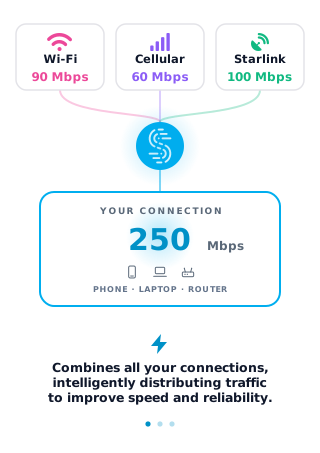
Speedify combines Wi-Fi, 4G/5G cellular, Ethernet, Starlink and satellite into one faster, more reliable internet connection. Free to try: 5 GB a month with a free account. No credit card required.
🚀 Speed
Faster uploads and downloads, because Speedify uses all your internet connections at once.
📶 Stability
If one internet connection drops, Speedify moves your traffic to the others in milliseconds.
🔒 Security
AES-256 encryption on every internet connection, on any network you join.


15M+ downloads worldwide. 75K+ five-star reviews on iOS and Android.