
Speedify makes your uploads and downloads faster, more reliable, and more secure.
Speedify is the only app that can combine Wi-Fi, Ethernet, 4G, 5G, Starlink, and more into one bonded super-connection to improve speed, stability, and security for livestreaming, video calling, gaming, web browsing, and everything else you do online.
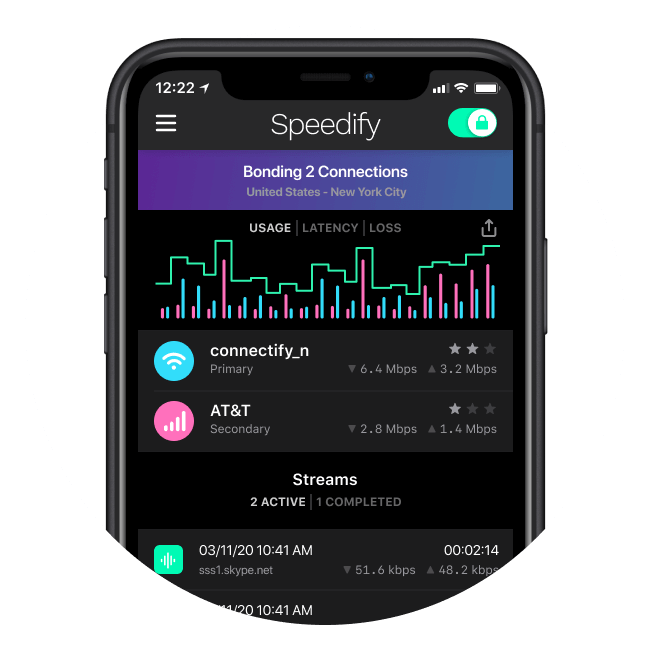
Speedify fixes slow and unreliable internet
One connection not cutting it? Speedify's unique channel bonding technology allows you to combine multiple internet sources into a single faster, more reliable super-connection.
Wi-Fi
Cellular
Ethernet
Tethered Phones
Starlink & Satellite

Speedify provides seamless video calls, flawless FaceTimes
Speedify automatically prioritizes video calls and streams over other internet traffic to fix stuttering, buffering, and disconnects and deliver a more stable and secure experience for Zoom, Google Meet, FaceTime, Microsoft Teams, and other video conferencing and streaming apps.
Zoom
Google Meet
Microsoft Teams
YouTube Live
TikTok Live

Ecamm Live
Streamlabs OBS
AND MORE!!!
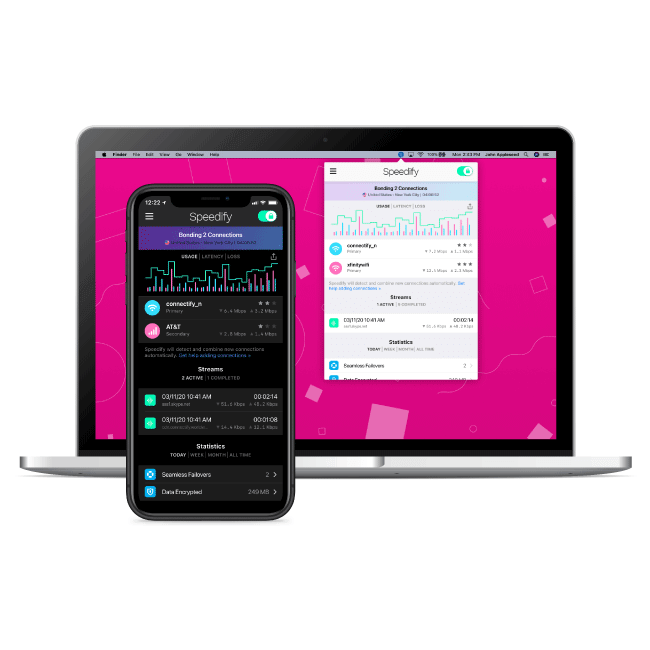
Speedify is built for all of your devices
Speedify runs on the devices you already have and uses the connections you already pay for. Speedify has apps available for all major platforms and devices including Windows, MacOS, iOS, Android, Linux, and OpenWRT. Speedify can even run on Powered by Speedify Routers to keep all devices on your network securely connected.
Speedify's got a plan for you
Speedify has options for everyone and works with all apps


How does Speedify improve your Internet connection?
Speed
Speedify's bonding, protocols, and prioritization features optimize the flow of packets to make your connection faster
Stability
Speedify's redundant mode, seamless failover, and error correction make your connection as stable as possible
Security
Speedify's encrypted VPN tunnels keep your connection private and secure, even if your signal drops out
Speed
Speedify uses multiple connections to fix slow internet: Wi-Fi, 4G/5G cellular, satellite, broadband, and others
Speedify's unique channel bonding technology makes it possible to use multiple internet connections at the same time for up to 95% of their combined throughput. Unlike other connection aggregation solutions (like load balancers) Speedify dynamically spreads individual packets amongst your available internet connections so even large single-socket transfers such as streaming video and uploading and downloading files can be given a major speed boost!
Learn more about Channel Bonding
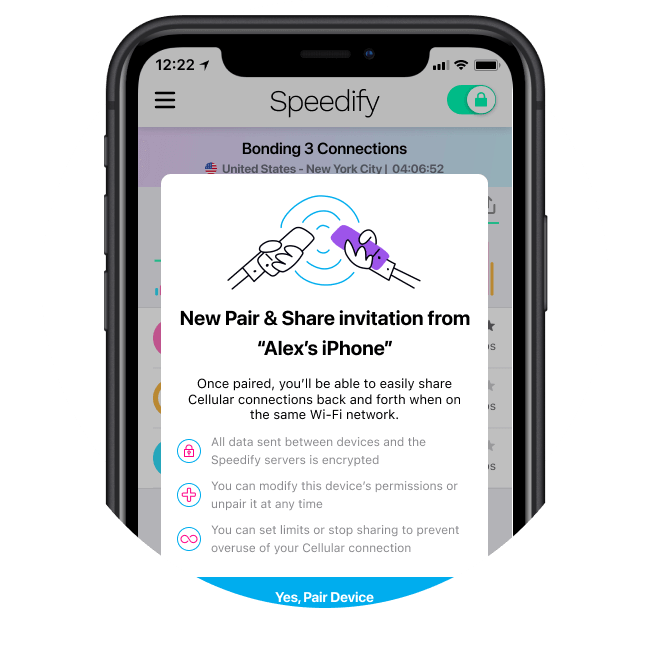
Combine multiple personal hotspots at once with Speedify's Pair & Share feature
With Speedify's Pair & Share peer to peer cellular sharing feature you can easily share 4G and 5G cellular connections back and forth between multiple Speedify users on the same local network. Pair devices with friends, family, and coworkers for better internet on the road, at conferences and concerts, or while livestreaming.
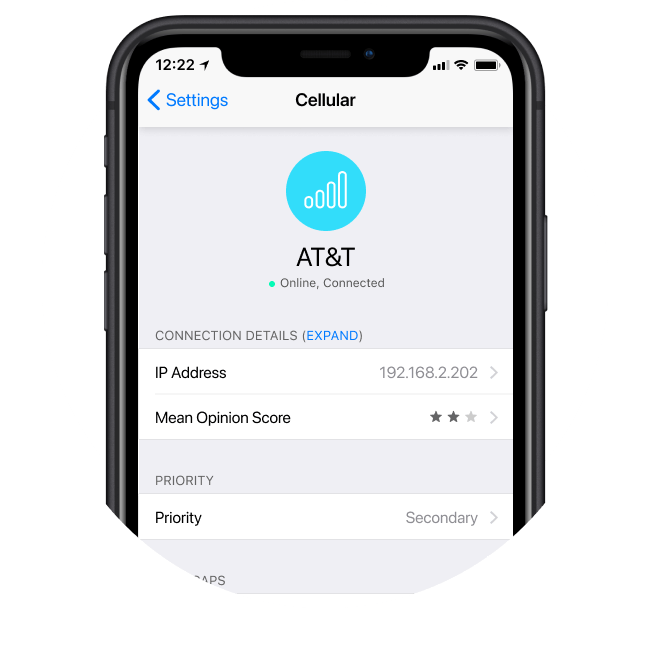
Configure internet connection priorities and limits with Speedify
LEARN MORE ABOUT PRIORITIES AND LIMITS
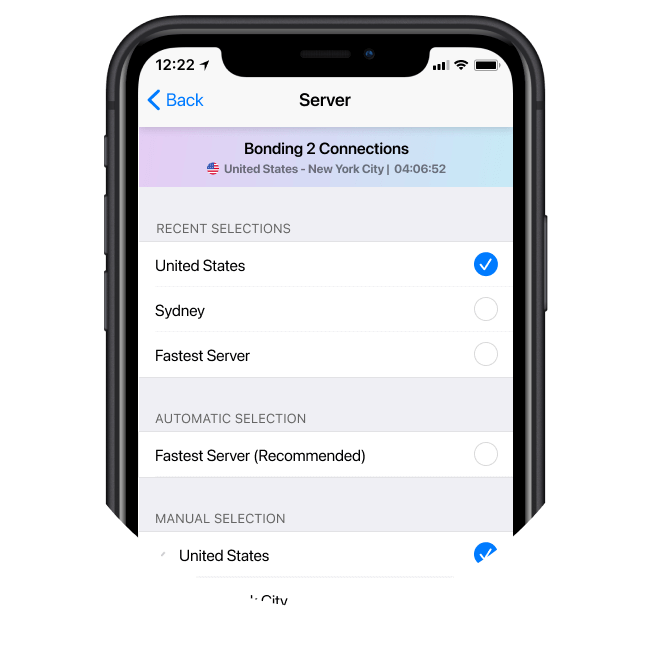
Connect to Speedify's global network of servers
With points of presence in over 50 cities and 35 countries worldwide, Speedify's network of servers can help deliver better internet no matter where you are. Manually select your desired location or let Speedify automatically connect you to the best server based on latency and availability. Customers on Individual, Family, or Teams plans get access to additional high-speed Premium Servers as well as the ability to purchase Dedicated Servers.
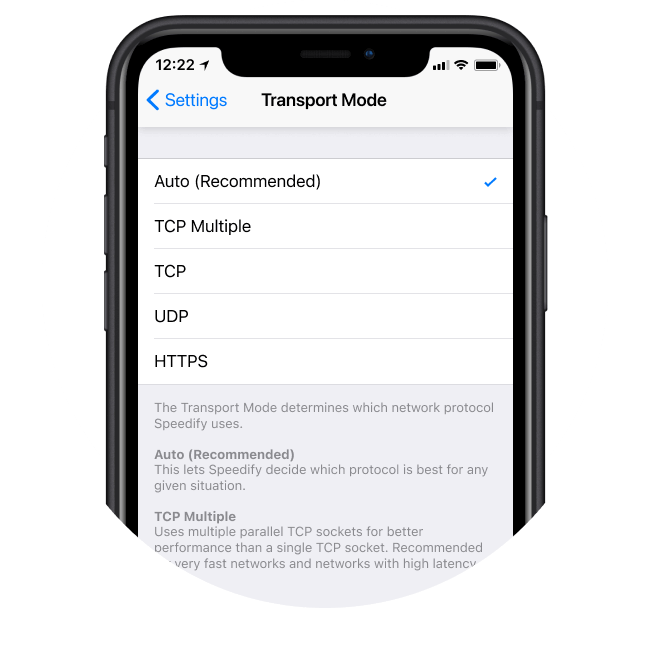
The Speedify protocol uses multiple TCP connections
Speedify can improve the performance of even a single internet connection when faced with latency or packet loss. Speedify will intelligently make up to 8 simultaneous TCP connections back to our Speed Servers on each of your internet connections allowing it to send and receive data redundantly or in parallel as needed.
Learn more about the Speedify protocol
Stability
Speedify enhances video calls
Speedify automatically prioritizes video calls and streams over other network traffic to help you fix stuttering, buffering, and disconnects. When "Enhance Streaming" is enabled, Speedify dynamically chooses the best way to send and receive traffic over your available internet connections - enabling redundancy when necessary to mitigate network disruptions and latency spikes. Whether you're on a video call or livestreaming for a living or simply join the occasional Zoom Conference, Speedify can provide a more stable and reliable video conferencing and streaming experience.
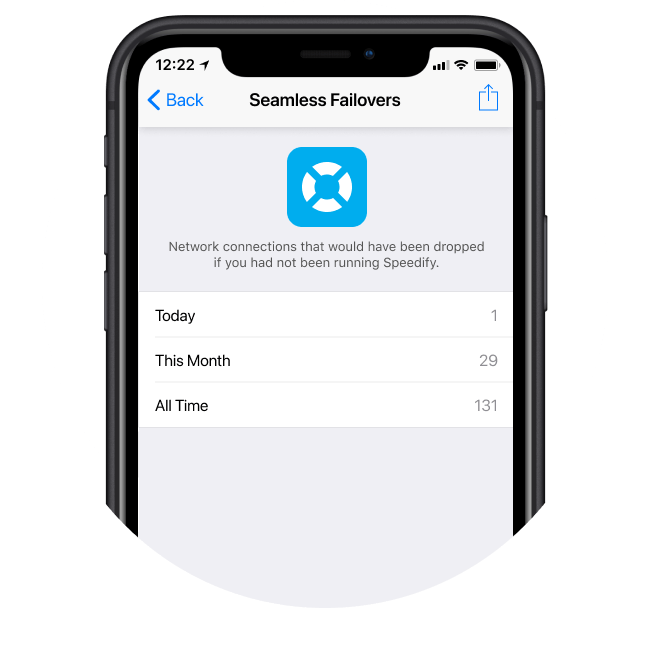
Speedify provides seamless failover & gapless handoff
Accidentally step out of range of Wi-Fi or disconnect your Ethernet cable? Starlink dish experiencing connection drop outs? Even if you’re in the middle of an important video call or file transfer, Speedify will seamlessly failover to your other working Internet connection(s) without skipping a beat.
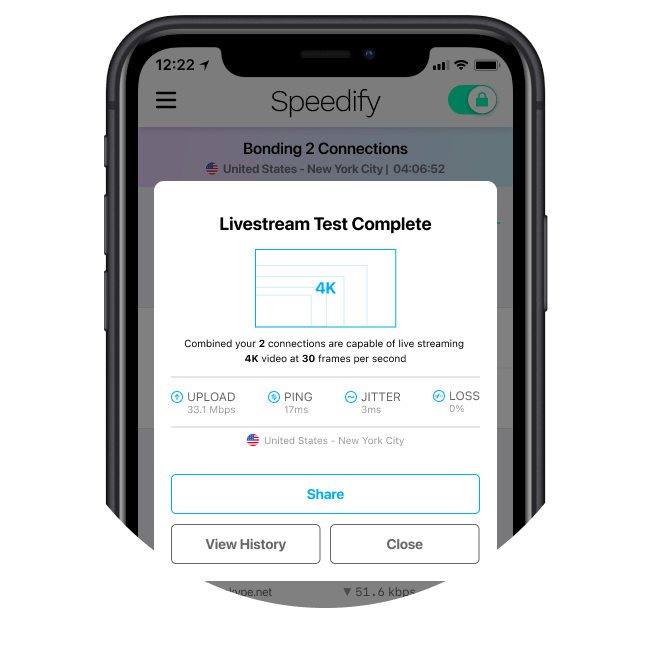
Test your livestreams with Speedify
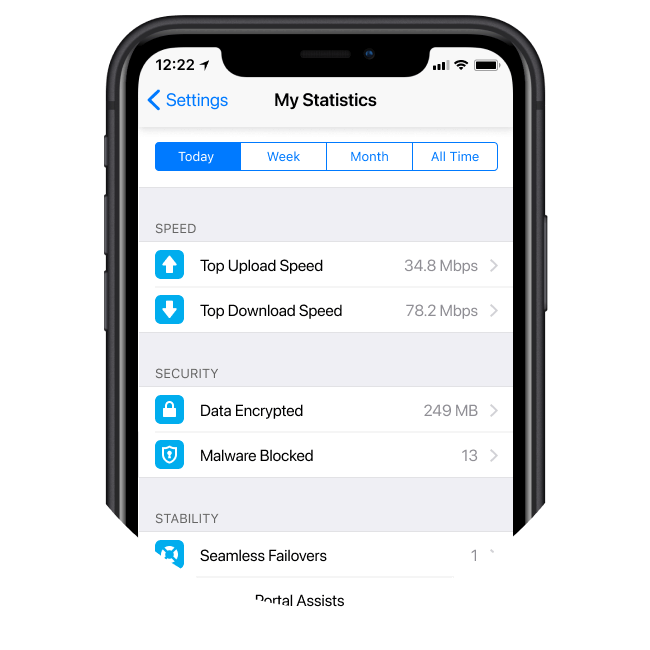
Get Speedify real time and historical statistics
Learn More about Statistics
Security
Speedify provides secure VPN encryption
Under the hood Speedify operates as a VPN which means all of your traffic is encapsulated and passed through an encrypted VPN tunnel. For any recent phone or computer, Speedify uses AES 256 encryption, leveraging the hardware instruction support for AES built into modern CPUs. Your encrypted data looks like gibberish to any third-party observer meaning neither ISPs nor hackers can read it, even if they manage to intercept it.
Learn more about Encryption

Speedify is independently validated through the App Defense Alliance
Speedify has been Independently validated through the App Defense Alliance and is MASA (Mobile Application Security Assessment) certified through regular independent third-party audits. Speedify conforms to the strict safety standards set by the Open Web Application Security Project (OWASP), including encryption protocols, data handling practices, and compliance with best security practices.
Learn more about our MASA Certification
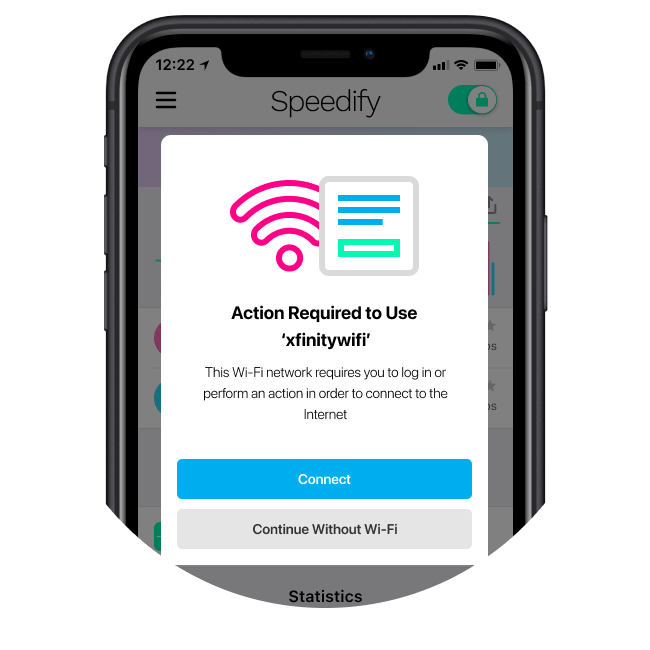
Speedify's captive portal assist feature makes it easy to stay secure when connecting to public networks
Stay safe while connecting to public Wi-Fi networks on trains, planes, hotels, and cafes that run captive portals. Speedify keeps you connected and secure when you have to authenticate to the network or accept terms and conditions.
LEARN MORE ABOUT Captive Portal Assist

Speedify keeps no logs
We take privacy seriously. Speedify collects the minimal amount of information needed to provide you with fast, reliable, and secure communication. Speedify does not log the websites you visit, the data you exchange, or anything related to your DNS requests and does not share ANY personal information with third parties. End result - no government can get logs of your browsing history since there are none.
Learn more about our Privacy Practices
Speedify devs love talking tech on YouTube, Tiktok, and Instagram!
Alex Gizis and the Speedify devs discuss and explain technology including Starlink satellites, Wi-Fi 7 routers, Apple networking features, fiber optics, broadband internet, 5G mobile networks, AI, networking protocols, and much more. Follow Speedify on YouTube, TikTok, Instagram, and LinkedIn!
Speedify LIVE Tech Q&A
Alex and the Speedify team are always exploring the latest in networking and security technology—like 5G, 6G, WiFi 7, laser and satellite internet—and sharing it in new discussion content across YouTube, TikTok, Instagram, and LinkedIn every week.
Got a tech question? Let's go deeper! Pop into Speedify LIVE Tech Q&A live every Wednesday at 10 AM Eastern. Speedify CEO Alex Gizis and our network engineers are standing by to break down your questions about networks, tech updates, and Speedify features.

We ♥️ our Speedify community.
The feeling seems mutual.
5⭐️
More than 75,000 5-star reviews in the iOS and Android stores
15M
Millions of downloads worldwide, and growing every day
500TB
Hundreds of terabytes of fast, secure data streamed every week

Chris Carson
Cinematographer, SteadiLive

Alessia Santeramo
Chess Streamer, Woman FIDE Master

Doug Piper
Cicerone, Beer Livestreamer

Joseph Cristina
Photographer, Cinematographer, YouTube Creator
FEATURED ON

Let's get you up to speed.
Wherever and whenever you need better Internet, Speedify can help.