
Yes, you can have multiple Starlink dishes on one Starlink account. Each Starlink dish you use at the same time needs its own subscription, though: one subscription can’t run two Starlink dishes at once. Multiple Starlink dishes also don’t add up their speeds on their own. To use them together, for faster downloads and uploads and fewer dropouts, connect them … Read More
Why Starlink Internet Is So Slow: 11 Fixes, and How Speedify Adds Speed

Why Is Your Starlink Internet Connection Slow or Dropping Out? When Starlink is slow, the cause is usually one of a few things: a busy Starlink network in the evening, a blocked view of the sky, bad weather, a Starlink dish or router that needs a restart, weak Wi-Fi inside your home, too many devices online at the same time, … Read More
How to Connect 2 Starlink Routers Together with Speedify for Faster Internet

Speedify Connects Two Starlink Internet Connections Together Yes, you can connect 2 Starlink routers together, but not by plugging one Starlink router into the other. Connect both Starlink routers to one router that runs Speedify, or to one computer running the Speedify app. Speedify uses both Starlink internet connections at the same time, so you get nearly the full speed … Read More
Starlink Upload Speeds Slow? Speedify Adds a Second Internet Connection for Faster Uploads
Speedify Fixes Slow Upload Speeds on Starlink Starlink upload speed is much lower than download speed. Starlink says most users get download speeds over 100 Mbps, but upload speeds between 10 and 30 Mbps. When uploads stall on top of that, the cause is usually a blocked view of the sky, a busy Starlink network in the evening, bad weather, … Read More
Starlink “Software Install Pending”? Speedify Keeps You Online During the Update
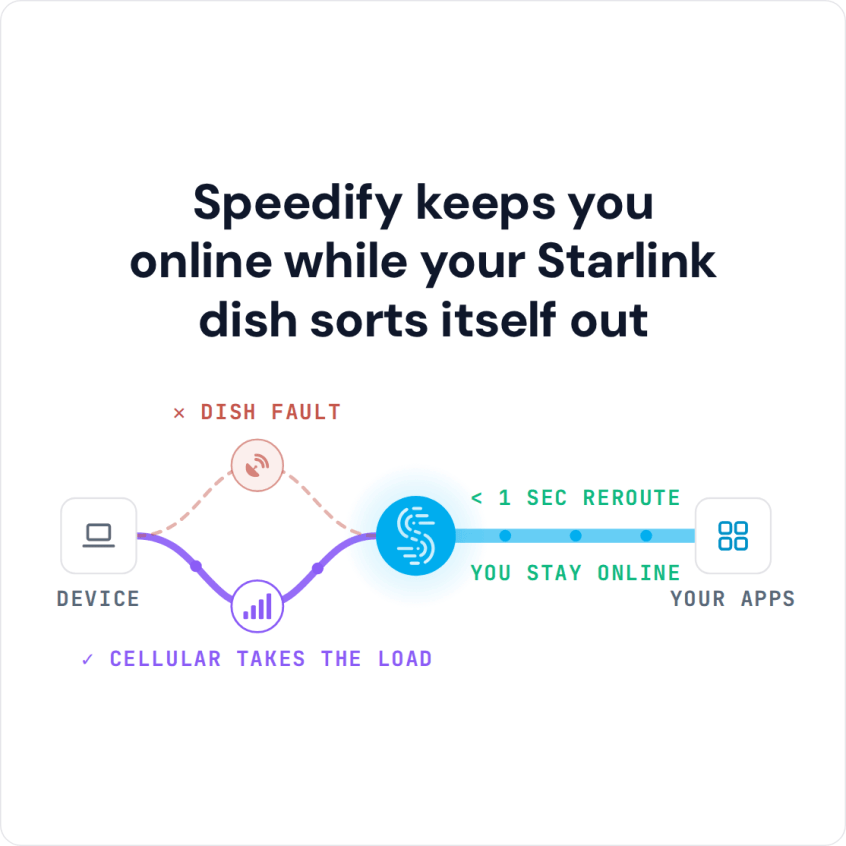
Use Speedify as Your Starlink Companion A Starlink “Software Install Pending” alert means your Starlink dish has downloaded a software update and needs to restart to install it. Your internet drops for a few minutes during that restart. Starlink usually restarts to install updates on its own, between 2:30 and 3:30 AM local time. Speedify is an app that uses … Read More
Starlink Stowed: How to Unstow Starlink and Stay Online with Speedify
Use Speedify as Your Starlink Companion A “Starlink Stowed” alert means your Starlink dish is in its storage position and turned off, so it isn’t giving you internet. Someone stowed it, in the Starlink app or by hand, usually to store it, move it or return it. To get your internet back, unstow your Starlink dish in the Starlink app, … Read More