
Unbreakable VPN Connection to Fix ExpressVPN Disconnects by Combining Starlink, Wi-Fi, 4G, 5G, and DSL with Speedify
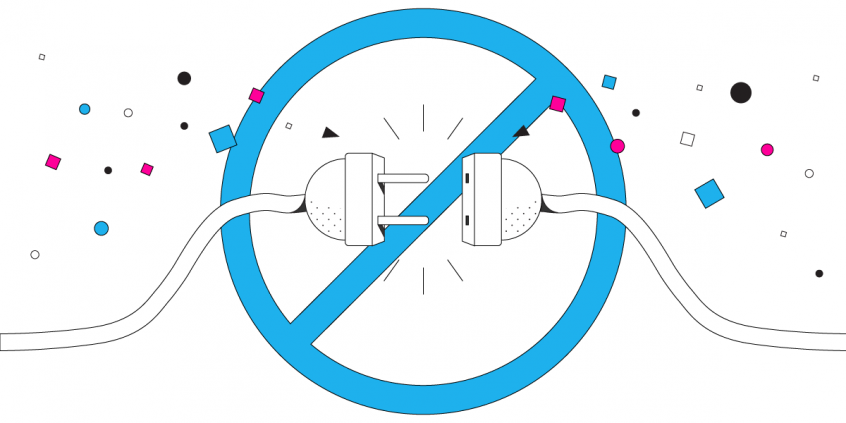
Random ExpressVPN disconnects look like a server problem, and usually they are not. A traditional VPN has exactly one internet connection underneath it, so a two-second Wi-Fi dip cuts the protected link and can leave your device exposed with no warning on screen.
Speedify keeps several internet connections live at once – Wi-Fi, wired Ethernet, 4G/5G cellular data, Starlink – and encrypts your traffic across all of them, so the session rides out the dip.
First come the reasons ExpressVPN disconnects and a five-point checklist to work through; then what you get from using Speedify, an encrypted internet connection that holds when the Wi-Fi wobbles.
Speedify keeps your VPN tunnel up when one internet connection drops out
Why Does My Express VPN Keep Disconnecting?
Express VPN only uses one Internet connection to route all the data to the VPN server. Even if your laptop, iPhone or Android device has multiple Internet connections, Express VPN will only use one of them. When connecting to the VPN server it uses a single socket. This means that your Internet connection will run slower because all the data being sent to and from your device must first be sent to the VPN server for encryption through one channel.
This uses up a lot of your bandwidth. But, not only does it slow down your Internet experience, it also makes the VPN connection vulnerable. One change to your Wi-Fi signal or a fluctuation in your cell signal and you are disconnected from the Express VPN server. If you are traveling (by train, bus or car) or on the move, your connection is even more prone to frequent disconnects, as you get passed between multiple Wi-Fi networks and/or cell towers.
Checklist: 5 Ways to Fix Express VPN Connection Drops
So, what can you do to stay connected to the Express VPN? There are a few steps you can take to minimize your chances of getting disconnected. But, because the problem is a design issue in the way Express VPN and other legacy VPN services are designed, you will always be vulnerable to getting disconnected while using these other services.
To minimize Express VPN disconnect you can:
- Only connect through Wi-Fi where you have a strong, stable signal and where no one else is sharing the connection.
- Remain stationary while connected to Express VPN.
- Plan on using Express VPN for only short amounts of time.
- If you have to connect to Express VPN using your mobile data connection, make sure you do so from a location where you have the strongest signal possible
- Limit your data use while connected to Express VPN. Videos and images use a lot more data to transmit than text.
Speedify Fixes Express VPN Slow Speeds and Disconnects
If these steps are not practical for you there is an alternative. The developers at Speedify have created a new VPN for mobility platform. The Speedify protocol was designed from the ground up to be three things:
- Fast
- Secure
- Reliable
Speedify uses a completely different design from the traditional VPNs. It uses multiple Internet connections and multiple parallel sockets. Your data travels to and from the VPN server faster and it is encrypted faster.
Speedify also uses cutting-edge channel bonding technology to allow your iPhone, laptop, Android or other device to connect to the Internet using multiple connections at the same time – e.g. via Wi-Fi and mobile data simultaneously. Speedify has auto failover so that should one of your Internet connections fail, you stay connected to the VPN through the other connection.
Speedify takes care of monitoring the quality of your connections, rerouting traffic, and keeping you online. You don’t have to worry anything except using the Internet your way.
If you are tired of getting disconnected from Express VPN, why not try a different kind of VPN? Get started with Speeedify now for FREE – available in the AppStore, Google Play and on our website to download and install!
Speedify
Get started with Speedify today.
Combine Wi-Fi, 4G/5G cellular, Ethernet, Starlink, and more into one faster, steadier connection. Free to try — no credit card required.
🚀 Speed
Faster uploads and downloads by bonding all your connections at once.
📶 Stability
Automatic failover in under a second when any connection drops.
🔒 Security
AES-256 encryption on every connection, on every network you join.



15M+ downloads worldwide. 75K+ five-star reviews on iOS and Android.