
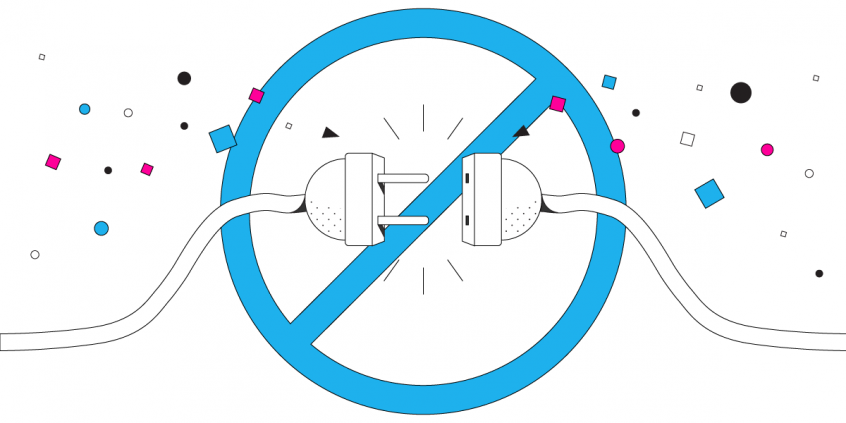
Avoid VPN Always Disconnecting by Using an Unbreakable VPN Connection: Combine Starlink, Wi-Fi, 4G, 5G, and DSL with Speedify
Businesses and individuals are increasingly taking Internet security much more seriously – and so we should be! This means more of us are using VPNs on their desktops, laptops, and mobile devices. These services provide protection against surveillance and other cyber threats. But, if a VPN gets disconnected frequently, it doesn’t serve its purpose. Virtually all VPNs already slow down your Internet connection, but when your VPN connection gets dropped in the middle of a session, it can cause data loss or disrupt file synchronization.
Speedify delivers an unbreakable VPN connection by intelligently bonding multiple internet sources, ensuring continuous uptime and encrypted protection.
Why Speedify VPN Stays Connected in Under a Second When Other VPNs Drop
Most VPNs rely on a single internet connection. If your Wi-Fi glitches or your device switches between 4G/5G cellular and Starlink, your VPN drops.
Speedify uses all your available internet connections at the same time: Wi-Fi, 4G/5G cellular, Ethernet, Starlink, and other satellites. If one drops, Speedify detects it within milliseconds and moves your traffic to another available internet connection. Traditional routers take 30–60 seconds to do the same thing.
In this video, you’ll see how Speedify keeps your internet connection secure, smooth, and reliable by intelligently spreading your encrypted data across Wi-Fi, 4G / 5G cellular, Ethernet, Starlink and other satellites. The result: an unbreakable VPN tunnel.
Speedify makes your uploads and downloads faster, more reliable, and more secure with VPN grade encryption.
Speedify combines 5G, 4G, Wi-Fi, Ethernet, Starlink and other satellite into one secure and unbreakable VPN tunnel
Speedify is the only VPN app that seamlessly combines Wi-Fi, 4G / 5G cellular, Ethernet, Starlink and other satellite internet into one unbreakable internet connection. You get faster upload and download speeds while no one can spy on what you do online. Speedify allows you to unblock restricted content by connecting to one of the VPN servers distributed across 6 continents in 50+ cities.
Speedify will automatically detect any available Internet connections on your device, encrypting and intelligently distributing your online traffic between them for optimal performance. If you need help we have quick start guides available for most common set ups.
Speedify gets you faster uploads and downloads from the devices around you
Speedify's Pair & Share feature lets you and the devices around you pair up and share 4G/5G cellular both ways, so every paired device gets faster uploads, faster downloads, and a steadier internet connection. All sides share and use each other's cellular at once, unlike a personal hotspot, where one device gives and the rest take.
Speedify's Pair & Share feature runs over the local network between devices already running Speedify, with no extra hardware and no new data plans. Speedify creates an encrypted pool of shared 4G/5G cellular connections across all paired devices. Each device taps into that shared pool of combined connections for faster upload and download speeds and a more reliable internet connection.
See how you can use Speedify to combine available Internet connections:
Combine these connections on:


Why Does my VPN Constantly Drop Internet Connection?
Almost all VPNs work the same way. They use a single Internet connection and create an AES encrypted socket with the VPN server. All of the data that is sent or received by your device must first be sent over the VPN server for encryption. This requires a lot bandwidth. The amount of traffic over your Internet connection increases significantly.
But, the VPN software essentially puts all the eggs in one basket. If something happens to the Internet connection being used, there is no failover. The connection is broken. Your device is disconnected from the VPN server. This can happen if your cell signal suddenly becomes unstable or if there is an issue with the Wi-Fi connection you are using.
Most VPN software does not use channel bonding. This means that even if your device is able to connect to the Internet via Wi-Fi and mobile data simultaneously, the VPN will only rely on a single connection. You don’t benefit from the extra bandwidth or connection redundancy. So, your VPN will disconnect every few minutes to leave you unprotected.
Any problem at all with your Internet connection, even if it just momentary outage or fluctuation, and you experience VPN disconnect.
How to Fix VPN Disconnecting from the Internet
You should definitely try a different kind of VPN! Speedify is the only app that can combine multiple internet sources into one bonded super-connection for more stable and secure live streaming, video calling, and web browsing. The Speedify protocol makes your connection more secure, faster, but also keeps you from getting disconnected.
Here’s what Speedify VPN has and none of the other VPNs on the market has:
- Auto failover
- Channel bonding between different connections
- Many parallel sockets
- Fast and strong encryption for mobile processors
- IP optimization
Speedify allows a mobile device, or a computer tethered to a mobile device, to connect to the VPN server via multiple connections at the same time. Speedify carefully monitors the quality of the connections in the background. Because it was designed with auto failover, if any single connection is lost, all the data packets are automatically rerouted through another connection. The user doesn’t have to do anything to stay connected, and will not even notice the change.
The use of multiple internet connections and several parallel sockets reduces errors, minimizes packet loss and allows the VPN to run much faster than any standard VPN is capable of. Depending on the network connections, Speedify is anywhere from 97% to 188% faster than standard VPN services.
There is no longer any reason to compromise on speed and reliability for the sake of security. Speedify’s revolutionary design means you never have to suffer through VPN disconnect again.
Try Speedify for yourself!

Get started with Speedify today!
With Speedify you can combine Wi-Fi, 4G / 5G cellular, Ethernet, Starlink and other satellites into one bonded super-connection to improve livestreaming, video calling, gaming, web browsing, and everything else you do online.


Speed
Stability
Security
Speedify engineers love talking tech on YouTube, Tiktok, and Instagram!
Alex Gizis and the Speedify engineers discuss and explain technology including Starlink satellites, Wi-Fi 7 routers, Apple networking features, fiber optics, broadband internet, 5G mobile networks, AI, networking protocols, and much more. Follow Speedify on YouTube, TikTok, Instagram, and LinkedIn!
Alex and the Speedify team are always exploring the latest in networking and security technology—like 5G, 6G, WiFi 7, laser and satellite internet—and sharing it in new discussion content across YouTube, TikTok, Instagram, and LinkedIn every week.
Got a tech question? Let's go deeper! Pop into Speedify Office Hours live every Wednesday at 10 AM Eastern. Speedify CEO Alex Gizis and our network engineers are standing by to break down your questions about networks, tech updates, and Speedify features.
