
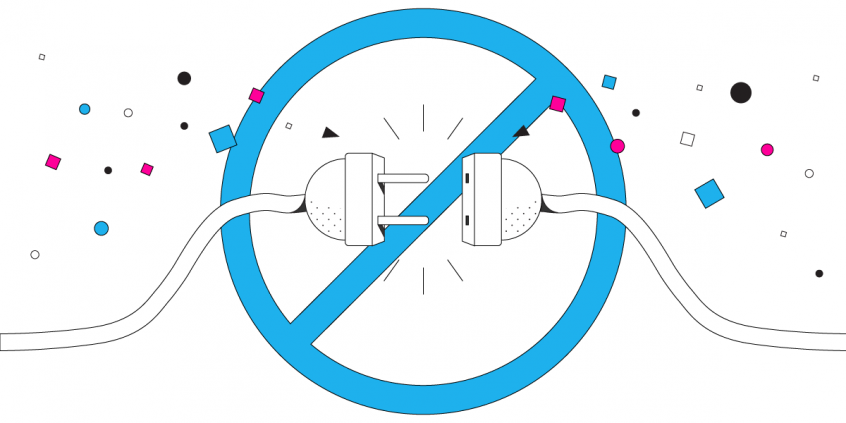
Zoom Disconnects on iPhone? You Can Combine Multiple Internet Connections Together – Like Starlink, Wi-Fi, 4G, 5G, and DSL – with Speedify
If Zoom calls keep dropping on your iPhone, Wi-Fi alone is usually the weak link. Speedify adds your 4G/5G cellular as a bonded backup to Wi-Fi, so your iPhone stays on the call even when the Wi-Fi wavers.
Zoom is a light and easy way to set up video calls over the Internet. You can use Zoom on any of your devices – computers, smartphone. But many users report Zoom disconnect on iPhone issues. It seems to be unstable and has connectivity and video-audio call issues.
The reason why your Zoom disconnects on iPhone is most likely a poor connection to the Internet. You can fix Zoom issues by joining your main Internet connection with another Internet source like a Starlink or DSL, 4G, 5G. Whether at home, work, or on-the-go, Speedify works with all live streaming software and social platforms to get you faster, more reliable and secure Internet.
In this article we’ll show you how you can solve Zoom disconnect on iPhone to get better video calls.
Should you have a backup 4G, 5G, Starlink, or cable internet connection?
Yes — every internet connection goes down, including Starlink, which drops for ~34 minutes a day on average. A backup connection from a different provider means one outage never takes you fully offline. The most common options are a 4G/5G cellular hotspot, a cable or DSL line, or a second satellite dish.
4G/5G cellular
Works anywhere. Just a SIM or hotspot — no installation needed.
Learn more →Cable / DSL
Best for fixed locations. Different network, so outages rarely overlap.
Learn more →Second Starlink
Adds redundancy and throughput for remote sites or heavy usage.
Learn more →Speedify bonds any two connections into one — automatic failover, more speed, no dropped calls.
Try Speedify free →Why Does Zoom Disconnect on iPhone?
One of the main causes of Zoom disconnecting on iPhone is actually your connection to the Internet. When you have a slow, or unreliable connection, Zoom Meetings may not be able to work properly. Sometimes, you may not even realize that you have a Zoom connectivity problem until you try and use the service.
Zoom uses significant bandwidth, especially for video calls, as other video conferencing software. Your device is sending a complex set of data packets to the device of the person you are trying to talk to. And their device is sending packet of data to you.
The flow of these packets gets interrupted if your Wi-Fi connection has a momentary blip or your cellular connection fluctuates. It can take a few moments for the data to catch up.
This results in Zoom disconnecting on your iPhone: calls where the audio cuts in and out, where the video lags, and where the audio and video don’t sync properly.
Don’t Waste Time Troubleshooting Zoom Disconnect Issues on iPhone. Fix It with Speedify
Speedify makes Zoom disconnects on iPhone disappear. The Speedify app works by monitoring the quality of your Internet connections in the background. It can bond your Wi-Fi and cellular connection simultaneously in a single “pipe” on your iPhone. Or combine any number of connections for that matter.
This improves your bandwidth and leads to a smoother Zoom conference meeting.
Speedify also routes data when something happens to one of your connections. When you stumble upon a bad Wi-Fi hotspot, or your connection suddenly goes out, you will stay connected. Speedify intelligently and automatically reroutes your data through the mobile data connection until you are connected again to both networks. Best of all, you don’t notice anything because Speedify works seamlessly.
Speedify is available for iOS, iPadOS Android, macOS, and Windows devices. Specifically for Apple devices, it works on all devices running iOS 12 and later. This includes iPhones 5S, 6 and later, as well as iPads of 5th generation and newer. Please check the updated system requirements on the download page.
No More Zoom Disconnects on iPhone! Enjoy Stable, Fast and Secure Zoom Meetings
Speedify does more than just manage your Internet connections. It is also a fast bonding VPN. It encrypts all of the data you send and receive from your device. This helps keep your private information and conversations secure from digital eavesdroppers and cyber thieves.
Speedify doesn’t just make your Zoom disconnect on iPhone problems vanish. It also makes the Zoom app more stable and secure, and improves your overall Internet experience.
Other VPNs slow down your Internet connection. There is no other app that works like Speedify. Only Speedify gives you advanced encryption while also speeding up your Internet connection.
Fix iPhone Zoom disconnects easily with Speedify!
Alex and the Speedify team are always exploring the latest in networking and security technology—like 5G, 6G, WiFi 7, laser and satellite internet—and sharing it in new discussion content across YouTube, TikTok, Instagram, and LinkedIn every week.
Got a tech question? Let's go deeper! Pop into Speedify Office Hours live every Wednesday at 10 AM Eastern. Speedify CEO Alex Gizis and our network engineers are standing by to break down your questions about networks, tech updates, and Speedify features.

Speedify
Get started with Speedify today.
Combine Wi-Fi, 4G/5G cellular, Ethernet, Starlink, and more into one faster, steadier connection. Free to try — no credit card required.
🚀 Speed
Faster uploads and downloads by bonding all your connections at once.
📶 Stability
Automatic failover in under a second when any connection drops.
🔒 Security
AES-256 encryption on every connection, on every network you join.



15M+ downloads worldwide. 75K+ five-star reviews on iOS and Android.