
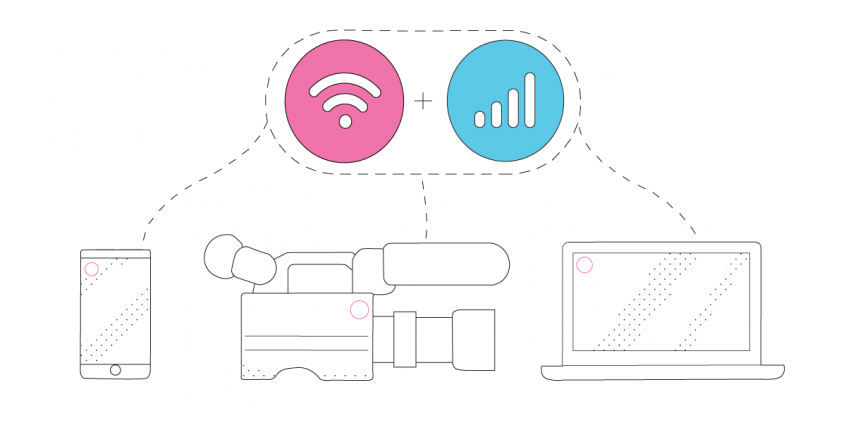
Improving Live Streaming Video Quality Using Internet Connection Bonding (Wi-Fi, Cellular, Ethernet)
Stuttering video and a stream that cuts out in front of an audience usually trace back to one thing: a single internet connection that dips at the worst moment. Bonding is the answer – it means using two or more internet connections at the same time, so no single one carries the whole broadcast.
Speedify is a software app that bonds without extra hardware, spreading your upload across Wi-Fi, 4G/5G cellular data, wired Ethernet, Starlink and other internet connections. This article compares bonding hardware with bonding software, then walks through running Speedify on the streaming device itself, so your upload stays steady and viewers see a clean picture.
Speedify gives you the upload headroom a clean stream needs
Improving Live Streaming Internet with Connection Bonding – Solutions Comparison
We looked at the most popular solutions for bonded Internet when live streaming. We took into account a few criteria, including equipment, maximum bitrate supported and cost. Here is the data.
| Dejero | LiveU | Mushroom Networks | Peplink | Speedify | Streambox | Teradek | TVU Networks | |
| Typical equipment | Dedicated hardware bonding device | Dedicated hardware bonding device + streaming service subscription | Dedicated hardware bonding device | Dedicated hardware bonding device | Software subscription to run directly on supported devices | Dedicated hardware bonding device + streaming service subscription | Dedicated hardware streaming / bonding device + streaming / bonding service subscription | Dedicated hardware bonding device |
| Portability | No | Some solutions only – e.g. LiveU Solo | Some solutions only – e.g. Streamer, Streamer Pro | Some solutions only – e.g. SpeedFusion Engine Series | Yes, depending on the device it’s running on: laptop, mobile device | Some solutios only – e.g. AVENIR Mini 5 | Some solutions only – e.g. Teradek Bond, Teradek LinkPro | Some solutions only – e.g. TVU One / Nano |
| Supported connection types | Ethernet (Gateway 211 only), Wi-Fi, cellular | Ethernet, Wi-Fi, cellular | Ethernet, Wi-Fi, cellular | Ethernet, Wi-Fi, cellular | Ethernet, Wi-Fi, cellular | Ethernet, Wi-Fi, cellular | Ethernet, Wi-Fi, cellular | Ethernet, Wi-Fi, cellular |
| Maximum bonding speed | 1 Gbps | 20 Mbps for streaming / 60 Mbps for file transfer (LU600 HEVC) | Streamer Pro: 30 Mbps max. throughput Streamer: 1 Gbps (standalone), 30 Mbps (RTMP) max. throughput |
200 Mbps with SpeedFusion Cloud |
300 Mbps – Speedify public servers 1 Gbps – Speedify with dedicated server |
1 Gbps | According to streaming settings – limited by ingest servers | 1 Gbps for the 5G TVU One Router (portable) |
| Technology | Smart Blending Technology | LiveU Reliable Transport (LRT) | Broadband bonding | SpeedFusion and other business-oriented ones | Channel bonding, Speedify protocol | Network bonding | Sharelink, Core | IS+ cellular bonding |
| Cost | Approx. $4000 for the Gateway 211 | Starting at $995 for the LiveU solo + $450 / year for the LRT service | Starting at $10,000 | Starting at $499 for the Peplink UBR LTE + SpeedFusion Cloud subscription starting at $20 / 6 months / 500 GB | $90 / year Optional: additional cost for the dedicated server(s) |
Starting at $495 for the Streambox Cloud Event Package + the cost of the Avenir Mini 5 | Starting at $4,990 for the Teradek LinkPro Backpack + $25 / month for the Sharelink service + additional cost per GB over 50 GB | Upon request – should be at least a few hundred dollars for the TVU Router Nano |
All solutions work very well to improve live streaming internet for:
- IRL live streaming
- remote learning
- online and hybrid events – including wedding videography, concerts, etc.
- reporting from the field
- entertainment
- houses of worship
How to Improve Your Live Streaming Internet with Speedify Connection Bonding Software
There are three main differentiators when it comes to Speedify vs. any of the other bonded connectivity solutions to improve your live streaming Internet:
- Hardware vs. software-only – Speedify’s internet bonding solution prioritizes live streaming while running on any computer or mobile device. Being a software-only service, Speedify is much more versatile and portable. It’s not limited to specific bandwidths and you don’t need additional space, power sources or equipment to set it up in order to get great results when live streaming or transferring files.
- Cost – all hardware-based internet bonding solutions (Dejero, LiveU, Mushroom Networks, Peplink, Streambox, Teradek and TVU Networks) have an initial investment of at least $495 plus the subscription to cloud bonding services. With Speedify, you only pay for the monthly or yearly subscription.
- Flexibility – instead of being committed to dedicated bonding hardware with Speedify you can turn any supported device into an internet bonding machine for live streaming. If you want, you can even create your own bonded Internet router and use it in a similar way to a hardware bonding device.
Looking for a real world use case? Read about Doug Piper’s decision to live stream beer tasting using Speedify after considering a LiveU setup.
Speedify Improves Live Streaming Internet Directly on Your Streaming Device
Speedify is the only app that can combine multiple internet sources into one bonded super-connection for more stable and secure live streaming, video calling, and web browsing. Its channel bonding technology uses all available connections at the same time instead of switching between them.
The main benefit of this is getting a stable connection, with failover protection, which is very important when live streaming anything. If one of your connections fails or becomes unusable, Speedify will route all the data through the other working connection(s) until performance is on par with the initial connection. Speedify automates all of this activity. You don’t have to do anything, and you most likely won’t even notice anything different is happening.
As a VPN, Speedify provides advanced encryption, without forcing you to sacrifice speed or reliability. Speedify is compatible with all recent computers and mobile devices. Please check the updated system requirements on the download page.
Speedify
Get started with Speedify today.
Combine Wi-Fi, 4G/5G cellular, Ethernet, Starlink, and more into one faster, steadier connection. Free to try — no credit card required.
🚀 Speed
Faster uploads and downloads by bonding all your connections at once.
📶 Stability
Automatic failover in under a second when any connection drops.
🔒 Security
AES-256 encryption on every connection, on every network you join.



15M+ downloads worldwide. 75K+ five-star reviews on iOS and Android.