
Does Distance Learning Work when Your Home Is an RV?
You are living in an RV and someone in it has classes to attend. Campground Wi-Fi is shared with forty other rigs, the cellular signal changes every time you move, and a lesson will not wait for either.
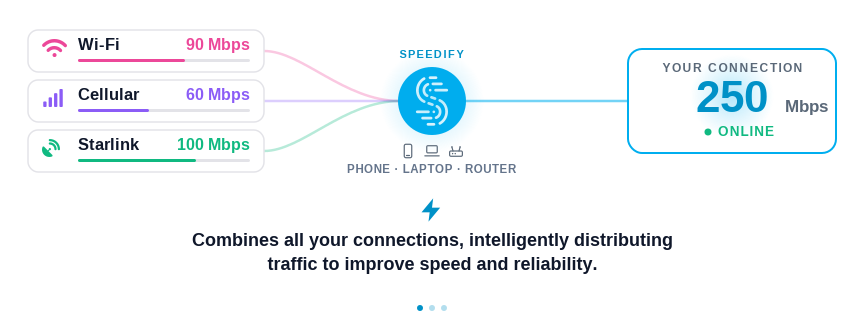
Speedify is an app for a laptop, tablet or phone that uses several internet connections at the same time (campground Wi-Fi, one or two cellular hotspots, satellite), so no single weak internet connection decides whether the class works. On just one internet connection, Speedify works as an encrypted VPN and cannot stop that internet connection from dropping. This guide covers whether remote learning is realistic from an RV, and what causes the dropouts when it is not.
How do I use WiFi and 4G/5G cellular at the same time with Speedify?
Pick your two internet connections and your device below and we'll take you to the step-by-step setup guide.


Causes for Slow, Unreliable Internet when Remote Learning in an RV
Remote learning in an RV needs a fast and stable internet connection for the video platform you’re using, such as Zoom, Google Meet or Microsoft Teams. These are the most common causes of problems:
- There are areas that have weak or lack any cellular coverage. Plus, as you may be traveling in your RV on a stormy day, it’ll be hard to connect to the satellites.
- Your Internet isn’t fast enough. Some Internet connections are just slow to send and receive streaming packets;
- You have a high packet loss rate. Internet connections are dropping network packets, so you can miss parts of the audio or video. This usually happens at the edge of the range on wireless internet connections like Wi-Fi and cellular.
You can’t really engage in remote learning when dealing with a slow, unreliable Internet connection:
- you get stuttering video and can’t make out what the others are saying.
- the video keeps buffering, cutting off sentences so you miss parts of the lesson.
- you can get disconnected from Zoom or Google Meet, or be unable to join the class at all.
Having several internet connections (Wi-Fi, cellular, satellite) does not fix slow internet on its own, because each internet connection can be slow and your device uses one at a time. The best you get is staying online, with short disconnects while you switch between them.
Use All Available Internet Connections for Remote Learning in an RV
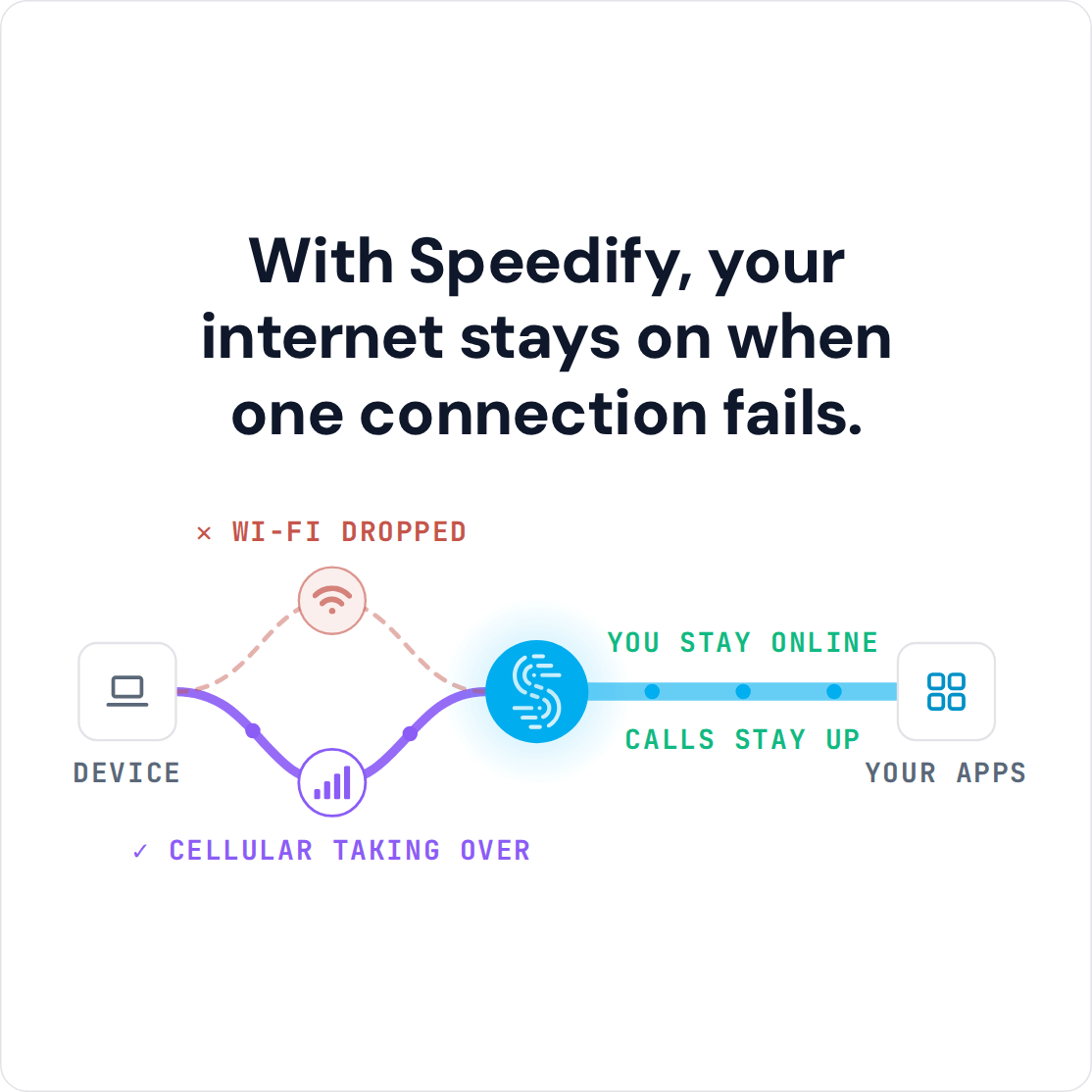
Speedify is a VPN that combines internet connections, so you can use multiple internet connections at once. If you’re using two or more internet connections with Speedify, you stay online when one of them drops. Speedify monitors the quality of each internet connection and moves traffic to the other working internet connection(s) when one fails. Once the troublesome internet connection recovers, Speedify sends traffic through it again. This way, you avoid low-quality video streaming, buffering and disconnects.
If you have only one internet connection in your RV or while camping, Speedify still encrypts your traffic and detects lost packets and resends them; see more details in this article.
How to Get Better Internet Connectivity for Remote Learning in RV
On your smartphones, you can combine cellular Internet with any Wi-Fi network:
- Get Speedify on your mobile device
- Turn on both internet connections: Wi-Fi and cellular
- Connect to a Speedify server
- Enjoy high speed Internet in your RV.
But Speedify is also available for Windows, macOS and Linux. If you’re using computers, you’ll have a lot more available combinations to work with.
Want to share your fast and stable internet with every device in your RV? With a Windows laptop, you can share the Speedify internet connection over Wi-Fi; here’s a video on how to do that.
Speedify is already used for this on the road. Here’s an advanced RV high speed Internet setup from David Bott (Outside Our Bubble):
While traveling in your motorhome, connecting to public Wi-Fi hotspots can be risky. A VPN protects you, but most VPNs also slow down your RV internet. Speedify uses advanced encryption that is fast and secure, and with two or more combined internet connections you get more speed, not less. On a single internet connection, Speedify can be a little slower, like any VPN.
If you’re into remote learning in RV, you should focus on that and not on finding the best place for fast Internet. With Speedify combining every internet connection you have, you spend less time hunting for a better signal, though no app helps where there is no cellular, Wi-Fi or satellite signal at all.
Speedify
Get started with Speedify today.
Speedify combines Wi-Fi, 4G/5G cellular, Ethernet, Starlink and satellite into one faster, more reliable internet connection. Free to try: 5 GB a month with a free account. No credit card required.
🚀 Speed
Faster uploads and downloads, because Speedify uses all your internet connections at once.
📶 Stability
If one internet connection drops, Speedify moves your traffic to the others in milliseconds.
🔒 Security
AES-256 encryption on every internet connection, on any network you join.


15M+ downloads worldwide. 75K+ five-star reviews on iOS and Android.