
Raspberry Pi Powered Bonding Router with Speedify Software
Are you live streaming online? It’s a great way to create content, get known all over the world, plus a lot of fun. However, it can be expensive to get the necessary equipment to keep a stable live stream going while you’re out and about.
First thing that comes into mind when taking about live streaming gear is the LiveU Solo device. That has proven its reliability for many streamers so far. But the price tag starts somewhere at around $1,600.
Then, you start looking at the LiveU competitors. Which are, more or less, within the same concept – a hardware box you need to power and connect to the Internet. They also have a similar price range.
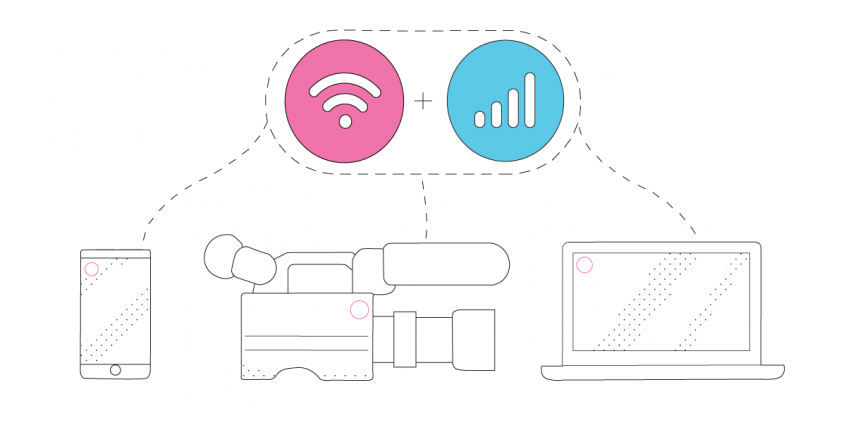
The main feature that helps live streamers using the LiveU or its competitors is the bonding part – using all of your Internet connections at the same time. Here at Speedify, we managed to put together a competitor to the LiveU for only about $600 – and that includes the video camera as well! Watch the video below and read to see how it’s done.
LiveU Competitors: What to Look At
First – for the “computer” core of the streaming gear, you should make sure it can combine multiple connections at once. Look for channel bonding or link aggregations.
In our example, we installed Speedify on a Raspberry Pi 4. With Speedify, we have the only VPN capable of software channel bonding, so we were able to incorporate the bonding part of the technology right off the bat.
Then, there are 3 main processes you have to get working:
- Getting video from the camera into the main streaming device.
- Turning that raw live video footage into a streamable format.
- Broadcasting it over the Internet using channel bonding technology. You also have to make sure you can control the stream without a user interface.
Speedify Powered LiveU Competitor Solution for Network Bonding: Components List
Below you’ll find a sample list of components we used in our LiveU live streaming gear competitor. As long as you find similar hardware with the same functionalities, you should be good to go.
Sample components and costs
- Video camera: Sony AS-300 – $298
- Capture card: Elgato Cam Link – $116
- Cable adapter: HDMI to Micro-HDMI – $6
- Computer: Raspberry Pi 4 or newer – $55
- Computer accessories: GeeekPi Acrylic Case with Fan RPi 4 – $10
- Camera support: Smatree telescoping selfie stick – $23
- Mobile connections: USB cellular dongles, tethered smartphones
- Speedify channel bonding app – $3.99 / month
PLUS – if you’re considering streaming on the go:
- Battery pack: $38.
- Remote: Circuit Playground Express (including plastic case) – $30
- Organizer: Cocoon GRID IT! Accessory Organizer – $11
- Backpack: Jansport backpack – $30
The total cost for this live streaming equipment is about $600. Plus – you may not need to purchase all of this equipment if you already have similar items available.
LiveU Competitors: Easier Live Streaming on the Go with Speedify
As mentioned before, one of the core elements of this live streaming gear is the Speedify channel bonding VPN. You can easily set up Speedify on any Windows, macOS, iOS, Android or Linux device. For Raspberry Pi use the instructions here.
Along with that, on our Pi setup we’re using ffmpeg, which is a fast, lightweight, very configurable open-source software suite available on Linux for video and audio encoding and decoding. We installed ffmpeg by following these compilation steps https://trac.ffmpeg.org/wiki/CompilationGuide/Ubuntu. We installed every third party library listed except for libaom, since it is unstable and not necessary for our setup.
And then – depending on the operating system your main device uses – you can install various software like OBS, etc.
We also needed to set up the Circuit Playground Express to work as a remote to control the stream. This involved writing a couple of Python scripts so that one button starts the live stream, one button stops it, and the switch reboots the Pi if needed. We have our code to set up the streaming buttons available on Github with more detailed setup instructions here: https://github.com/speedify/rpi-streaming-experiment.
Speedify Proven Track Record, Global Scale
Speedify has powered stronger Internet for millions of consumers since 2014
15M
Millions of Speedify downloads worldwide, and growing every day5⭐️
More than 75,000 5-star reviews for Speedify in the iOS and Android app stores82
Points of Speedify presence in datacenters around the globe500TB
Hundreds of terabytes of fast, secure data streamed every week via SpeedifySpeedify Partners
Speedify partners with these amazing organizations to deliver better internet and next-generation networking technology to their customers and employees.


Get the Speedify Powered Live Streaming Gear Live
After you assemble all the hardware parts and install the required software, you should be ready to go for live streaming. As mentioned earlier, it depends on the device how you can get started.
In our example, we spent some time testing a ffmpeg command that would stream high quality video as reliably as we can to Twitch on the Pi, which we programmed into the Circuit Playground Express remote (see the GitHub link above):
ffmpeg_command = "ffmpeg -nostdin -re -f v4l2 -s '1280x720' -framerate 24 -i /dev/video0 -f alsa -ac 2 -i hw:CARD=Link,DEV=0 -vcodec libx264 -framerate 24 -rtbufsize 1500k -s 1280x720 -preset ultrafast -pix_fmt yuv420p -crf 17 -force_key_frames 'expr:gte(t,n_forced*2)' -minrate 850k -maxrate 1000k -b:v 1000k -bufsize 1000k -acodec libmp3lame -rtbufsize 1500k -b 96k -ar 44100 -f flv - | ffmpeg -f flv -i - -c copy -f flv -drop_pkts_on_overflow 1 -attempt_recovery 1 -recovery_wait_time 1 'rtmp://live.twitch.tv/app/" + streamKey + "'\n"
This command (included in the Pythin script mentioned above) lets us stream live to Twitch, in 720p at 24 frames per second, which is about as good as the Pi can handle. We’ve also tested it at 1080p and up to 60 frames per second, but the performance is not as reliable and the Pi is more at risk of overheating.
With our gear, Speedify bonding is set to automatic start so it runs as soon as the Pi boots up. This way, we don’t need a UI for the Pi once we get everything together.
And that’s all there is to it! Ready to try our LiveU competitor for live streaming?
Looking for an Out-of-the-Box Network Bonding Router as an Alternative to LiveU? Get the Miri X510!

NEW!
Miri X510 Bonding Router
POWERED BY SPEEDIFY
Bond up to 7 Links Simultaneously
Combine wired, Wi-Fi, 5G, and LTE connections plus Pair & Share with other Speedify users.
Battery-powered Portability
Embed Speedify software for the next generation of routers, networking appliances, and smart devices
Speedify Teams
Increased speed, security, and stability for all of the people and devices in your organization.
Speedify for Routers
Turn your OpenWRT, GL.iNET, or Miri router into a Powered by Speedify device that can bond available 4G, 5G, Wi-Fi, wired, and Starlink connections together.

Speedify Embedded Solutions and Integrations
Embed Speedify software into your app or hardware products and leverage the core channel bonding technology of Speedify in new and interesting ways.

Get started today!
With Speedify you can combine multiple internet sources into one bonded super-connection to improve livestreaming, video calling, gaming, web browsing, and everything else you do online.
Speed
Stability
Security
We love talking about technology!
Alex and the Speedify team are always exploring the latest in networking and security technology—like 5G, 6G, WiFi 7, laser and satellite internet—and sharing it in new discussion content across YouTube, TikTok, Instagram, and LinkedIn every week.
Got a tech question? Let's go deeper! Pop into Speedify Office Hours live every Wednesday at 10 AM Eastern. Speedify CEO Alex Gizis and our network engineers are standing by to break down your questions about networks, tech updates, and Speedify features.
