
Combine 2 Wireless Cellular Adapters on macOS for Increased Reliability and Speed
Is your Internet connection slow and unreliable, even when you connect your Mac to Wi-Fi or wired Ethernet? Do you get a lot of buffering and disconnects on video calls? Are you working on the move, while commuting? If the answer is yes to at least one of the questions above, then you need to find a way for more stable and faster connectivity.
Think about it - when you're using only one Internet connection on your Mac, then you are dependent on its quality. Even if you have two connections active on macOS, that doesn't mean your Mac is using them at the same time; it's only switching between them. An idea would be to use 2 cellular adapters at the same time on your Mac - each dongle would be connected to a different carrier. If one should fail, then the other would pick up the traffic. But what about those seconds of interruption while the switch takes place?
So, you need your Mac to use both at the same time, so no interruption would occur. This can be done by using a channel bonding app like Speedify - read below for more details.
The Speedify App Provides Faster Download and Upload Speeds on Your Mac
Use Speedify to Increase Your Upload and Download Speeds: Combine Wi-Fi, 4G / 5G Cellular, Ethernet, Starlink and Other Satellites

Speedify combines Wi-Fi, 4G / 5G cellular, Ethernet, Starlink, and other satellites for faster internet uploads and downloads
Speedify is the only software app that combines Wi-Fi, 4G / 5G cellular, Ethernet, Starlink and other satellites at once for secure, faster, and more reliable internet uploads and downloads so you stay online without interruptions.
Speedify will automatically detect and start using any available Internet connections on your device while intelligently distributing your online traffic between them for optimal performance. If you need help we have quick start guides available for most common set ups.

Speedify combines multiple personal hotspots for faster internet upload and download speeds
Speedify's Pair & Share feature enables you to connect to multiple hotspots at the same time for faster upload and download speeds and more reliable internet for everyone. Speedify's Pair & Share feature allows you to wirelessly share 4G / 5G cellular connections back and forth between multiple Speedify users on the same local network when live streaming from an event, calling from the commute or sharing from the field.
Speedify is the only app that allows you to share 4G / 5G cellular data between PCs, Macs, iPhones and Androids. Use multiple iPhones and Android phones as hotspots for internet access and get faster upload and download speeds and mobile failover for all paired devices.
Use Speedify to combine...
Combine these connections on:


What Does Speedify Do to Help Use Two Wireless Adapters Simultaneously?
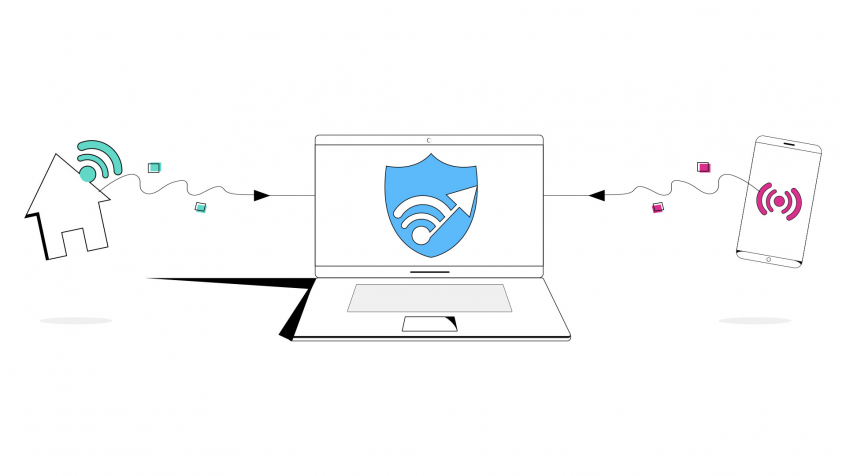
Speedify is a fast bonding VPN that gets you a fast, stable and secure Internet connection on your Mac. It achieves this with channel bonding technology that uses all of your available connections in macOS instead of switching between them. In this case, it will allow you to use 2 cellular adapters at the same time on your Mac.
You get more bandwidth, which allows all of your apps to run faster. Speedify runs in the background, proactively monitoring the quality of your connections. It is equipped with auto failover so when one of your cellular connection drops or has a poor signal strength, it routes all the data through the other one, if available, until the connection is restored. All of this activity is automated. You don’t have to do anything, and you most likely won’t even notice anything different is happening.
Speedify also provides advanced encryption, without forcing you to sacrifice speed or reliability, as a VPN. Speedify works on all Mac computers running macOS 10.12 and later. That includes macOS Sierra, macOS High Sierra, macOS Mojave, macOS Catalina, and macOS Big Sur.
Please check the updated system requirements on our download page.
4 Steps to Use 2 Wireless Cellular NICs at the Same time on Mac
Here's what you have to do in order to combine two LTE / 5G cellular dongles on your macOS computer or laptop. You can also use tethered Android smartphones / iPhones directly instead of cellular adapters - the idea is to use two cellular networks at the same time.
- Connect the first USB cellular adapter to a USB port on your Mac - here's how. Some cellular adapters require the use of proprietary dialer software to connect to the Internet. Be sure to follow the manufacturers installation and operating instructions closely.
- Connect the second USB cellular dongle to your Mac.
- Confirm your connection status - visit System Preferences, click Network, and look for your new adapters in the list on the left.
- Get Speedify from the App Store. Once running, Speedify will automatically detect any available Internet connections and combine them for increased speed, security, and stability.

Get started with Speedify today!
With Speedify you can combine Wi-Fi, 4G / 5G cellular, Ethernet, Starlink and other satellites into one bonded super-connection to improve livestreaming, video calling, gaming, web browsing, and everything else you do online.


Speed
Stability
Security
Speedify devs love talking tech on YouTube, Tiktok, and Instagram!
Alex Gizis and the Speedify devs discuss and explain technology including Starlink satellites, Wi-Fi 7 routers, Apple networking features, fiber optics, broadband internet, 5G mobile networks, AI, networking protocols, and much more. Follow Speedify on YouTube, TikTok, Instagram, and LinkedIn!
Alex and the Speedify team are always exploring the latest in networking and security technology—like 5G, 6G, WiFi 7, laser and satellite internet—and sharing it in new discussion content across YouTube, TikTok, Instagram, and LinkedIn every week.
Got a tech question? Let's go deeper! Pop into Speedify Office Hours live every Wednesday at 10 AM Eastern. Speedify CEO Alex Gizis and our network engineers are standing by to break down your questions about networks, tech updates, and Speedify features.
