
You Can Combine Multiple Internet Connections Together – Like Starlink, Wi-Fi, 4G, 5G, and DSL – with Speedify, to Fix Snapchat Games Not Working
Snapchat games that never finish loading are almost always an internet problem rather than a broken app. The game is waiting on data that arrives too slowly or in fits and starts, which happens on crowded school Wi-Fi and on a phone clinging to a weak signal.
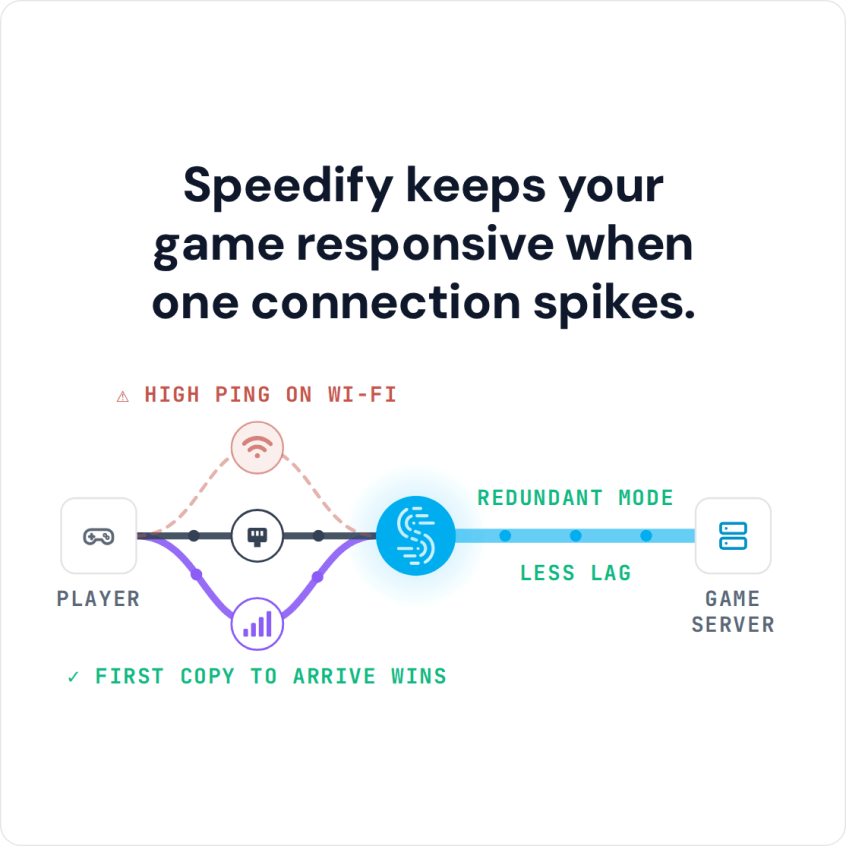
Speedify is an app that puts Wi-Fi and 4G/5G cellular data to work together on your phone, and it can add wired Ethernet, Starlink and other internet connections as well. You will find the quick fixes worth trying first here (clearing the cache, restarting, reinstalling) plus what using Speedify does to get Snapchat games loading and playable again. Speedify needs two connections, such as Wi-Fi and cellular data, to keep a game going when one drops; on a single connection it works as an encrypted VPN.
Snapchat Games Not Working: Possible Causes
While Snapchat games are pretty lightweight, if you’re having a slow connection, the game won’t load. If you’re stuck in a loop and the game isn’t loading even though it’s been long, the problem might be with your device or network.
Here are some options you can try to fix the issue.
- Clear the Snapchat cache
- Turn off your device and turn it back on
- Uninstall and reinstall the app
Have you tried all these options and Snapchat games are still not working? Then, the issue is not with your device but with your internet.
When your internet is slow and patchy, you can’t play any online games properly. This includes Snapchat games as well.
If you’re using your school Wi-Fi to play Snapchat games, this might be the problem. School Wi-Fi networks are not just slow but they also block social media platforms such as Facebook and Snapchat. You’ll need something that circumvents the restrictions and provides stable and fast internet. While an ordinary VPN will be able to circumvent the school network restrictions, it will slow down your internet.
Speedify gives you both features to fix Snapchat games not working: getting past network blocks and a more reliable internet connection. Speedify runs on Windows, Mac, Android and iPhone.
Snapchat Games Load Quickly with Speedify
Speedify combines internet connections and encrypts your traffic like a VPN, which makes your internet more reliable and keeps you secure. It can also get you past school or college Wi-Fi that blocks apps, unless that network blocks VPN connections too.
If you’re on a public Wi-Fi, there might be hackers lurking on the network. They can see all your online activities, which can include your usernames and passwords as well. However, when you use Speedify on a public Wi-Fi, your connection becomes secure and your activities become hidden from anyone snooping on the connection.
You might have seen other VPNs promising superfast speeds. But you’ll notice a speed drop, no matter how small it is. Speedify, on the other hand, can make your connection faster than before when it combines two or more internet connections, such as Wi-Fi and cellular data.
How Speedify Helps You when Snapchat Games Are Not Working
Speedify does two main things:
- It encrypts your traffic and reroutes it through one of its speed servers
- It can combine 2 or more connections at once for a more stable and fast internet.
How this affects you, as a Speedify user:
Securing your connection: the network you are on cannot see what you are doing online. If you’re trying to open Snapchat games on your school or college connection, the network admins see only an encrypted connection to a Speedify server, not the apps you open.
Combining multiple connections at once: Speedify uses 2 or more internet connections at the same time, for example Wi-Fi and 4G/5G cellular on a phone, or two Wi-Fi networks on a computer with a second Wi-Fi adapter.
Wondering how fast Speedify is and why it can really fix it when Snapchat games are not working? All you have to do is get it on your smartphone!
Speedify
Get started with Speedify today.
Speedify combines Wi-Fi, 4G/5G cellular, Ethernet, Starlink and satellite into one faster, more reliable internet connection. Free to try: 5 GB a month with a free account. No credit card required.
🚀 Speed
Faster uploads and downloads, because Speedify uses all your internet connections at once.
📶 Stability
If one internet connection drops, Speedify moves your traffic to the others in milliseconds.
🔒 Security
AES-256 encryption on every internet connection, on any network you join.



15M+ downloads worldwide. 75K+ five-star reviews on iOS and Android.