The Customers Show You the Way: Get Faster Uploads and Downloads on Starlink with Speedify

How to Make Starlink Work Better with Speedify

Listening to your users is one the most important lessons I have learned over and over in business. This past summer Brett Stelmaszek of UFDTech used Speedify, a Starlink, and several Cellular connections to livestream a cross country  UFDTech’s Cannonball Run of 2022.  

As the network of Starlink satellites has grown, so has its subscriber base, and in the past few months more and more of them have flocked to Speedify to overcome issues with latency and reliability. At Speedify we regularly test our software with multiple ISPs and carriers, and we needed to physically own a Starlink to test and refine Speedify.

This is the first part of a series of learnings that I wish to share with you on the importance of listening to your customers when it comes to driving and growing your business.

Use the Speedify software app to avoid Starlink internet dropouts

Speedify fixes slow Starlink download and upload speeds and gets you faster internet download and upload speeds.. Use the Speedify app to combine your Starlink with another Starlink, Wi-Fi, 4G, 5G cellular, or a wired broadband internet connection and use them together at the same time. The Speedify software app works on Windows, Mac, Linux, iOS, Android and supported OpenWrt routers.
Image

Speedify alerts you about your Starlink dish status

The Speedify software app alerts you about your Starlink dish status - i.e. when your actuator motor is stuck, the mast is not vertical or there's a thermal throttle. These Starlink dish alerts will appear on your Speedify software app dashboard and are triggered if the specific condition was met at least once in the previous 15 seconds. They will persist for as long as they are active.
Image

Use Speedify to Increase Your Upload and Download Speeds: Combine Wi-Fi, 4G / 5G Cellular, Ethernet, Starlink and Other Satellites

Speedify combines Wi-Fi, 4G / 5G cellular, Ethernet, Starlink, and other satellites for faster internet uploads and downloads

Speedify is the only software app that combines Wi-Fi, 4G / 5G cellular, Ethernet, Starlink and other satellites at once for secure, faster, and more reliable internet uploads and downloads so you stay online without interruptions.

Speedify will automatically detect and start using any available Internet connections on your device while intelligently distributing your online traffic between them for optimal performance. If you need help we have quick start guides available for most common set ups.

Speedify wirelessly joins multiple phone personal hotspots together for faster internet upload and download speeds

Speedify's Pair & Share feature enables you to connect to multiple hotspots at the same time for faster upload and download speeds and more reliable internet for everyone. Speedify's Pair & Share feature allows you to wirelessly share 4G / 5G cellular connections back and forth between multiple Speedify users on the same local network when live streaming from an event, calling from the commute or sharing from the field.

Speedify is the only app that allows you to share 4G / 5G cellular data between PCs, Macs, iPhones and Androids. Use multiple iPhones and Android phones as hotspots for internet access and get faster upload and download speeds and mobile failover for all paired devices.

See how you can use Speedify to combine different Internet connections:

Get started with Speedify today!

Speedify combines Wi-Fi, 4G / 5G cellular, Ethernet, Starlink, and other satellites for faster internet uploads and downloads.

Image

Stage 1 - Initial Starlink Testing

Starlink initial testing

Starlink and Live Streaming

To really eat our 'own dog food' we decided that we needed to set up a live stream that used Starlink and Speedify  24/7.  This serves us in two ways:

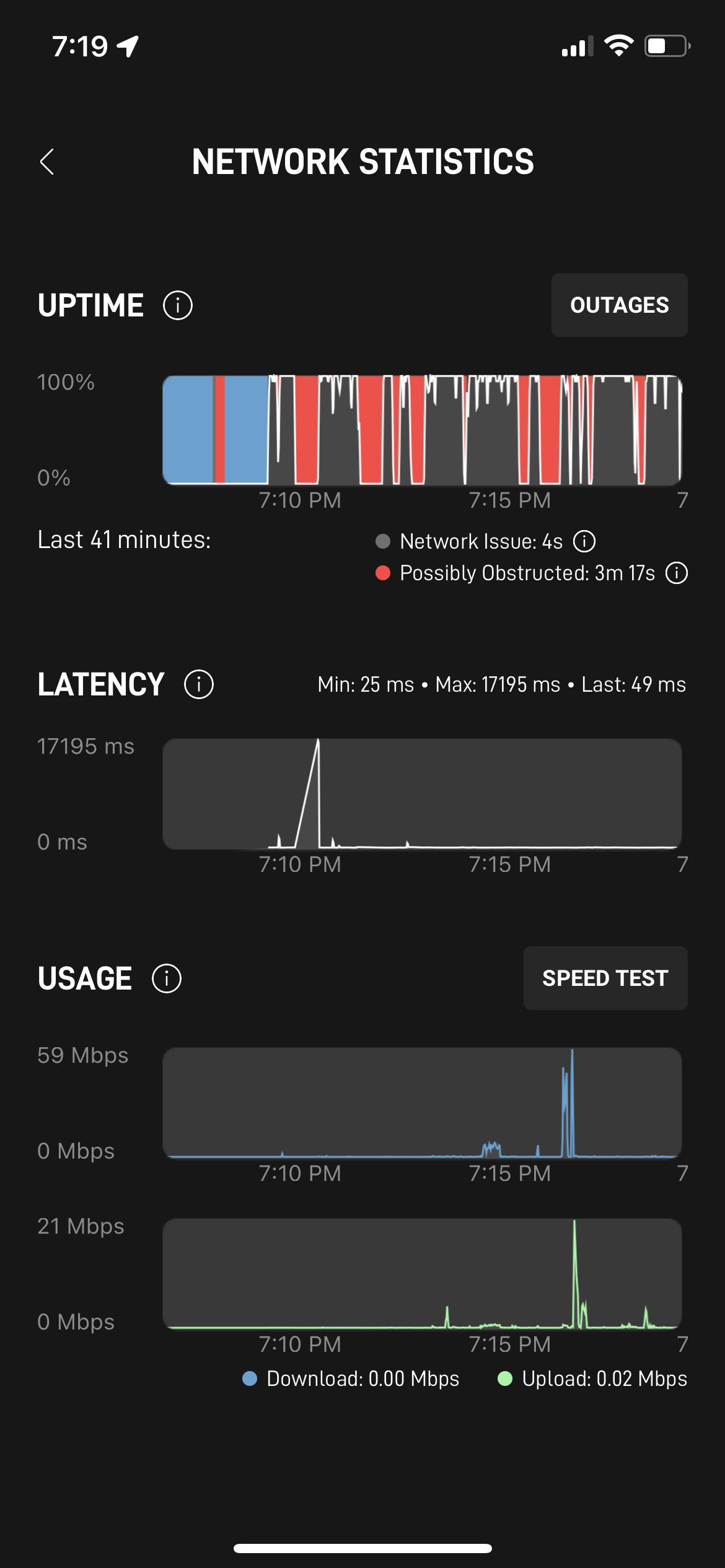
  • We have access to Starlink network stats and Speedify network stats for live streaming and are able to see where we’re helping and how we can help better
  • We showcase that and turn it into a proof point for people who are having issues with Starlink disconnecting.

Just setting up this Starlink livestream has been a journey full of learning for us. We got to apply all our knowledge from doing the Speedify LIVE shows and working with a new type of Internet connection.

To put it briefly: we’re live streaming from a roof using a Starlink Internet connection together with a secondary Comcast cable connection. This way, we can see how Speedify jumps in when Starlink is being unreliable, measure the parameters and continuously improving it.

Tune in to our Philadelphia skyline livestream on Twitch or YouTube.

Follow the Customer Need and Prove the Value

We’re currently winding up to start sharing our findings on how Speedify helps Starlink users get more reliable Internet connections. This will answer all the questions related to Internet reliability when it comes to Starlink down time.

The good news is that since Speedify 12.7 we have Starlink improvements on each and every release. 

We are excited to keep live streaming with Starlink and Speedify. It is truly the 'eat your own dogfood' software challenge. 

Image

Get started with Speedify today!

With Speedify you can combine Wi-Fi, 4G / 5G cellular, Ethernet, Starlink and other satellites into one bonded super-connection to improve livestreaming, video calling, gaming, web browsing, and everything else you do online.

Speed

Get faster uploads and downloads for everything you do online.

Stability

Avoid buffering and disconnects while streaming, gaming, and browsing.

Security

Keep your personal data safe from hackers, snoops and cyber criminals

Speedify devs love talking tech on YouTube, Tiktok, and Instagram!

Alex Gizis and the Speedify devs discuss and explain technology including Starlink satellites, Wi-Fi 7 routers, Apple networking features, fiber optics, broadband internet, 5G mobile networks, AI, networking protocols, and much more. Follow Speedify on YouTube, TikTok, Instagram, and LinkedIn!

Alex and the Speedify team are always exploring the latest in networking and security technology—like 5G, 6G, WiFi 7, laser and satellite internet—and sharing it in new discussion content across YouTube, TikTok, Instagram, and LinkedIn every week.

Got a tech question? Let's go deeper! Pop into Speedify Office Hours live every Wednesday at 10 AM Eastern. Speedify CEO Alex Gizis and our network engineers are standing by to break down your questions about networks, tech updates, and Speedify features.

Image