
Facebook Connection Issues? You Can Combine Multiple Internet Connections Together – Like Starlink, Wi-Fi, 4G, 5G, and DSL – with Speedify
Facebook shows “This is taking a while. Try checking your network connection”, or the older “Please check your internet connection”, when the app cannot reach Facebook’s servers for a moment. That usually happens on an internet connection that looks fine but keeps dipping: Wi-Fi at the edge of its range, or 4G/5G cellular in a crowded area. Sometimes Facebook itself is having problems, so check that first.
Speedify is an app that combines Wi-Fi, 4G/5G cellular, Ethernet, Starlink and satellite internet connections and encrypts your traffic like a VPN. With Wi-Fi and 4G/5G cellular both on, a dip on one of them no longer cuts Facebook off. On a single connection, Speedify works as an encrypted VPN and cannot stop that connection from dropping. Keep reading to see what triggers the message and how to stop it appearing.
How to Keep Facebook Loading with Speedify
- Download Speedify on your iPhone or Android phone.
- Open Speedify and create a free account (the free tier includes 5 GB per month), or sign in.
- Keep Wi-Fi on and turn on 4G/5G cellular too, so Speedify has two internet connections to work with.
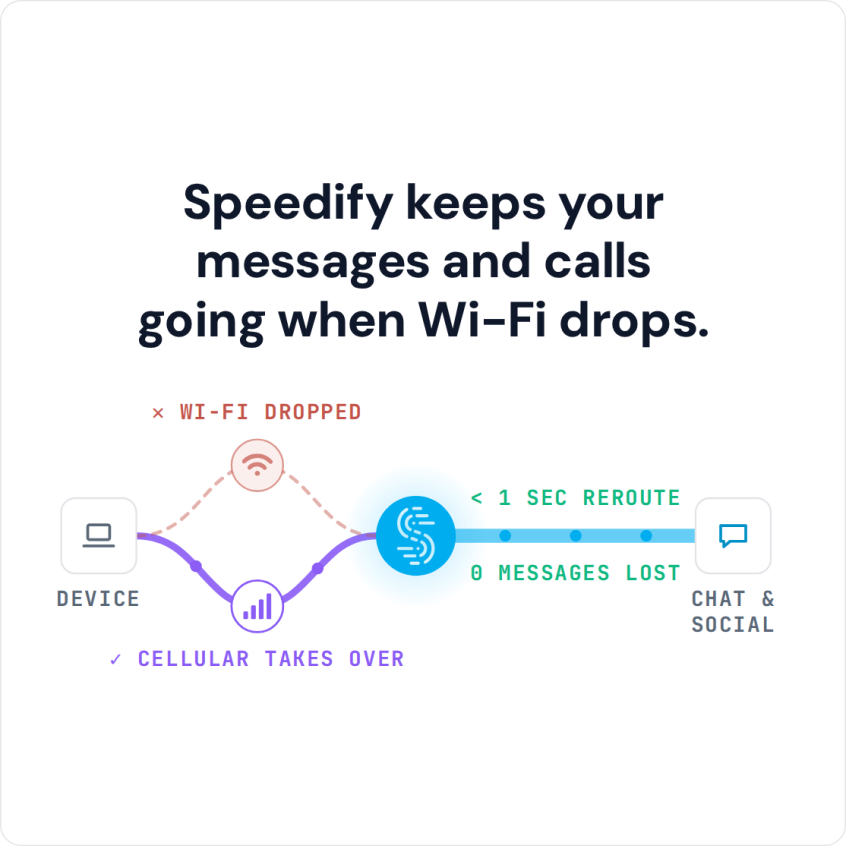
- Connect. Speedify uses both connections at once and moves your traffic to the working one when one drops.
- Open Facebook and use it as usual.
Why Facebook Says “This Is Taking a While” or “Please Check Your Internet Connection”
Start with the quick checks: see whether Facebook is down for everyone on a status site such as Downdetector, update the Facebook app, clear its cache (Android) or reinstall it (iPhone), and restart your phone. Also check out the Facebook Support page.
One of the main causes of Facebook connection issues is in fact your connection. When you have a slow or unreliable connection, Facebook may not be able to work properly. Sometimes, you may not even realize that you have a Facebook connection problem until you try and use the service.
Solve Facebook Connection Issues With Speedify
Speedify combines your internet connections into one. Speedify monitors the quality of each connection in the background and can combine your Wi-Fi and 4G/5G cellular connections in a single “pipe” on your phone, or any number of connections on a computer.
Speedify also reroutes data when something happens to one of your connections. When you stumble upon a bad Wi-Fi hotspot, or your connection suddenly goes out, Speedify intelligently and automatically reroutes your data through the other available connection(s), in milliseconds according to Speedify, so Facebook keeps loading. Speedify needs at least two internet connections for this, such as Wi-Fi and 4G/5G cellular.
Speedify is available for iOS, Android, macOS, Windows and Linux devices.
Encrypt Traffic on Untrusted Networks
Speedify does more than manage your internet connections. Speedify is also an encrypted VPN: it encrypts all of the data you send and receive from your device, which helps keep your private information and conversations secure from digital eavesdroppers and cyber thieves.
Speedify only helps with the connection side: it cannot fix problems inside the Facebook app or on Facebook’s side.
Other VPNs slow down your Internet connection, and on a single connection Speedify can also be a little slower. With Wi-Fi and 4G/5G cellular together, Speedify gives you encryption and the capacity of both connections.
When Facebook itself is down, wait for Facebook to fix it. When the problem is your internet connection, Speedify keeps Facebook loading: download Speedify and create a free account, with 5 GB per month on the free tier.
Speedify
Get started with Speedify today.
Speedify combines Wi-Fi, 4G/5G cellular, Ethernet, Starlink and satellite into one faster, more reliable internet connection. Free to try: 5 GB a month with a free account. No credit card required.
🚀 Speed
Faster uploads and downloads, because Speedify uses all your internet connections at once.
📶 Stability
If one internet connection drops, Speedify moves your traffic to the others in milliseconds.
🔒 Security
AES-256 encryption on every internet connection, on any network you join.



15M+ downloads worldwide. 75K+ five-star reviews on iOS and Android.