
How to Make Sure You Get Working Internet when Connecting to WiFi Hotspots
Some hotspots hand you a working internet connection and some hand you nothing, and the difference is usually how many people are already on it and how far away you sit. Weak signal at range and shared capacity look identical from your seat: pages that crawl, or pages that never arrive.
Speedify is an app that pulls Wi-Fi and 4G/5G cellular data into one internet connection your device uses at once, and it scrambles your traffic so nobody else on a public hotspot can read it. Keep reading to learn which hotspot problems you can fix on the spot, and how using Speedify turns a slow hotspot into something workable.
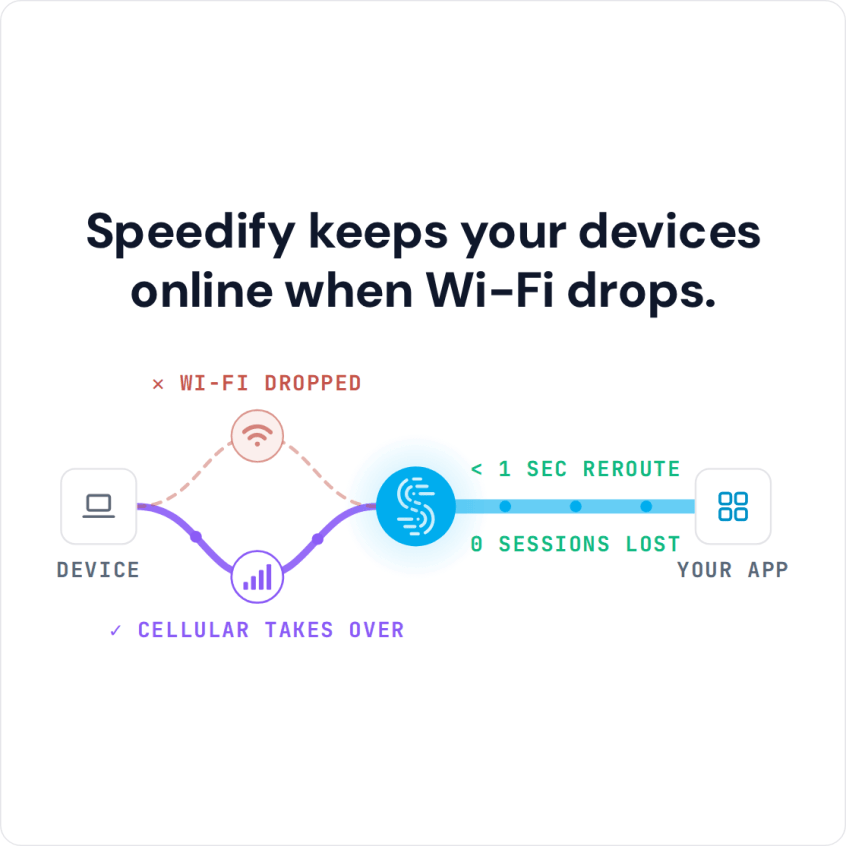
Speedify keeps your devices online when Wi-Fi drops.
Reasons Why Your Hotspot Is Not Working and How That’s Translated into the Real World
There are multiple reasons why a hotspot may not be working, from ISP infrastructure issues to device problems. If it is your phone’s hotspot that fails, see fixes for a phone hotspot not working.
Here are some of the most common problems you may encounter when (trying to) connect to a WiFi hotspot that doesn’t work:
- Slow internet speeds: There are just some instances in life that can make you pull your hair off! Having a slow internet connection is one. Depending on how many users are online at the same time on your network or in your area, your internet speed may vary. Not to mention that if a user within your network is doing some Internet “heavy lifting” like downloading large files or torrenting, then you will certainly experience slow internet.
- Frequent disconnections: WiFi is a wireless way to get connected to the internet. If the WiFi signal is too weak, you will see your connection not work or even disconnect. If the hotspot shows as connected but nothing loads, see fixes for a hotspot with no internet.
- Can’t connect to the hotspot. Ever wondered why you can’t seem to connect to a certain WiFi networks? Aside from hardware limitations (for older hardware):
- the hotspot may be too far from you,
- there may be a lot of wireless interference or
- too many users
Solutions to the “Why Is My Hotspot Not Working?” Question
Here are a few things to help you get your WiFi hotspot up and running:
For slow internet speeds: You can improve your internet speed by getting a higher internet tier from your internet provider. However, if you’re connected on a public hotspot, that won’t be an option. Luckily, there is software like Speedify which you can use to combine multiple internet connections. If you have your smartphone with cellular data available, then you can use Speedify to bond your hotspot and cellular connection. This can also help you protect yourself against online attacks on an unsecured internet connection like free public WiFi hotspots.
If one of the connections you’re bonding with Speedify should fail, then you’re protected against that. You’ll still be connected through the other connection(s). This can ultimately fix any frequent disconnections or intermittent internet access.
If the WiFi hotspot signal is low, then you can use a software like Connectify Hotspot or a WiFi repeater. If you choose Connectify Hotspot, you can also share the bonded Speedify connection over Wi-Fi to all your devices.
Fix Slow and Unreliable Hotspot Connections with Speedify. And Stay Safe Online as Well
Speedify is a fast bonding VPN. It uses channel bonding technology that keeps your data secure without slowing down your computer, like other VPNs. Speedify is able to encrypt your data and send it in pieces where it is reassembled on our secure speed servers.
When you use Speedify, you no longer have to choose between security, speed and stability. Speedify actually helps you have a better experience when you stream movies, have video conference calls, or even play online video games.
So – the question “why is my hotspot not working” now has a solution: Speedify! Get on to it now!
Speedify
Get started with Speedify today.
Speedify combines Wi-Fi, 4G/5G cellular, Ethernet, Starlink and satellite into one faster, more reliable internet connection. Free to try: 5 GB a month with a free account. No credit card required.
🚀 Speed
Faster uploads and downloads, because Speedify uses all your internet connections at once.
📶 Stability
If one internet connection drops, Speedify moves your traffic to the others in milliseconds.
🔒 Security
AES-256 encryption on every internet connection, on any network you join.



15M+ downloads worldwide. 75K+ five-star reviews on iOS and Android.