
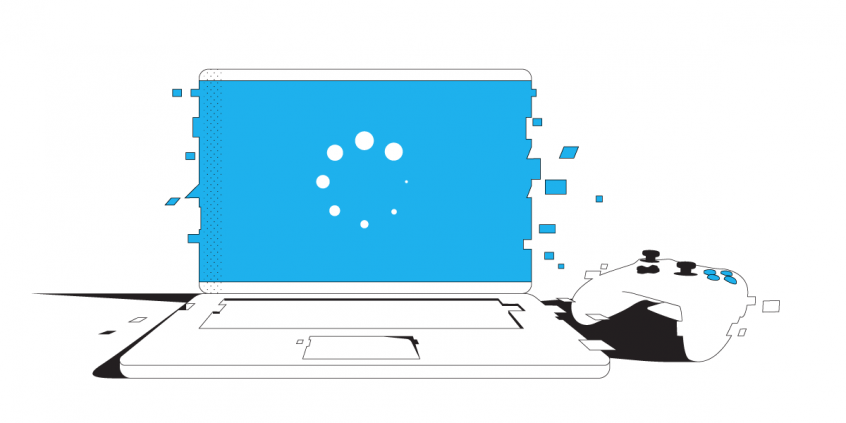
Fix “Network Lag Detected” PUBG Error with an Internet Bonding App
PlayerUnknown’s Battlegrounds (PUBG) is definitely one of the internet’s online gaming sensations nowadays. Released in late 2017, PUBG has rapidly become one of the most popular online multiplayer games on the market today. It stands next to Fortnite and League of Legends (LOL). PUBG’s community includes over 50 million online players on a variety of platforms including XBox, iOS, PC and Android.
Whatever your setup is, one thing is certain: a poor internet connection can lead to devastating lagging issues. This reflects in game as not being able to act within those milliseconds of lag. If you didn’t see the “network lag detected” message in PUBG till now, consider yourself very lucky. Whatever the case, there is a quick and easy solution to fix the network lag detected error in PUBG. See below!
Use Speedify to increase your upload and download speeds: combine internet connection sources like Wi-Fi, 4G, 5G, Starlink and wired broadband

Combine Wi-Fi, 4G, 5G, Starlink and wired broadband to fix slow upload and download speeds
Speedify is the only app that seamlessly combines all of your connections, including Wi-Fi, 4G, 5G, Ethernet, and Starlink, into one stronger connection to keep you online and secure.
In most cases, Speedify will automatically detect and start using any available Internet connections on your device while intelligently distributing your online traffic between them for optimal performance. If you need help we have quick start guides available for most common set ups.

Combine personal hotspots for better upload and download speeds
Speedify's Pair & Share feature enables you to connect to multiple hotspots at the same time and wirelessly share LTE, 4G, and 5G cellular connections back and forth between multiple Speedify users on the same local network to create a faster, more reliable connection for everyone.
For the first time, it's possible to share cellular data between multiple devices, including PCs, Macs, iPhones and Androids. Use multiple phones as hotspots for internet access and get increased bandwidth and mobile failover for all paired devices.
Use Speedify to combine...
Combine these connections on:



Why Do I Get the Network Lag Detected Error in PUBG?
Now that you’ve successfully purchased and installed PUBG, you’re ready to play! Unfortunately, even after the download, your lagging troubles may not be over. Users all over the internet are complaining about about glitches and poor gameplay. One recurring error in PUBG is “Network lag detected“. So how to fix it?
In cloud-based games, lag is often caused by an unreliable internet connection. Lag in PUBG can also be a result of system requirements, like insufficient RAM or a sub-par graphics card. For this article, we will focus on solving network-based lagging problems.
What Causes PUBG Lagging?
When you play an online game like PUBG, information is passed between your device (e.g. a smartphone or a computer) and the game servers. This information is transferred in small bundles of data called packets. Unfortunately, sometimes packets are lost along the way, which slows down your connection. In severe cases of packet loss, you may find that you become disconnected from gameplay entirely!
Another factor that can cause PUBG to display that “network lag detected” message is latency. This is the amount of time it takes for data to travel between your device and the game servers. Lower latency means a faster connection — and less PUBG lag!
FIXED: PUBG Network Lag Detected
Whether you are running PUBG on your computer or on your smartphone, Speedify solves the problem of slow, unreliable internet. You can fix PUBG lagging once and for all and not get that “network lag detected” error anymore! How? By unleashing the full capabilities of your device!
By default, computers and smartphones only connect to the internet through one connection at a time. You are either connected through a cellular signal, through Wi-Fi, or through Ethernet. Speedify allows your device to connect to the internet using multiple internet connections simultaneously. It increases the bandwidth you have available, which can help fix PUBG lag.
On your phone, Speedify allows you to use both WiFi and cellular data. Don’t worry about going over your data caps – you can set limits so that never happens. If you’re playing PUBG on your computer, you can combine your home network Internet with a public WiFi or a 4G / LTE dongle. If you’re playing from your game console, you can share the Speedify bonded VPN connection over WiFi to your gaming device using a Windows PC.
Unblock PUBG at School or on Other Restricted Networks
Speedify is a bonding VPN – this means that it encrypts all traffic from your device. So you should be able to play without any issues from your school network, workplace or other restricted networks.
Speedify also has auto failover. When it detects a signal is weak or spotty–like when you’re playing PUBG on your commute to work–it reroutes all the data through the working connection(s). This gives you a smooth, uninterrupted connection without any network lag detected. Once the other connection is available again, Speedify automatically tosses it back into the mix.
If you want to level-up your game and fix PUBG lag, download Speedify and enjoy a faster, smoother uninterrupted experience.


Speed
Stability
Security
Speedify devs love talking tech on YouTube, Tiktok, and Instagram!
Alex Gizis and the Speedify devs discuss and explain technology including Starlink satellites, Wi-Fi 7 routers, Apple networking features, fiber optics, broadband internet, 5G mobile networks, AI, networking protocols, and much more. Follow Speedify on YouTube, TikTok, Instagram, and LinkedIn!
Alex and the Speedify team are always exploring the latest in networking and security technology—like 5G, 6G, WiFi 7, laser and satellite internet—and sharing it in new discussion content across YouTube, TikTok, Instagram, and LinkedIn every week.
Got a tech question? Let's go deeper! Pop into Speedify Office Hours live every Wednesday at 10 AM Eastern. Speedify CEO Alex Gizis and our network engineers are standing by to break down your questions about networks, tech updates, and Speedify features.
