
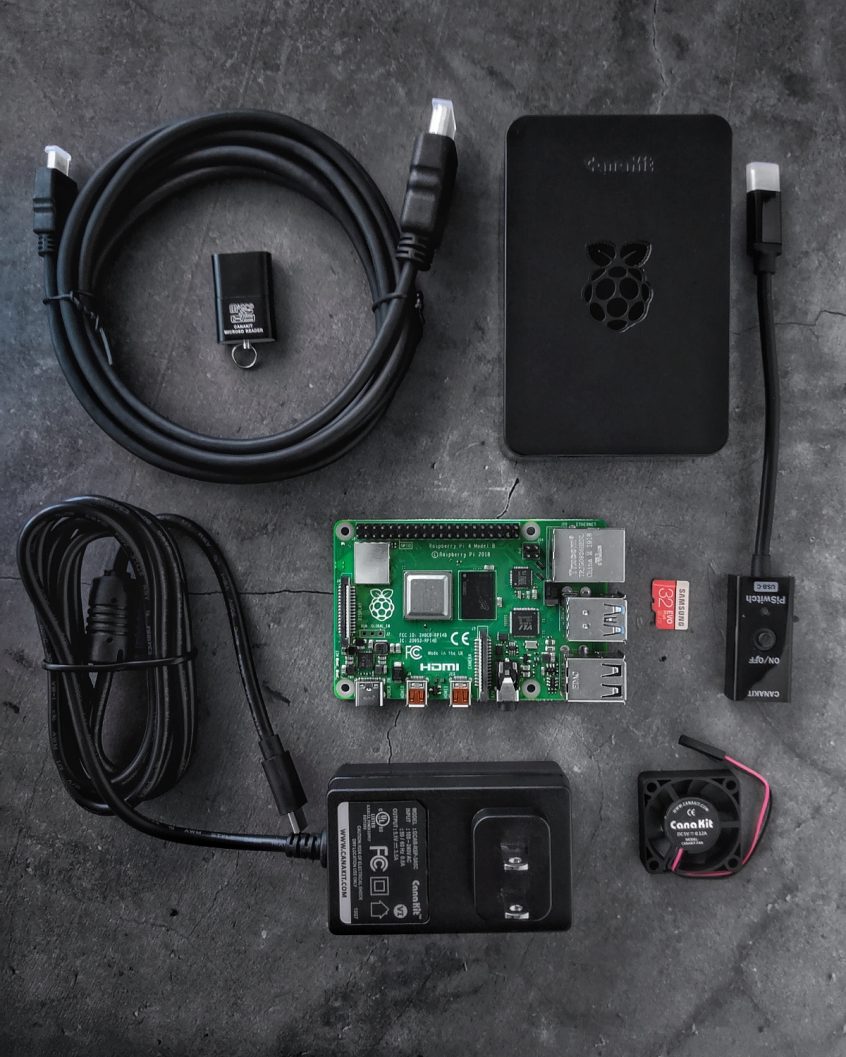
How to Make Your Raspberry Pi Router Help You Get Faster, More Reliable and Secure Internet
We have some interesting Raspberry Pi projects we’ve done so far. They’re all aimed at getting faster, more stable and secure Internet. As we’re not sure you are aware of all, here’s a quick list of 5 DIY project for your Raspberry Pi as a router.
Should you have a backup 4G, 5G, Starlink, or cable internet connection?
Yes — every internet connection goes down, including Starlink, which drops for ~34 minutes a day on average. A backup connection from a different provider means one outage never takes you fully offline. The most common options are a 4G/5G cellular hotspot, a cable or DSL line, or a second satellite dish.
4G/5G cellular
Works anywhere. Just a SIM or hotspot — no installation needed.
Learn more →Cable / DSL
Best for fixed locations. Different network, so outages rarely overlap.
Learn more →Second Starlink
Adds redundancy and throughput for remote sites or heavy usage.
Learn more →Speedify bonds any two connections into one — automatic failover, more speed, no dropped calls.
Try Speedify free →

1. Raspberry Pi as a Wireless Bonding Router – Sharing Internet via Wi-Fi
You can use this inside your home, but also on the go. Wherever you have multiple Internet connections available, you can use this setup to get faster, more reliable and secure Internet.
Once you get your Raspberry Pi all set up with Raspberry Pi OS, you can set up Speedify on it. After that, start adding the network connections you want to combine – external Wi-Fi adapters, tethered phones, etc. The final step is to share the bonded connection via Wi-Fi following the instructions here.
2. Raspberry Pi as a Wired Bonding Router – Sharing Internet via Ethernet
You can setup this up so that you use the Raspberry Pi as a bonding VPN router that provides faster Internet to your regular Wi-Fi router. Just plug in the Ethernet cable from your Pi to the WAN port of your wireless router.
The final step is all that’s different from the setup above. Here’s what you have to do in case you want to share your bonded Internet connection from a Raspberry Pi router via wired Ethernet.
3. Raspberry Pi as a Router with Network Wide Ad Blocking DNS
You probably heard of using the Pi Hole as a network ad blocker. You could set that up, but if you have more than one Internet connections, why not benefit from the increased bandwidth?
Just follow the instructions here to set up the SpeediPi – the Pi Hole alternative with channel bonding.
4. Raspberry Pi as an IRL Streaming Hotspot with Bonded LTE
When you’re out and about doing live streaming, you need a fast and stable Internet connection. Just connect 2 smartphones / portable hotspots via USB to your Raspberry Pi and share the combined connection via Wi-Fi to your wireless camera or other smartphone. Follow the instructions here or watch the video below.
5. IRL Streaming Backpack Under $200 Powered by Raspberry Pi
Instead of spending thousands of dollars for a hardware-based IRL streaming, you can get the whole backpack geared up for less than $200 plus the cost of the smartphone you use as the video camera. The setup is centered around a Raspberry Pi 4 bonding router, that runs Speedify to combine connections for fast, stable and secure Internet.
Check out the concept, components list and setup steps in this dedicated article.
Raspberry Pi Can Be Setup to Combine Internet Connections. Make Sure to Include Speedify in Your Networking Setups.
Thinking of using the Raspberry Pi as a router or as part of a network setup? As long as there’s an Internet connection involved, there can be 2 or more. And that’s very easy to achieve using Speedify channel bonding VPN on your Raspberry Pi.
Above are just 5 setups based on this. Do you have another one? Share it with us on Facebook or Twitter!
Alex and the Speedify team are always exploring the latest in networking and security technology—like 5G, 6G, WiFi 7, laser and satellite internet—and sharing it in new discussion content across YouTube, TikTok, Instagram, and LinkedIn every week.
Got a tech question? Let's go deeper! Pop into Speedify Office Hours live every Wednesday at 10 AM Eastern. Speedify CEO Alex Gizis and our network engineers are standing by to break down your questions about networks, tech updates, and Speedify features.

Speedify
Get started with Speedify today.
Combine Wi-Fi, 4G/5G cellular, Ethernet, Starlink, and more into one faster, steadier connection. Free to try — no credit card required.
🚀 Speed
Faster uploads and downloads by bonding all your connections at once.
📶 Stability
Automatic failover in under a second when any connection drops.
🔒 Security
AES-256 encryption on every connection, on every network you join.



15M+ downloads worldwide. 75K+ five-star reviews on iOS and Android.