
Unbreakable VPN Connection to Change Virtual Location by Combining Starlink, Wi-Fi, 4G, 5G, and DSL with Speedify
Changing your Wi-Fi location, as websites see it, means changing your virtual location: websites see a different country than the one you are sitting in. Speedify is an app that encrypts your internet traffic and routes it through a server in a country you pick, so the website sees that server’s address, not yours.
Speedify also combines Wi-Fi, 4G/5G cellular, Ethernet, Starlink and satellite internet connections at once, so pages stay quick if one internet connection fades. Here you will learn how to change your virtual location with Speedify, and what using Speedify gets you: regional prices and content, without slow pages. Some services restrict location changes in their terms, so read those first.
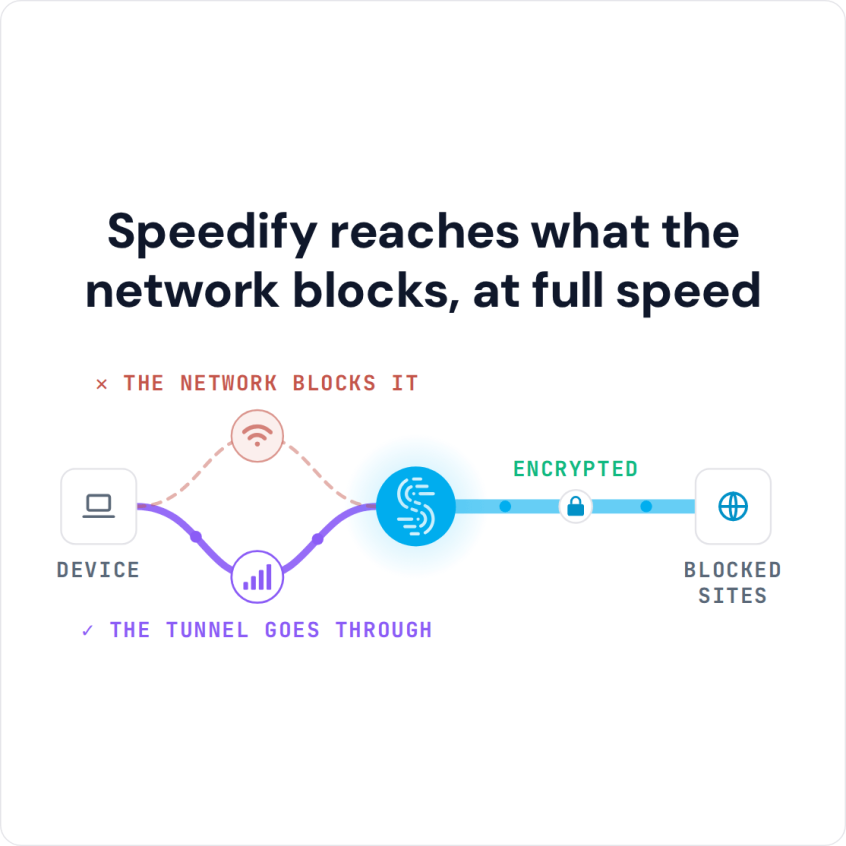
Speedify reaches what the network blocks, at full speed
How to Change Your Virtual Location with Speedify in Five Steps
- Download Speedify on your computer or phone. Speedify runs on Windows, macOS, iOS, Android and Linux.
- Open Speedify and create a free account (the free tier includes 5 GB per month), or sign in.
- On a phone, tap Allow when your phone asks to add a VPN configuration.
- Open Servers in the Speedify app and choose the country or city you want websites to see. Paid plans include servers in more than 50 locations; free accounts get a smaller set of servers.
- Reload the website or app, which now sees the location of the Speedify server instead of yours.
How a VPN Helps You Alter Your Virtual Location
Streaming services, shops and news sites often show different content and prices depending on the country you connect from. To see what is offered in another country, you need to appear online from that location.
A Virtual Private Network (VPN) is the usual way to change your virtual location.
A VPN creates a secure, encrypted connection between your computer and the public internet. That connection keeps your browsing private from the local network and can reach websites or content that the local network censors or blocks.
Briefly put, a VPN connects your computer to a server that can be in a different country or region. The services you open see requests coming from that server instead of your computer, and serve the content meant for the server’s location.
Think of a VPN as teleportation software: if you are in the UK and want your online content from back home in the USA, connect to a VPN server in the USA. If you have never set one up, here is how to get a VPN on your device.
Changing Your Wi-Fi Location: What a VPN Can and Cannot Change
The physical location of your Wi-Fi network does not change, and neither does the location your phone reports through GPS. What a VPN changes is the IP address websites see, which is what websites use to estimate your country and region. When Speedify connects through a server in another country, websites and apps that rely on your IP address treat you as being in that country.
How to Choose the Best VPN to Change Your Virtual Location
Some VPNs are intricate and some are user friendly. Some VPNs make you pay for the service before testing. And most VPNs slow down your Internet connection.
Here are some pros of using a VPN:
- allows you to change your virtual location
- makes your internet connection safer from hackers
- unblocks restricted content.
And, here are some cons:
- some VPNs can expose you to online threats
- some VPNs are free but may sell your browsing data, and others are expensive
- most VPNs slow down your connection
- some VPNs do not have a free trial
Speedify changes your virtual location and also gives you faster, more reliable internet, with a free tier of 5 GB per month on a free account.
Why Speedify Is a Good Choice to Change Your Virtual Location
Like any VPN, Speedify encrypts all traffic going in and out of your device. Connecting to one of the speed servers all over the world changes your virtual location, and the local network and your ISP cannot see which sites you visit, so blocked websites open again.
Speedify can also combine multiple Internet connections at once, which gets you faster internet and failover protection when one connection drops. Combining works differently from load balancing, which puts each download on a single connection.
Try Speedify and browse the internet as if you were a local, virtually at least.
Speedify
Get started with Speedify today.
Combine Wi-Fi, 4G/5G cellular, Ethernet, Starlink, and more into one faster, steadier connection. Free to try — no credit card required.
🚀 Speed
Faster uploads and downloads by bonding all your connections at once.
📶 Stability
Automatic failover in under a second when any connection drops.
🔒 Security
AES-256 encryption on every connection, on every network you join.



15M+ downloads worldwide. 75K+ five-star reviews on iOS and Android.