
Speedify = the Only Way to Use WiFi and Cellular Data Simultaneously on Android
Want faster upload and download speeds and more reliable internet on your Android phone or tablet? Use Wi-Fi and 4G/5G cellular data at the same time – not switching back and forth, but both at once. If your Android phone is slow on every network, see why internet gets slow on Android.
Speedify is an app that combines two or more internet connections at once – such as Wi-Fi and mobile data – so you get faster uploads and downloads and stay online if one connection drops out. Here is how to set it up on Android.
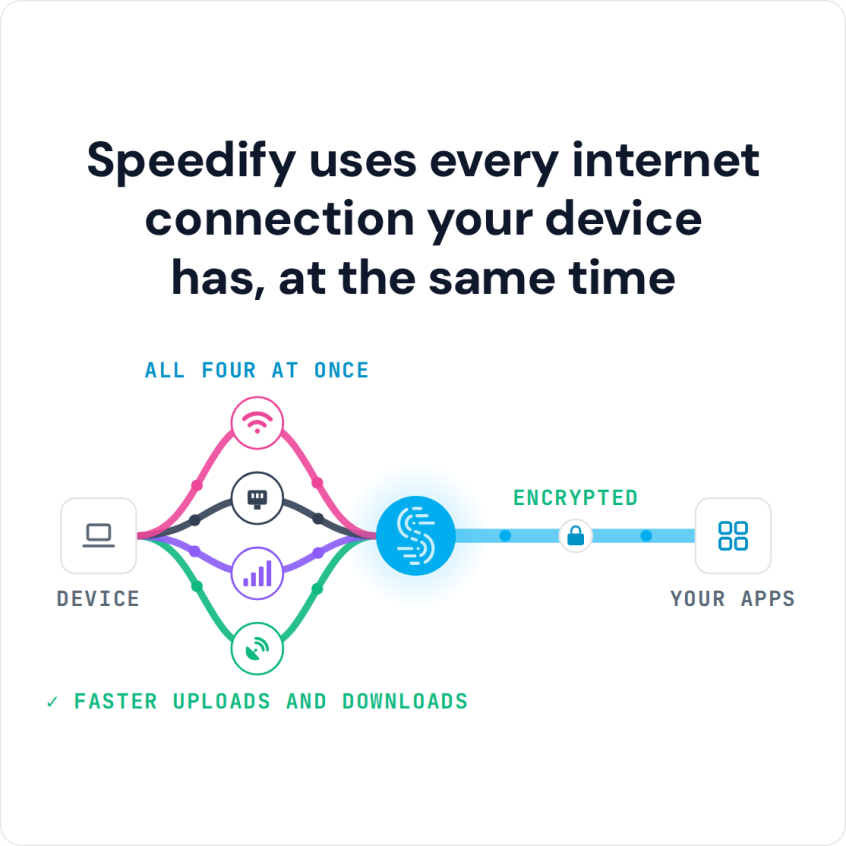
Speedify uses every internet connection your device has, at the same time
How do I use WiFi and 4G/5G cellular at the same time with Speedify?

Pick your two internet connections and your device below and we'll take you to the step-by-step setup guide.


How to Use Wi-Fi and Mobile Data at the Same Time on Android with Speedify
Requirements
- an Android smartphone or tablet with a mobile data connection
- an available Wi-Fi network to connect to
- the Speedify bonding VPN app
Step 1: Let’s verify that you have an active mobile data connection on your Android phone, and that you have your data turned on. To do this, swipe down on your notification bar and check that the mobile data toggle is switched on. Or go into “Settings,” tap “Connections,” and “Data Usage” and make sure that mobile data is switched on.
Step 2: Connect to a Wi-Fi network. Tap “Settings,” then “Connections”, then “Wi-Fi” and flip the switch on. You can then select a network from the list that appears. Be aware that you usually have to enter a password for private networks.
Step 3: Time to start combining Wi-Fi and mobile data together on your Android!
- Download Speedify from the Play Store.
- When you launch the app, Speedify automatically detects your 2 active connections – Wi-Fi and mobile data. You’ll see them contained inside the Connection Bubbles near the top of the Dashboard.
- Select the server you want to connect – usually the “fastest” option works best
- You can now return to your usual activities without having to worry that the Internet will be slow or disconnect.
Get Online Privacy when Combining Wi-Fi and Cellular Data at the Same Time on Your Android with Speedify
Speedify is the only app that combines Wi-Fi, 4G, 5G, Ethernet, Starlink and Satellite connections to keep you online when it matters most. It uses channel bonding technology to combine multiple Internet connections together simultaneously. As a VPN, it encrypts all the data from your Android to the Internet. This way, you will be able to:
- stay safe from hackers and snooping ISPs, especially when connecting to public WiFi networks
- bypass content restrictions on certain networks, in certain areas or countries and unblock video streaming services.
- avoid ISP data throttling for certain services like Twitch and YouTube.
When you use Wi-Fi and mobile data at the same time on Android with Speedify, you get 3 things at once: a stable connection, fast internet and secure online privacy. What are you waiting for? Get started now!
Speedify
Get started with Speedify today.
Combine Wi-Fi, 4G/5G cellular, Ethernet, Starlink, and more into one faster, steadier connection. Free to try — no credit card required.
🚀 Speed
Faster uploads and downloads by bonding all your connections at once.
📶 Stability
Automatic failover in under a second when any connection drops.
🔒 Security
AES-256 encryption on every connection, on every network you join.



15M+ downloads worldwide. 75K+ five-star reviews on iOS and Android.