

Speedify Combines Two Starlink Dishes on Android for Faster Internet Upload and Download Speeds
Your Android device can connect to two separate Starlink networks at once using its built-in Wi-Fi alongside a USB Ethernet adapter connected to the Android phone or tablet.
This guide covers when combining two Starlink dishes on Android makes sense, how Speedify manages both internet connections, and how to get started in three steps.
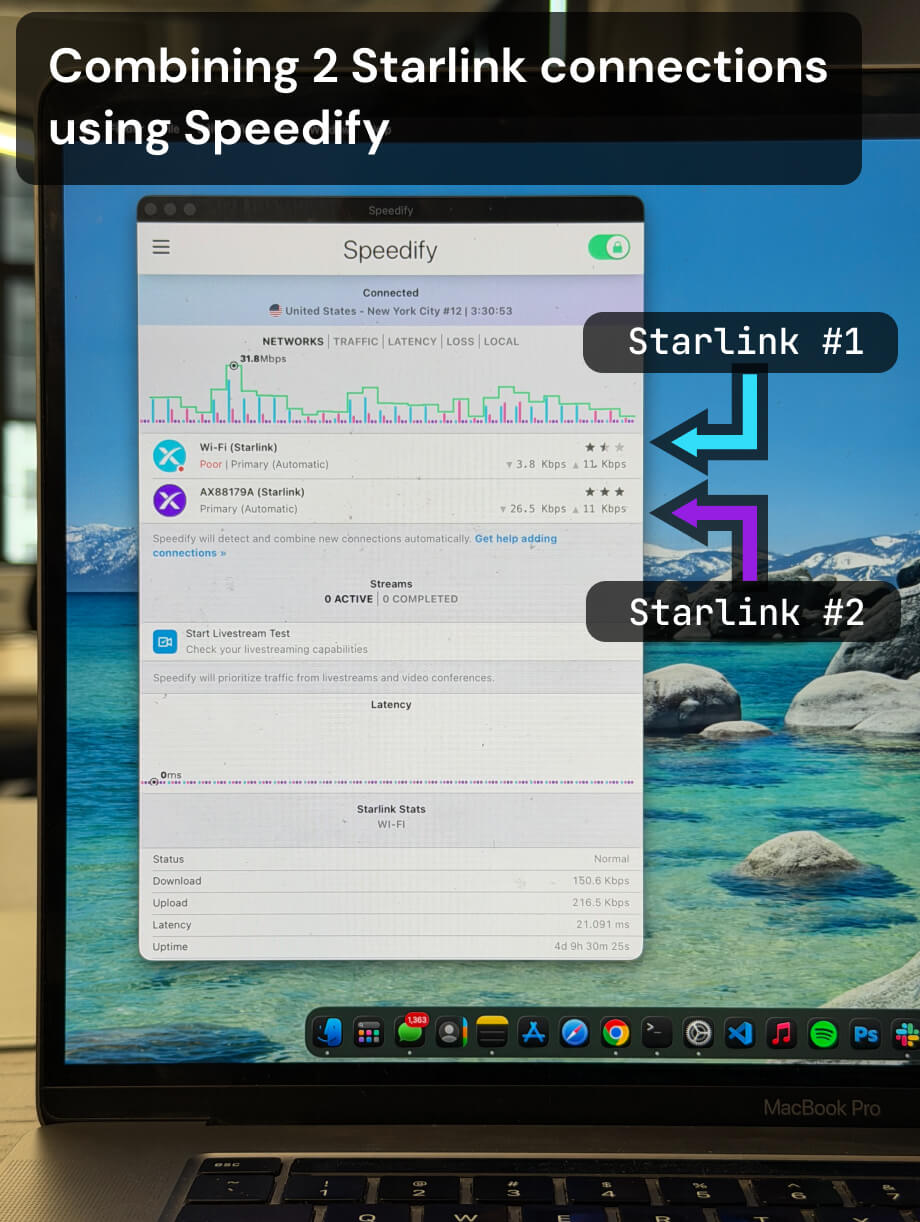
Multiple Starlink dishes, one faster and more reliable connection.
Speedify bonds all your Starlink dishes simultaneously — so you get the combined bandwidth of all your Starlink dishes, and stay online when any one drops.
When Two Starlink Dishes on Android Makes Sense
Two Starlink dishes at the same location provide two independent satellite connections. On Android, your device normally connects to one Wi-Fi network at a time. Without additional software, you get no speed benefit from a second Starlink dish and no automatic failover when the first drops.
Speedify changes this. With two Starlink connections active on your Android device, Speedify bonds both and distributes your traffic across them simultaneously. During periods of satellite congestion or weather-related slowdowns, having two dishes means one is less likely to be severely affected at exactly the same time as the other, especially if they are on separate Starlink accounts.
This setup is most practical for field teams and mobile workers who operate Android devices in locations where two Starlink dishes are already deployed for infrastructure redundancy and want that redundancy to extend to their mobile devices.
Note: Android’s built-in Wi-Fi connects to one network at a time. To connect to two Starlink networks simultaneously, you need a USB Ethernet adapter in addition to your Android device’s built-in Wi-Fi wireless radio.
How Speedify Manages Two Starlink Connections on Android
Speedify runs on your Android device and monitors both Starlink connections continuously. Speedify tracks latency, packet loss, and available bandwidth on each connection every few milliseconds. When both are healthy, Speedify uses both simultaneously and delivers up to 95% of their combined upload and download capacity. When one drops, Speedify moves all traffic to the working internet connection at the packet level. Sessions are not interrupted.
Speedify also encrypts all your internet traffic across both Starlink connections, protecting your data on every path.
How to Combine Two Starlink Dishes on Android with Speedify
Step 1: Connect to the First Starlink Network
On your Android device, go to Settings > Connections > Wi-Fi and connect to the first Starlink network. Confirm the Wi-Fi icon appears in your status bar.
Step 2: Connect to the Second Starlink Network
Connect a USB Ethernet adapter to your Android device (via USB-C OTG) and plug it into the second Starlink router’s Ethernet port.
Confirm both internet connections are active in your network settings.
Step 3: Download and Run Speedify
Download Speedify from the Google Play Store and open it. Speedify will detect both Starlink connections and begin bonding them. No manual configuration is needed.
Speedify runs in the background from there, combining both dishes for faster upload and download speeds, monitoring both paths, failing over instantly if either drops, and encrypting all traffic.
Who Should Combine Two Starlink Dishes on Android with Speedify
- Field teams using Android devices at sites with two Starlink dishes deployed who want both connections active on their phones or tablets
- Live streamers and content creators broadcasting from Android with two Starlink dishes available who need combined upload bandwidth
- Emergency response workers on Android devices at staging areas with multiple Starlink dishes deployed for redundancy
- Remote workers in satellite-dependent locations who want the combined upload and download speed of two Starlink connections on a single Android device
- IT managers overseeing multi-dish Starlink deployments who want all connected devices, including Android, to benefit from both dishes simultaneously
Speedify Is Used on Millions of Devices Worldwide
Speedify has powered stronger Internet for millions of consumers since 2014
15M
Millions of Speedify downloads worldwide, and growing every day5⭐️
More than 75,000 5-star reviews for Speedify in the iOS and Android app stores82
Points of Speedify presence in datacenters around the globe500TB
Hundreds of terabytes of fast, secure data streamed every week via SpeedifySpeedify Partners
Speedify partners with these amazing organizations to deliver better internet and next-generation networking technology to their customers and employees.


Speedify Also Monitors Both Starlink Dishes on Android
Speedify displays real-time Starlink dish alerts for each connected Starlink dish in the app dashboard on your Android device. If either dish detects a stuck actuator motor, a non-vertical mast, or a thermal throttle condition, Speedify surfaces the alert immediately. Alerts appear when the condition has been active for at least 15 seconds and clear once resolved.
Speedify gives you hardware visibility across both Starlink dishes directly from your Android device.
Speedify Business Solutions
Speedify Teams
Speedify for Routers

Speedify Embedded Solutions and Integrations
Embed Speedify software into your app or hardware products and leverage the core channel bonding technology of Speedify in new and interesting ways.