
Getting Flawless Telemedicine – Internet Reliability Is Key A telehealth appointment freezes just as the patient starts describing symptoms, and the rest of the visit turns into guesswork. The cause is usually not the clinic’s video platform but the home internet connection at one end – a shared Wi-Fi network, a weak signal, or short gaps where data fails to … Read More
Zoom Down, or Your Internet? Speedify Keeps Zoom Meetings Running
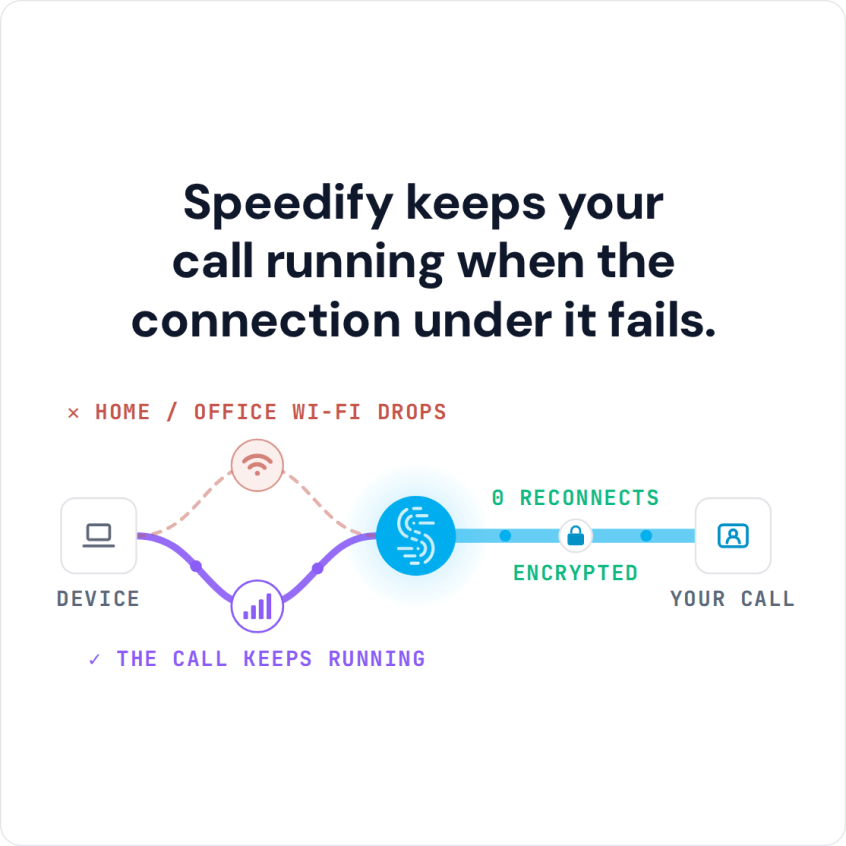
Zoom Not Working? Solve It with Speedify: Combine Multiple Internet Connections Together – Like Starlink, Wi-Fi, 4G, 5G, and DSL Before you blame Zoom for today’s failure, separate two very different problems: Zoom itself being down for everyone, which no app on your device can fix, and your own internet connection losing data so meetings freeze or never start. The … Read More
Video Conferencing Problems? See How Speedify Keeps Video Calls Going
Common Video Conferencing Problems Video meetings fall apart in the same handful of ways – blurry picture, sound arriving late, someone vanishing entirely. Behind nearly all of it sits one overloaded internet connection: other devices in the house eating the capacity, a weak wireless signal, or brief gaps where data never arrives, which you notice as freezing. Speedify is an … Read More
Zoom Says “Your Internet Connection Is Unstable”? Speedify Keeps Zoom Running with Reliable Internet
Zoom Connection Unstable? Fix It: Join Multiple Internet Connections Together – Like Starlink, Wi-Fi, 4G, 5G, and DSL – with Speedify Mid-sentence, Zoom flashes the warning that your internet connection is unstable, and then the audio begins cutting in and out. Zoom shows that message when data stops arriving evenly – usually because you are too far from the Wi-Fi … Read More
Zoom Not Connecting: Get Back on the Call with Speedify Using Wi-Fi and Cellular Together
You Can Join Multiple Internet Connections Together – Like Starlink, Wi-Fi, 4G, 5G, and DSL – with Speedify, to Fix Zoom Not Connecting Zoom sits there spinning and never joins the meeting, or drops you straight back out again. When Zoom will not connect at all, the internet connection underneath it is usually the reason: network gear that needs restarting, … Read More
How to Fix FaceTime Stuck on “Connecting” with Speedify
You Can Join Multiple Internet Connections Together – Like Starlink, Wi-Fi, 4G, 5G, and DSL – with Speedify, to Fix FaceTime Stuck on Connecting Tapping a FaceTime call and then watching the screen sit on “Connecting” happens when your iPhone or Mac has a signal but not a usable one – the two devices cannot get enough data through to … Read More