
FaceTime works on Starlink, and on Starlink Wi-Fi it uses your Starlink data, not your phone’s cellular data. FaceTime calls lag, freeze or drop when your Starlink internet connection has short drops: when something blocks your Starlink dish’s view of the sky, when your iPhone, iPad or Mac has a weak Wi-Fi signal, or when your Starlink dish switches satellites. … Read More
YouTube Buffering on Starlink? See How Speedify Keeps YouTube Playing
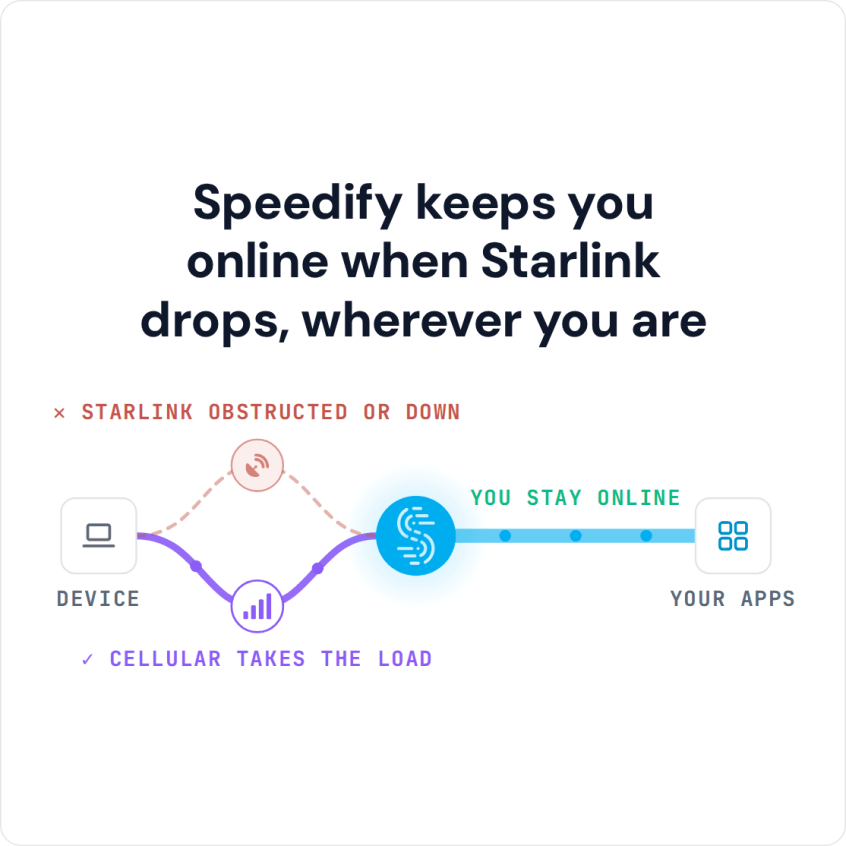
Combine Starlink with Wi-Fi, 4G/5G Cellular or DSL in Speedify to Fix YouTube Buffering on Starlink YouTube keeps buffering on Starlink when your Starlink internet connection slows down or has short dropouts: when something blocks your Starlink dish’s view of the sky, when your TV, phone or computer has a weak Wi-Fi signal, or when your Starlink dish switches satellites. … Read More
Discord Slow or Lagging: How Speedify Gets Faster Uploads and Downloads for Smoother Calls
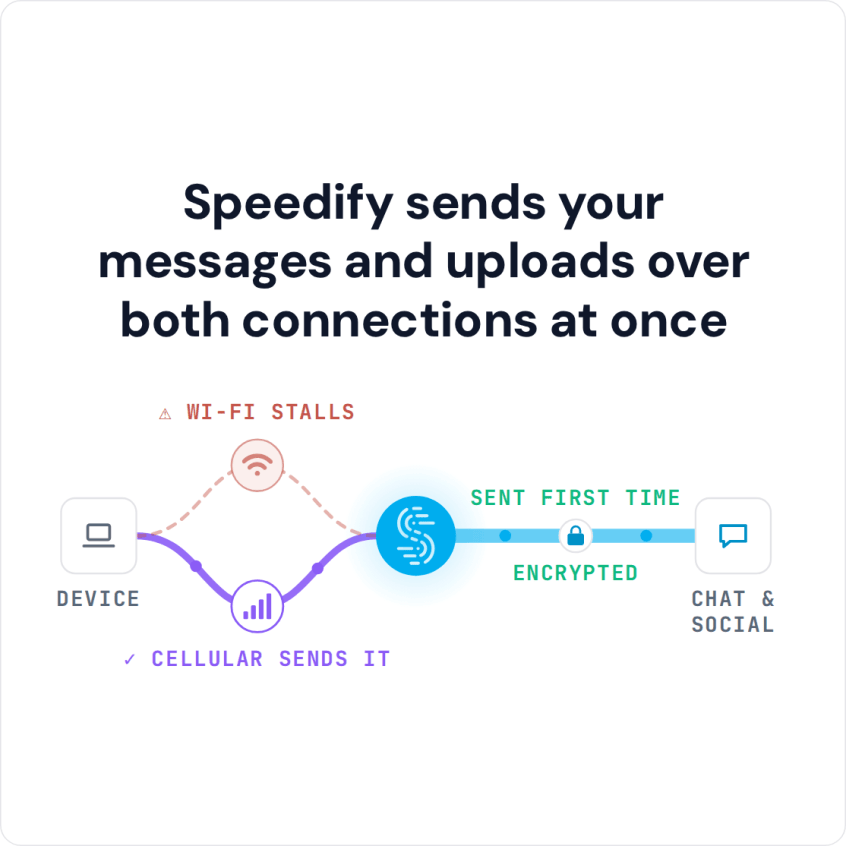
You Can Join Multiple Internet Connections Together – Like Starlink, Wi-Fi, 4G, 5G, and DSL – with Speedify, to Fix Slow Discord Discord is slow for one of a few reasons: a Discord server problem, an outdated app, other apps eating your bandwidth, or an unsteady internet connection. The connection is the one Discord is least forgiving about: voice breaks … Read More
How to IRL Stream on YouTube with Streamlabs and Keep the Live Video Going with Speedify

Start IRL Live Streaming on YouTube with Streamlabs Your Streamlabs overlays and alerts look perfect right up to the second the picture freezes and YouTube chat starts asking whether you are still there. Streamlabs is only as good as the internet connection underneath it, and one cellular signal loses ground every time you round a corner. Speedify is an app … Read More
Discord Keeps Freezing: How to Reduce Discord Lag with Speedify

Discord Keeps Freezing? You Can Fix That by Joining Multiple Internet Connections Together – Like Starlink, Wi-Fi, 4G, 5G, and DSL – with Speedify Discord locks up mid-conversation and the voices around you cut into robotic chunks. Sometimes a Discord setting is to blame, but often your internet connection is dropping small pieces of data on the way, and voice … Read More
Discord Keeps Disconnecting: Stay on Calls with Speedify
Random Disconnects and Reconnects in Voice Chat Voice chat drops you out and pulls you back in seconds later. That pattern usually means your internet connection is going quiet for a moment (a home network shared with someone streaming, a phone stepping from Wi-Fi to 4G/5G cellular, or a weak signal) and Discord treats the silence as a lost call. … Read More