
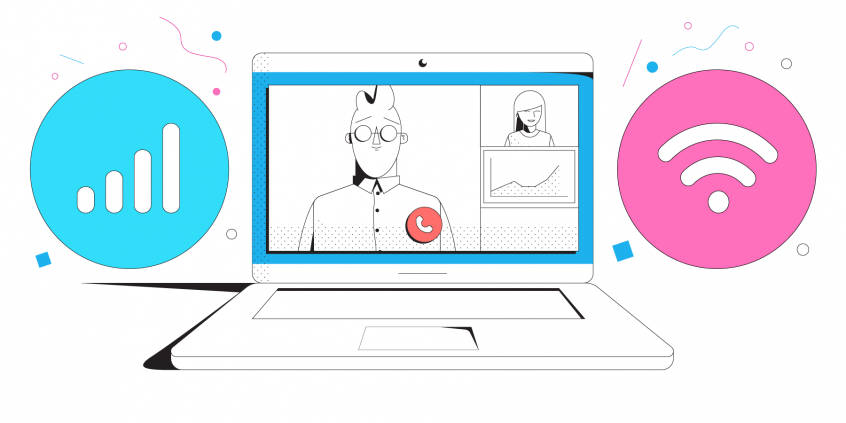
Hosting a Virtual Event Successfully Requires Fast, Stable and Secure Connectivity. Use Speedify to Combine Multiple Internet Sources at the Same Time
In today's next normal, virtual events are becoming a popular thing. These are here to stay even after the pandemic will be over. Some of the benefits of virtual events are saving time, being more cost effective and easier to make connections.
When you’re running a virtual event, you need a lot of things. Fast, stable and secure Internet is just one of them. You need internet that doesn’t let you down when you want to follow a presentation or engage in a video conference with potential business partners.
If your internet is slow or disconnects randomly, it will have a negative impact on your virtual event. To ensure that your event goes smoothly, you need to get a fast, stable and secure Internet connection for yourself, as the organizer and possibly moderator. And, of course, if you have a speaker roster, you need to make sure they have that as well.
This article shares how to run a virtual event successfully from the point of view of Internet connectivity.
Quick answer
Should you have a backup 4G, 5G, Starlink, or cable internet connection?
Yes — every internet connection goes down, including Starlink, which drops for ~34 minutes a day on average. A backup connection from a different provider means one outage never takes you fully offline. The most common options are a 4G/5G cellular hotspot, a cable or DSL line, or a second satellite dish.
4G/5G cellular
Works anywhere. Just a SIM or hotspot — no installation needed.
Learn more →Cable / DSL
Best for fixed locations. Different network, so outages rarely overlap.
Learn more →Second Starlink
Adds redundancy and throughput for remote sites or heavy usage.
Learn more →Speedify bonds any two connections into one — automatic failover, more speed, no dropped calls.
Try free →Speedify makes your uploads and downloads faster, more reliable, and more secure.
Speedify combines Wi-Fi, 4G / 5G cellular, Ethernet, Starlink, and other satellites for faster internet uploads and downloads
Speedify is the only software app that combines Wi-Fi, 4G / 5G cellular, Ethernet, Starlink and other satellites at once for secure, faster, and more reliable internet uploads and downloads so you stay online without interruptions.
Speedify will automatically detect and start using any available Internet connections on your device while intelligently distributing your online traffic between them for optimal performance. If you need help we have quick start guides available for most common set ups.
Speedify gets you faster uploads and downloads from the devices around you
Speedify's Pair & Share feature lets you and the devices around you pair up and share 4G/5G cellular both ways, so every paired device gets faster uploads, faster downloads, and a steadier internet connection. All sides share and use each other's cellular at once, unlike a personal hotspot, where one device gives and the rest take.
Speedify's Pair & Share feature runs over the local network between devices already running Speedify, with no extra hardware and no new data plans. Speedify creates an encrypted pool of shared 4G/5G cellular connections across all paired devices. Each device taps into that shared pool of combined connections for faster upload and download speeds and a more reliable internet connection.
See how you can use Speedify to combine different Internet connections:


Essential Element for Virtual Events: Stable Connectivity
First of all - are you planning to have a "central" place where all speakers will hold their presentations from at your virtual event? Or where you will moderate from?
Fortunately, most company campuses have high speed broadband. But if you’re holding the corporate event outside the company campus, it might become difficult to get fast and stable internet. To ensure that your virtual event goes smoothly, you’ll need to bond various internet networks. This will take care of issues such as network congestion.
Depending on your internet provider, you can visit their coverage map to see the level of service they can offer in a specific area. For example, you can see the AT&T coverage map here.
If you need more bandwidth than what’s provided by the internet company in a single connection, you’ll need to combine multiple internet channels. This results in a faster online experience that’s required to run any successful virtual event.
Another advantage of using bonded internet is its reliability. If one connection fails, there are others to serve as a backup so you won’t go offline.
If you won't have "central" base for your virtual event, then you should equip yourself and your speakers with fast, stable and secure connectivity. This can be done by using the solution above - using multiple internet connections at once.
How to Run a Virtual Event with Best Connectivity: Combine Multiple Internet Connections
Using multiple Internet connections at once is usually done with the help of dedicated bonding hardware. There are devices that can plug in various internet connections. Here’s what you need extra along with the hardware:
- pay to rent the equipment. After the event is over, bonded Internet is gone.
- specialist engineers to manage and run that hardware. The companies that offer channel bonding services on rent generally send their own people and hardware for your event.
But now, several companies have started using software channel bonding services that are easier and cheaper to run. They are more efficient and don’t require a special setup. Speedify is one such channel bonding software option.
Speedify Makes Virtual Events Successful When Used by Everyone Involved
The short story on how to run a virtual event successfully? At the bare minimum, use software channel bonding for the organizers and the speakers. And, of course, if those attending find themselves with slow, unreliable Internet, they can get it as well. And it's very simple to do it - there's no need to rent equipment, sign contracts, etc.
Speedify provides channel bonding services at no extra costs – there is no hardware setup and you don’t need extra engineers for all the work. There are no special VPNs required to keep your data safe. Speedify is one app that performs all these functions. It bonds several channels and encrypts your traffic. And it’s so easy to use that even an internet novice can use it. It offers enterprise-level coverage providing your team with the necessary bandwidth.
As a fast bonding VPN, Speedify acts like a power-up for your device. Instead of only using a single Internet connection at a time, Speedify allows your device to use multiple connections simultaneously. You’ll get more bandwidth and more stable livestreams.
Speedify constantly monitors the quality of your Internet connections. If the Wi-Fi becomes unreliable, it’ll automatically reroute data through cellular data until Wi-Fi is available again.
Moreover, it will automatically identify audio and video streams, and provide quality of service (QoS) by prioritizing streams over other traffic. Web browsing and software updates can’t mess up your calls and live streams.
Get rid of all the connectivity hassles that come with running a successful virtual event. Use Speedify!

Get started with Speedify today!
With Speedify you can combine Wi-Fi, 4G / 5G cellular, Ethernet, Starlink and other satellites into one bonded super-connection to improve livestreaming, video calling, gaming, web browsing, and everything else you do online.


Speed
Stability
Security
Speedify engineers love talking tech on YouTube, Tiktok, and Instagram!
Alex Gizis and the Speedify engineers discuss and explain technology including Starlink satellites, Wi-Fi 7 routers, Apple networking features, fiber optics, broadband internet, 5G mobile networks, AI, networking protocols, and much more. Follow Speedify on YouTube, TikTok, Instagram, and LinkedIn!
Alex and the Speedify team are always exploring the latest in networking and security technology—like 5G, 6G, WiFi 7, laser and satellite internet—and sharing it in new discussion content across YouTube, TikTok, Instagram, and LinkedIn every week.
Got a tech question? Let's go deeper! Pop into Speedify Office Hours live every Wednesday at 10 AM Eastern. Speedify CEO Alex Gizis and our network engineers are standing by to break down your questions about networks, tech updates, and Speedify features.
