
What You Need to Plug Ethernet Into an iPhone, and How Speedify Adds Wi-Fi and 5G
An iPhone connects to wired Ethernet through an adapter: USB-C to Ethernet on iPhone 15 and later, or a USB Ethernet adapter plugged into a Lightning to USB adapter on iPhone 14 and earlier. iOS handles wired networking itself, so the connection appears in Settings as soon as it is plugged in.
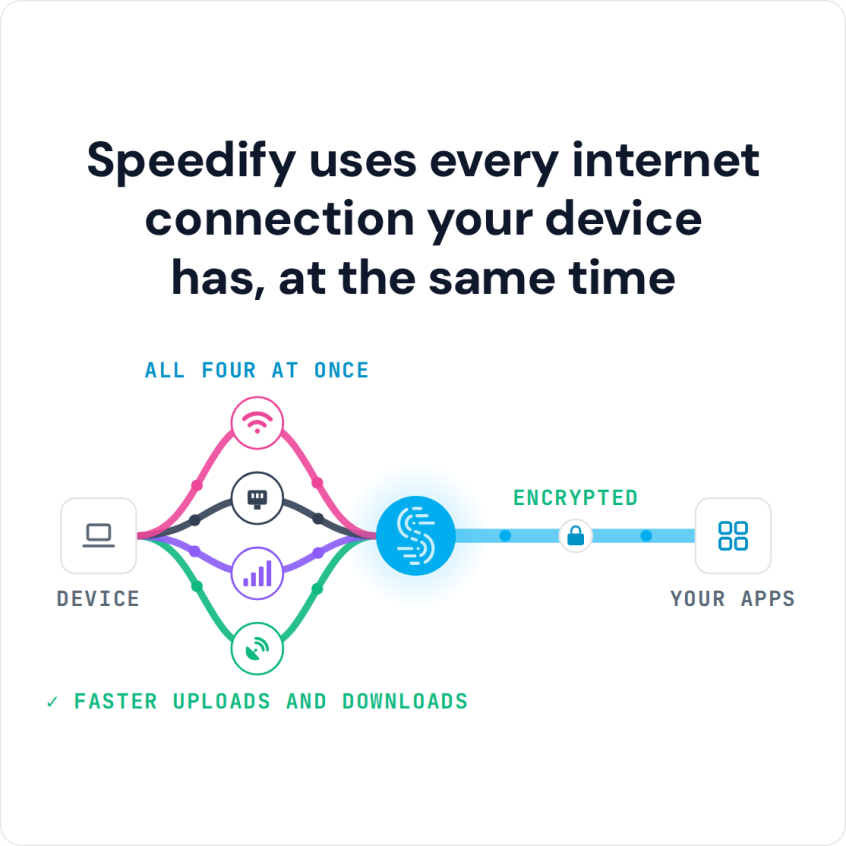
Speedify then lets the iPhone use that Ethernet connection alongside Wi-Fi and 4G/5G cellular at the same time, so you get faster uploads and downloads and stay online if one of them drops. No adapter? You can still use Wi-Fi and 4G/5G together on iPhone.
Speedify uses every internet connection your device has, at the same time
How do I use WiFi and 4G/5G cellular at the same time with Speedify?

Pick your two internet connections and your device below and we'll take you to the step-by-step setup guide.


How to Use Ethernet, Wi-Fi and 4G/5G Cellular at the Same Time on an iPhone
Requirements
- An iPhone with a 4G/5G cellular plan;
- A Wi-Fi network to connect to;
- An Ethernet cable connected to a different modem or router than your Wi-Fi network.
- An Ethernet adapter that fits your iPhone’s port: USB-C to Ethernet on iPhone 15 and later, or a USB Ethernet adapter plugged into a Lightning to USB adapter on iPhone 14 and earlier. Once it is plugged in, you can use Ethernet and 4G/5G cellular together.
- The Speedify app
Step 1: Plug in Ethernet. Put one end of the Ethernet cable into your router or modem and the other into your Ethernet adapter, then plug the adapter into your iPhone’s port. For best results the Ethernet and the Wi-Fi should come from two different upstream networks, not the same router.
Step 2: Connect to a Wi-Fi network. Tap “Settings,” then “Wi-Fi,” and turn Wi-Fi on. Then select a network from the list. Private networks usually ask for a password.
Step 3: Turn on 4G/5G cellular. Tap “Settings,” then “Cellular,” and turn on “Cellular Data,” so the iPhone has a third internet connection.
Step 4: Combine Ethernet, Wi-Fi and 4G/5G cellular on your iPhone with Speedify.
- Download Speedify from the App Store.
- When you open the app, Speedify automatically detects your 3 active connections: Ethernet, Wi-Fi and 4G/5G cellular. All three appear on the Speedify main screen.
- Select the server you want to connect to, or keep the “fastest” option, which usually works best.
- Use your iPhone as usual. If one connection slows down or drops, Speedify moves your traffic to the others.
How Speedify Encrypts Your iPhone Traffic over Ethernet, Wi-Fi and 4G/5G Cellular
Speedify encrypts all the traffic from your iPhone like a VPN, over Ethernet, Wi-Fi and 4G/5G cellular alike. Speedify splits traffic per packet across those connections, which works differently from load balancing. Whether you use one connection or combine multiple internet connections at the same time, you can:
- stay safe from hackers and snooping ISPs, especially when connecting to public Wi-Fi networks
- bypass content restrictions on certain networks, in certain areas or countries and unblock video streaming services.
- avoid ISP data throttling for certain services like Twitch and YouTube.
When you use Ethernet, Wi-Fi and 4G/5G cellular together on your iPhone with Speedify, you get 3 things at once: failover when one connection drops, faster downloads and uploads, and encrypted traffic.
Speedify
Get started with Speedify today.
Speedify combines Wi-Fi, 4G/5G cellular, Ethernet, Starlink and satellite into one faster, more reliable internet connection. Free to try: 5 GB a month with a free account. No credit card required.
🚀 Speed
Faster uploads and downloads, because Speedify uses all your internet connections at once.
📶 Stability
If one internet connection drops, Speedify moves your traffic to the others in milliseconds.
🔒 Security
AES-256 encryption on every internet connection, on any network you join.



15M+ downloads worldwide. 75K+ five-star reviews on iOS and Android.