
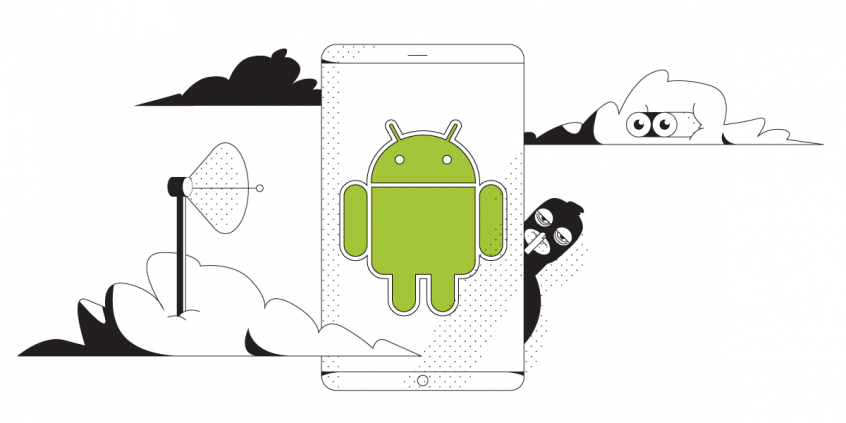
Unbreakable VPN Connectivity App for Android by Combining Wi-Fi and 4G / 5G Cellular with Speedify
The Android smartphone that you are probably using to read this post has more computing power than the computers on the Apollo spaceship that first carried man to the moon. Most of us spend most of our waking hours connected to the Internet not at a desktop computer, but through our phones.
But, there is a dark side to this ubiquitous connectivity. There are people, companies, and organizations that want to see what you are doing on the Internet. They want to access your data. The best way to protect yourself from snoops and hackers is with a virtual private network (VPN).
Speedify delivers an unbreakable VPN connection by intelligently bonding multiple internet sources, ensuring continuous uptime and encrypted protection.
Should you have a backup 4G, 5G, Starlink, or cable internet connection?
Yes — every internet connection goes down, including Starlink, which drops for ~34 minutes a day on average. A backup connection from a different provider means one outage never takes you fully offline. The most common options are a 4G/5G cellular hotspot, a cable or DSL line, or a second satellite dish.
4G/5G cellular
Works anywhere. Just a SIM or hotspot — no installation needed.
Learn more →Cable / DSL
Best for fixed locations. Different network, so outages rarely overlap.
Learn more →Second Starlink
Adds redundancy and throughput for remote sites or heavy usage.
Learn more →Speedify bonds any two connections into one — automatic failover, more speed, no dropped calls.
Try Speedify free →How Can the Best VPN App for Android Protect Me?
Data is big money. Everyone from identity thieves to your own ISP wants to know more about you – for different purposes, from serving you ads to identity theft. The most dangerous online places your Android phone can access are public Wi-Fi networks. Even if you secure your phone with a password, your data is still vulnerable as it travels in the open to and from your Android smartphone.
A virtual private network (VPN) service works by routing all of your internet traffic through a VPN server that encrypts everything. If you use a VPN app on your Android smartphone, anyone listening in will get scrambled pieces of data which are of no use.
So, snoops and hackers can’t get access to your passwords or even what sites you are browsing. VPNs keep your data private and secure on our Android phone.
Best VPN App for Android: Speed and Stability, the Common Issues of Most VPNs
VPNs should allow you the freedom to use the Internet the way you want to, without having to worry about having your data intercepted. But, most VPNs have a problem.
They are great at securing your data. They are not so great at letting you use the Internet the way you want. Because of the way VPN technology works, most VPNs slow down your Internet connection, making it tough to stream content or even share large files.
VPN connections can also become unstable and frequent disconnects are a major headache.
4 Things to Consider When Choosing the Best VPN App for Android
As mentioned before, most VPN apps are great at securing your online data, but you might encounter issues while using them: sluggish and unstable Internet connections are the most common problems. So, what do you need to look at when choosing the best VPN app for Android?
- Location of VPN servers – the closer they are to where you’re located or where you’re traveling, the faster the connection should be, in theory.
- Privacy policy – some VPN providers keep logs of your online activity. This happens especially with free VPN services. Read this essential element before you choose!
- Ability to use multiple connections without dropping the VPN session – this is what a bonding VPN does. It’s extremely useful when you’re on the move in a busy city center, roaming from one Wi-Fi hotspot to another, stumbling across bad Wi-Fi networks, or when traveling.
- Supported devices / operating systems – apart from Android, you may want to use the VPN app on your laptop or other devices. Make sure it’s available for those platforms as well.
Meet Speedify – Your Best VPN App for Android
Many Android users feel they have to choose between security and speed when getting a VPN. But, thanks to Speedify, the fast bonding VPN, you can have both.
Speedify uses patent pending channel bonding technology (also known as link aggregation) that allows it to use multiple connections at the same time. That makes Speedify connections faster and more reliable.
On your Android smartphone, you will be able to connect to the Internet via a Wi-Fi connection and a mobile data connection simultaneously. This means you have more bandwidth available. All of your Internet dependent apps run faster on Speedify, not slower.
Speedify also has auto failover. It monitors the quality of your connections. If one Internet connection becomes unstable, it automatically reroutes your data so you stay connected. Once the first connection comes back online, it starts using it again. This all happens in the background. You don’t have to do anything.
The world is a dangerous place, but you don’t have to make any sacrifices to stay safe online. Get the best VPN app for Android! Download Speedify from Google Play Store for FREE and experience the Internet in a whole new way!
Alex and the Speedify team are always exploring the latest in networking and security technology—like 5G, 6G, WiFi 7, laser and satellite internet—and sharing it in new discussion content across YouTube, TikTok, Instagram, and LinkedIn every week.
Got a tech question? Let's go deeper! Pop into Speedify Office Hours live every Wednesday at 10 AM Eastern. Speedify CEO Alex Gizis and our network engineers are standing by to break down your questions about networks, tech updates, and Speedify features.

Speedify
Get started with Speedify today.
Combine Wi-Fi, 4G/5G cellular, Ethernet, Starlink, and more into one faster, steadier connection. Free to try — no credit card required.
🚀 Speed
Faster uploads and downloads by bonding all your connections at once.
📶 Stability
Automatic failover in under a second when any connection drops.
🔒 Security
AES-256 encryption on every connection, on every network you join.



15M+ downloads worldwide. 75K+ five-star reviews on iOS and Android.