
Troubleshoot Hotspot Shield Connection Issues: Use an Unbreakable VPN like Speedify to Combine Starlink, Wi-Fi, 4G, 5G and DSL
Hotspot Shield VPN hangs for the same reason most VPN apps do: everything depends on one internet connection and one server, and when either struggles the client just sits there. Speedify is a VPN built to avoid that dead end. Speedify encrypts your traffic across several internet connections at once, so a single weak link cannot freeze the whole session.
See how you can troubleshoot your Hotspot Shield issues and how switching to Speedify can fix your internet connection issues while keeping your online traffic secure.
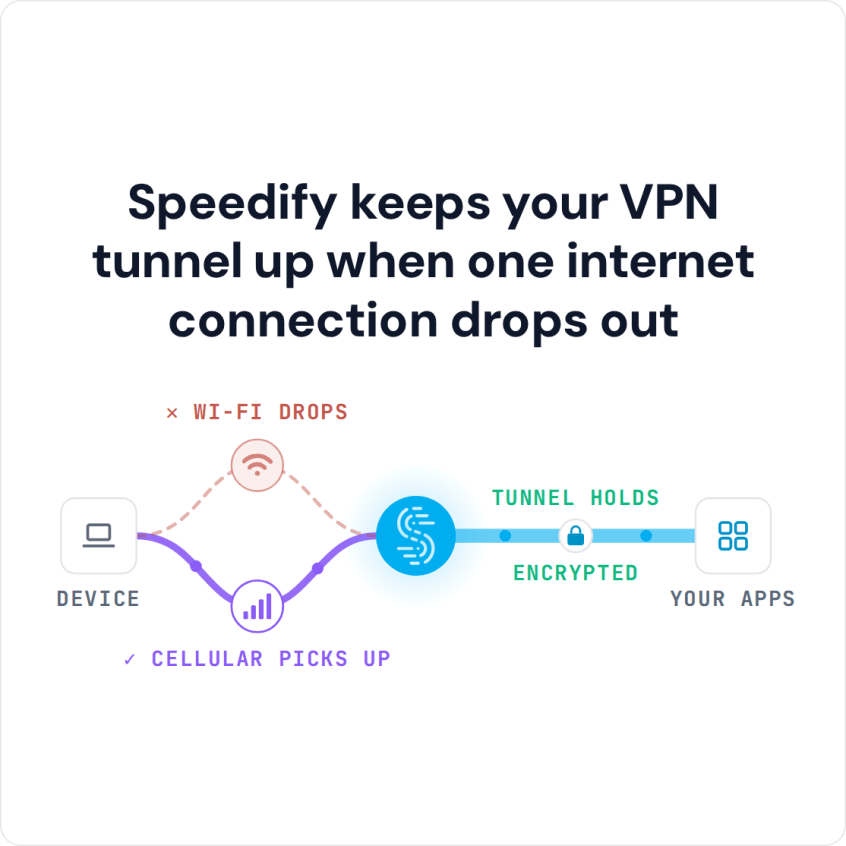
Speedify keeps your VPN tunnel up when one internet connection drops out
Why Is Hotspot Shield VPN Hanging / Not Working?
There are several reasons as to why Hotspot Shield hangs or freezes. However we found that they do provide some generic guides on their website – here’s something for Windows issues, for example. You might be able to get your issue fixed when going through their knowledge base.
But the bottom line is, more and more users are claiming that Hotspot Shield VPN is not working as it should be. It either hangs, freezes or has connection issues. If it fails mainly on hotel or cafe networks, see Hotspot Shield failing on public Wi-Fi.
Solutions to Avoid Hotspot Shield Hanging and Disconnecting
The best way to get Hotspot Shield VPN to work if you’re having an issue is to contact them directly. They might be able to offer solutions to your problem, but how long will that take? You need to be protected now, not when somebody finally gets to answer your request. The same goes if IPVanish hangs or freezes on connect.
Bottom line: we all need a reliable VPN service to secure our Internet connection. Online privacy is very important these days. The VPN should not hang nor freeze, and it should work consistently.
Speedify is a fast bonding VPN that can get the job done without any stability issues! It uses channel bonding technology and allows you to bond multiple internet connections at once.
Speedify Fixes Hotspot Shield Hanging Issues for Good
Speedify does more than just providing a fast and reliable Internet connection. It encrypts all the data you send and receive from your device. This helps keep your private information and conversations secure from digital eavesdroppers and cyber thieves, especially on public Wi-Fi hotspots.
Moreover, when Speedify works with 2 or more connections, it also helps keep you online. If one of the connections is unreliable or even disconnects, Speedify will seamlessly move the traffic to the other working connection(s). When the bad connection is up and running again, Speedify will continue using it.
Having issues with Hotspot Shield hanging? Maybe it’s time to try a better alternative – Speedify.
Speedify
Get started with Speedify today.
Combine Wi-Fi, 4G/5G cellular, Ethernet, Starlink, and more into one faster, steadier connection. Free to try — no credit card required.
🚀 Speed
Faster uploads and downloads by bonding all your connections at once.
📶 Stability
Automatic failover in under a second when any connection drops.
🔒 Security
AES-256 encryption on every connection, on every network you join.



15M+ downloads worldwide. 75K+ five-star reviews on iOS and Android.