
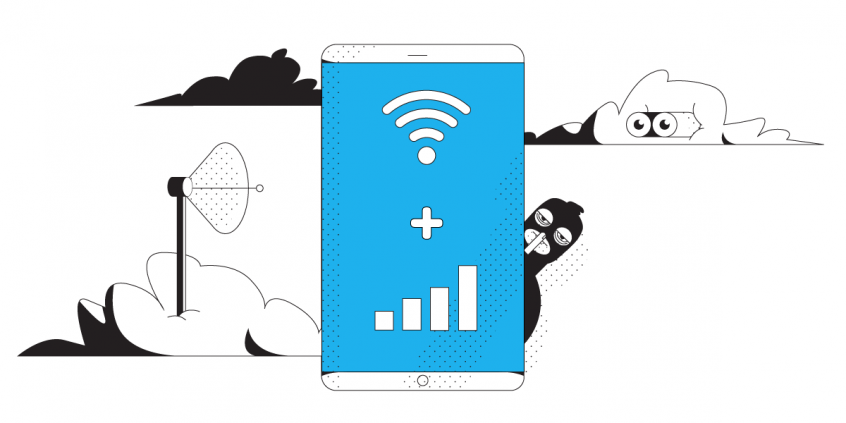
Unbreakable VPN Connection for iOS by Combining Wi-Fi and 4G / 5G Cellular with Speedify
An iPhone uses one internet connection at a time, so a weak public Wi-Fi becomes a weak everything – and an ordinary VPN app squeezes all your traffic through that one weak internet connection.
Speedify works differently. It hides your iPhone’s traffic from anyone watching the network, and it carries that traffic over Wi-Fi and 4G/5G cellular data at once instead of picking one.
The steps that follow set Speedify up on your iPhone in a couple of minutes and show what changes afterwards: public networks stop being a risk, uploads and downloads run on both internet connections, and a fading Wi-Fi signal no longer ends your call.
Speedify runs on every device you already use
Why Use the Fastest VPN for iPhone 12 and iOS 14
If you ever use public Wi-Fi networks with your iPhone 12 at places like the library, restaurants, or the airport, you are particularly vulnerable. You never know how secure these networks are. One common scheme called the man-in-the-middle attack involves someone setting up a fake Wi-Fi server and trying to trick your iPhone into connecting to it and asking for some login credentials. The thief captures your username and password without you having any idea that your security has been breached.
If you use a VPN on your iPhone you are protected from these kinds of attacks.
OK – But Don’t VPNs Slow Down Internet Speed?
Traditional VPS do, however, some VPNs are more efficient than others, getting faster results than others. The best choice for a VPN on iPhone 11 is getting a bonding VPN like Speedify.
By default, your smartphone can only use WiFi or cellular data at once while connecting to the Internet. It can switch between them, but ultimately it only uses one at any time. This is where a bonding VPN comes into place. It can use both the WiFi and the mobile data connection on your iPhone 12 simultaneously.
This results in faster, more reliable Internet. Speedify works in the background monitoring the quality of your connections. With a standard VPN, if your Wi-Fi signal becomes unstable or is simply not working you would be stuck to that non working connection. But, with Speedify, if Wi-Fi is slow or not working, all the traffic is automatically rerouted to mobile data until Wi-Fi gets better.
So, instead of slowing down your Internet while protecting your privacy, Speedify bonding VPN also makes the Internet better.
How to Set Up Speedify Fastest VPN on iPhone 12 and iOS 14
It’s very simple: From your iPhone 12, head on to the Apple Store and download Speedify (you can also use our websitefor other platforms: Android, Windows, macOS and Linux). After it gets installed on your iPhone 12, you can start using it.
Yes, it’s that simple – we’ve worked together with Apple engineers to make the VPN setup process as simple as possible. And we take your privacy seriously: Speedify does not log anything you do online while using our service (read the full Privacy Policy here), so you can rest assured that your communication is 100% safe!
Speedify – the Fastest VPN for iPhone 12 and iOS 14
You can avoid buffering issues when streaming movies. You can get lightning fast page downloads. You also get the confidence of knowing that your FaceTime call won’t suddenly be disconnected because of your VPN or Wi-Fi issues. Speedify works with all your iOS 14 apps on iPhone 12, making sure they get a fast and reliable Internet connection with no additional setup necessary.
The Internet is still a dangerous place. The best way to protect yourself is to always use a VPN on your iPhone 12. Thanks to Speedify, you can now stay safe with a VPN that won’t slow you down or disconnect you.
Get started with Speedify today for FREE. Simply download it from the AppStore and open it up – no technical skills needed, no strings attached and absolutely no logging of data!
Speedify
Get started with Speedify today.
Combine Wi-Fi, 4G/5G cellular, Ethernet, Starlink, and more into one faster, steadier connection. Free to try — no credit card required.
🚀 Speed
Faster uploads and downloads by bonding all your connections at once.
📶 Stability
Automatic failover in under a second when any connection drops.
🔒 Security
AES-256 encryption on every connection, on every network you join.



15M+ downloads worldwide. 75K+ five-star reviews on iOS and Android.