
Fix Connectivity Issues with The Division 2
The Division 2 rubber-bands, your character snaps back to where it stood a second ago, and a firefight is over before you react. That is lag and lost data: brief moments where nothing arrives from the game servers, caused by a loaded home network, a weak signal, or a device changing networks mid-session.
Speedify is an app that runs The Division 2 over Wi-Fi and 4G/5G cellular data at once, so one shaky internet connection does not cost you the mission. Up next are the reasons The Division 2 hits internet connection issues, and what using Speedify does about those issues, including on restricted networks that block the game.
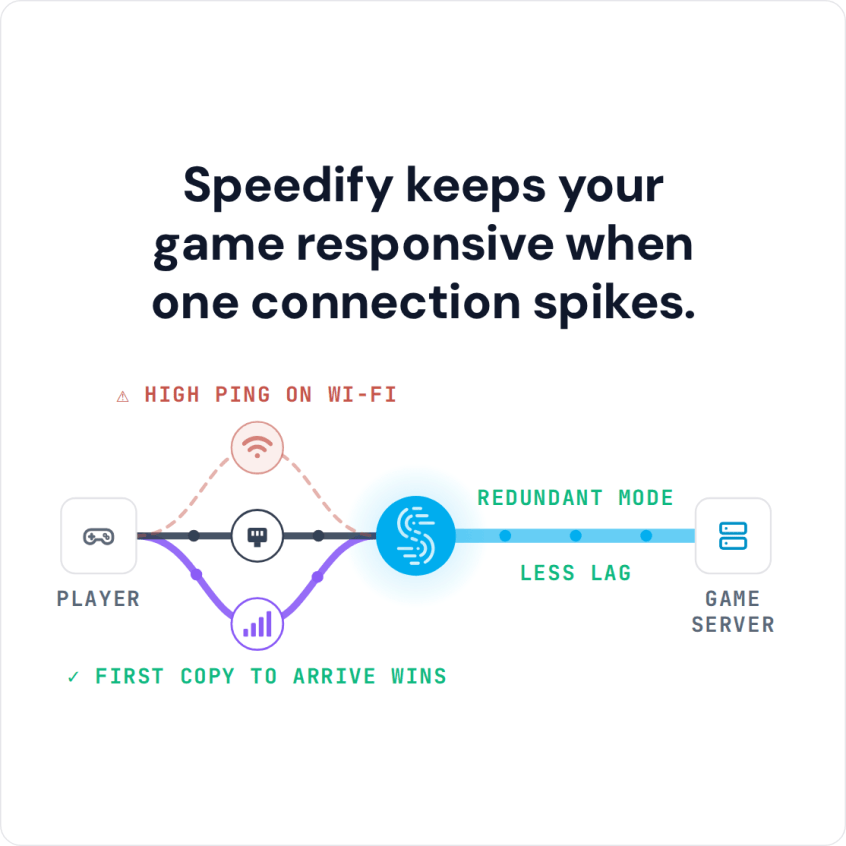
Speedify keeps your game responsive when one connection spikes.
Why You Get Internet Connection Issues with The Division 2
Division 2 players around the world are sometimes complaining about internet connection issues. Why does this happen?
On one hand, this may originate in The Division server issues. To make sure nothing is wrong with those, just check out their dedicated page for announcements regarding server issues.
However, if you get Division 2 internet connection issues, most likely it’s your connectivity you have to investigate. Cloud-based games are very sensitive to unreliable internet connections. Even though the contract with your ISP state that you should have a certain speed and uptime, things are not always like that. Any temporary network issue on the ISP’s side can hinder your Division 2 experience.
Speedify Fixes The Division 2 Connectivity Issues
Whether you are running Division 2 on your computer or on your smartphone, Speedify solves the problem of slow, unreliable internet. You can fix Division 2 internet connection issues very easy! How? By unleashing the full capabilities of your device!
By default, computers and smartphones only connect to the internet through one connection at a time. Speedify allows your device to connect to the internet using multiple internet connections simultaneously. It increases the bandwidth you have available, which can help fix connectivity issues in The Division 2.
If you’re playing the game on your computer, you can combine your home network Internet with a public WiFi or a 4G / LTE dongle. If you’re playing from your game console, you can share the Speedify bonded VPN connection over WiFi to your gaming device using a Windows PC.
Speedify also has auto failover. When it detects a signal is weak or spotty–like when you’re playing The Division 2 on your commute to work–it reroutes all the data through the working connection(s). This gives you a smooth, uninterrupted connection without any network lag detected. Once the other connection is available again, Speedify automatically tosses it back into the mix.
Fix Connectivity Issues with The Division 2 when Internet Is Restricted
Remember – Speedify is a bonding VPN – this means that it encrypts all traffic from your device. If you’re trying to play from restricted network such as schools, workplace or other public places, you should be able to do that while running Speedify. The network restrictions will not be applied, as the traffic will be invisible to the filters, as well as to any network admin.
If you want to level-up your game and fix The Division 2 internet connection issues, download Speedify and enjoy a faster, smoother uninterrupted experience.
Speedify
Get started with Speedify today.
Combine Wi-Fi, 4G/5G cellular, Ethernet, Starlink, and more into one faster, steadier connection. Free to try — no credit card required.
🚀 Speed
Faster uploads and downloads by bonding all your connections at once.
📶 Stability
Automatic failover in under a second when any connection drops.
🔒 Security
AES-256 encryption on every connection, on every network you join.



15M+ downloads worldwide. 75K+ five-star reviews on iOS and Android.