
I Lost My Internet Connection – What to Do
One second you are working, the next everything is offline, and the cause is usually close to home: the router lost its link to the provider, your device wandered out of Wi-Fi range, or a cable worked loose behind the desk.
Speedify is an app that runs your internet over Wi-Fi, 4G/5G cellular, Ethernet, Starlink and satellite internet connections together, so work and calls continue while one of them is missing. Speedify can only keep you online through a drop when it has two or more internet connections to work with, for example Wi-Fi plus your phone’s 4G/5G cellular. On a single connection, Speedify works as an encrypted VPN and cannot stop that connection from dropping. First comes finding out what dropped your internet connection, then the fixes that bring it back on your own device, then how Speedify keeps the next dropout from taking you offline.
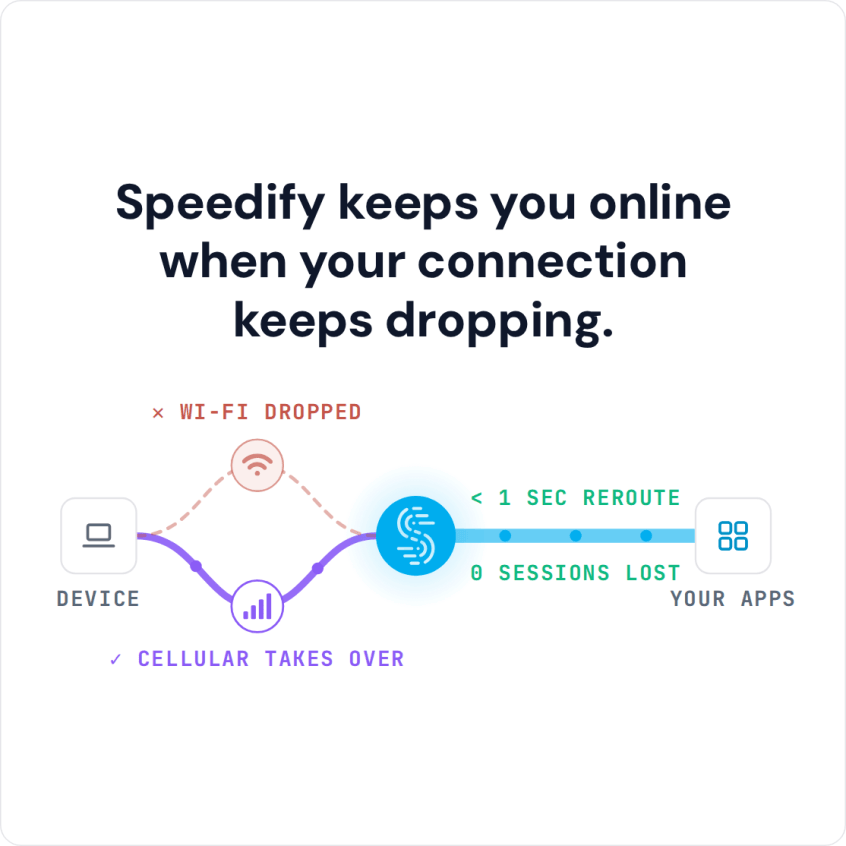
Speedify keeps you online when your connection keeps dropping.
Lost Internet Connection: Identify the Cause and Troubleshoot
Whenever this happens, you need a fix as soon as possible. To do so, you need to know what caused the issue in the first place. There are many things that can go wrong, causing you to lose the connection:
- it could be an issue on your ISP’s side, or a faulty router, modem or network adapter.
- it could be a hardware or a software issue on your side.
- or simply network congestion.
It’s not always easy to pinpoint the exact cause. But here are some things you could try to troubleshoot the issue quickly:
- Try connecting a different device. If the Internet works on that, then the issue is with your device. Go to the next subsection for more details on how to fix that.
- If your second device also lost internet connection, then restart your router and/or modem. In most cases that will fix the issue.
- If you still don’t have any Internet connectivity, check your ISP’s status page and see if there’s anything wrong in your area.
- Finally, if nothing else works, call your ISP and ask for details.
How to Fix Lost Internet Connection on Your Device
Losing Internet connectivity only on one device? Here are some other steps you may want to try:
- Make sure that everything is plugged in if you are connected over a wire and restart your device.
- If you are connected through wireless networks, try to disconnect and reconnect to them. Often times your device gets stuck on a bad Wi-Fi network.
- You also need to make sure your adapter’s drivers are enabled and up to date. If you need help updating your driver you can follow this article.
Still not getting any working Internet on your device? Take a look at more advanced solutions from WikiHow and PC Mag.
After you solve the issue and get internet connectivity back, the next step is preventing the next drop. Speedify, an app that combines your internet connections and moves traffic between them, does that with failover protection.
How to Fix and Prevent Lost Internet Connectivity
By combining internet connections, Speedify lets you use every internet connection available to you. You can combine 2 or more connections at once for more bandwidth and, more importantly, to stay online when one of them drops.
If one connection gets lost, Speedify moves your traffic to one of the other working connections in milliseconds and keeps the same public IP address, so the apps you use do not see a new address. This is ideal for streaming, online gaming and VoIP calls.
For example, you can use Wi-Fi as your main connection and set the cellular connection from your smartphone to the Backup priority with Speedify’s priorities setting. In this scenario, if you lose WiFi connectivity, Speedify will transfer your traffic over to the cellular connection without the need to stop what you are doing to reconnect. Once the WiFi connection becomes available again, Speedify will switch you back to it.
The combinations are endless and Speedify supports almost any device on Windows, Linux, macOS, Android or iOS. With two or more internet connections running, a lost internet connection no longer has to take you offline.
Speedify
Get started with Speedify today.
Speedify combines Wi-Fi, 4G/5G cellular, Ethernet, Starlink and satellite into one faster, more reliable internet connection. Free to try: 5 GB a month with a free account. No credit card required.
🚀 Speed
Faster uploads and downloads, because Speedify uses all your internet connections at once.
📶 Stability
If one internet connection drops, Speedify moves your traffic to the others in milliseconds.
🔒 Security
AES-256 encryption on every internet connection, on any network you join.



15M+ downloads worldwide. 75K+ five-star reviews on iOS and Android.