
How to Make Your Raspberry Pi Router Help You Get Faster, More Reliable and Secure Internet
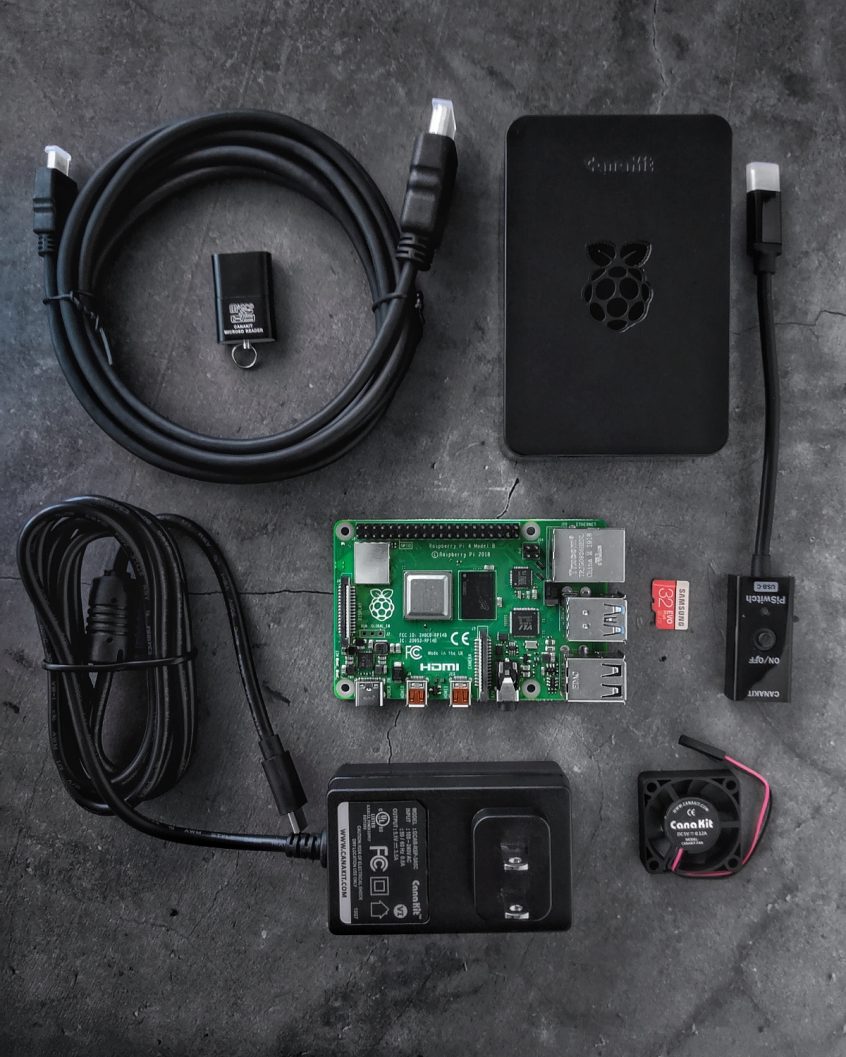
We have some interesting Raspberry Pi projects we’ve done so far. They’re all aimed at getting faster, more stable and secure Internet. As we’re not sure you are aware of all, here’s a quick list of 5 DIY project for your Raspberry Pi as a router.
Use Speedify to increase your upload and download speeds: combine internet connection sources like Wi-Fi, 4G, 5G, Starlink and wired broadband

Combine Wi-Fi, 4G, 5G, Starlink and wired broadband to fix slow upload and download speeds
Speedify is the only app that seamlessly combines all of your connections, including Wi-Fi, 4G, 5G, Ethernet, and Starlink, into one stronger connection to keep you online and secure.
In most cases, Speedify will automatically detect and start using any available Internet connections on your device while intelligently distributing your online traffic between them for optimal performance. If you need help we have quick start guides available for most common set ups.

Combine personal hotspots for better upload and download speeds
Speedify's Pair & Share feature enables you to connect to multiple hotspots at the same time and wirelessly share LTE, 4G, and 5G cellular connections back and forth between multiple Speedify users on the same local network to create a faster, more reliable connection for everyone.
For the first time, it's possible to share cellular data between multiple devices, including PCs, Macs, iPhones and Androids. Use multiple phones as hotspots for internet access and get increased bandwidth and mobile failover for all paired devices.
Use Speedify to combine...
Combine these connections on:



1. Raspberry Pi as a Wireless Bonding Router – Sharing Internet via Wi-Fi
You can use this inside your home, but also on the go. Wherever you have multiple Internet connections available, you can use this setup to get faster, more reliable and secure Internet.
Once you get your Raspberry Pi all set up with Raspberry Pi OS, you can set up Speedify on it. After that, start adding the network connections you want to combine – external Wi-Fi adapters, tethered phones, etc. The final step is to share the bonded connection via Wi-Fi following the instructions here.
2. Raspberry Pi as a Wired Bonding Router – Sharing Internet via Ethernet
You can setup this up so that you use the Raspberry Pi as a bonding VPN router that provides faster Internet to your regular Wi-Fi router. Just plug in the Ethernet cable from your Pi to the WAN port of your wireless router.
The final step is all that’s different from the setup above. Here’s what you have to do in case you want to share your bonded Internet connection from a Raspberry Pi router via wired Ethernet.
3. Raspberry Pi as a Router with Network Wide Ad Blocking DNS
You probably heard of using the Pi Hole as a network ad blocker. You could set that up, but if you have more than one Internet connections, why not benefit from the increased bandwidth?
Just follow the instructions here to set up the SpeediPi – the Pi Hole alternative with channel bonding.
4. Raspberry Pi as an IRL Streaming Hotspot with Bonded LTE
When you’re out and about doing live streaming, you need a fast and stable Internet connection. Just connect 2 smartphones / portable hotspots via USB to your Raspberry Pi and share the combined connection via Wi-Fi to your wireless camera or other smartphone. Follow the instructions here or watch the video below.
5. IRL Streaming Backpack Under $200 Powered by Raspberry Pi
Instead of spending thousands of dollars for a hardware-based IRL streaming, you can get the whole backpack geared up for less than $200 plus the cost of the smartphone you use as the video camera. The setup is centered around a Raspberry Pi 4 bonding router, that runs Speedify to combine connections for fast, stable and secure Internet.
Check out the concept, components list and setup steps in this dedicated article.
Raspberry Pi Can Be Setup to Combine Internet Connections. Make Sure to Include Speedify in Your Networking Setups.
Thinking of using the Raspberry Pi as a router or as part of a network setup? As long as there’s an Internet connection involved, there can be 2 or more. And that’s very easy to achieve using Speedify channel bonding VPN on your Raspberry Pi.
Above are just 5 setups based on this. Do you have another one? Share it with us on Facebook or Twitter!


Speed
Stability
Security
Speedify devs love talking tech on YouTube, Tiktok, and Instagram!
Alex Gizis and the Speedify devs discuss and explain technology including Starlink satellites, Wi-Fi 7 routers, Apple networking features, fiber optics, broadband internet, 5G mobile networks, AI, networking protocols, and much more. Follow Speedify on YouTube, TikTok, Instagram, and LinkedIn!
Alex and the Speedify team are always exploring the latest in networking and security technology—like 5G, 6G, WiFi 7, laser and satellite internet—and sharing it in new discussion content across YouTube, TikTok, Instagram, and LinkedIn every week.
Got a tech question? Let's go deeper! Pop into Speedify Office Hours live every Wednesday at 10 AM Eastern. Speedify CEO Alex Gizis and our network engineers are standing by to break down your questions about networks, tech updates, and Speedify features.
