
To make a slow Starlink faster, first clear what’s slowing it down: something blocking your Starlink dish’s view of the sky, a weak or crowded Wi-Fi signal, or an old Starlink dish. Then add a second internet connection, like 4G/5G cellular, a DSL line or another Starlink dish, and use both at the same time with Speedify.
A slow Starlink internet connection means blurry videos, buffering, frozen video calls and short disconnects. Below: why Starlink gets slow, and how a second internet connection makes it faster and steadier.
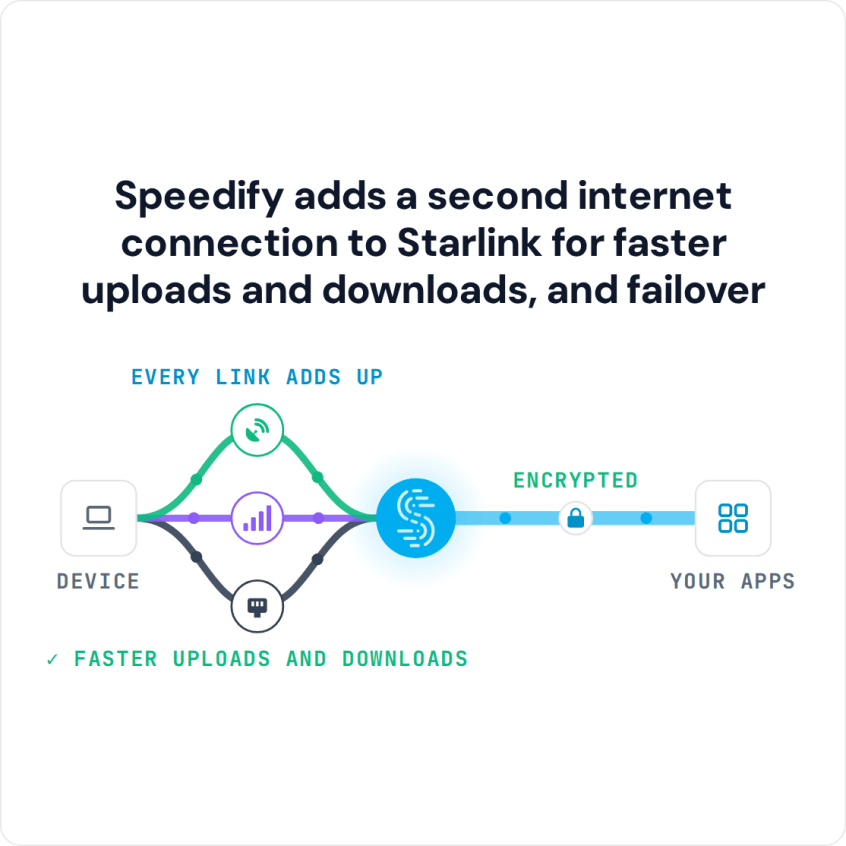
Speedify adds a second internet connection to Starlink for faster uploads and downloads, and failover
Starlink Internet Connection Drops Happen to Everyone
Speedify measures thousands of Starlink users in more than 140 countries. In September 2026, fixed Starlink dishes went offline for about 38 minutes a day on average, and Starlink dishes on RVs and boats for about 46 minutes a day.
All Starlink dishes also see short dropouts roughly every 15 seconds as the Starlink internet connection switches from one moving satellite to the next. Even a perfectly installed Starlink dish goes offline, and about 7 in 10 Starlink users on Speedify use Starlink together with a second internet connection, like 4G/5G cellular.
Quick Checks Before You Try to Make Your Starlink Faster
- Is anything blocking your Starlink dish’s view of the sky? A tree or a roof edge off to the side can block the view as the satellites move overhead, even if nothing covers the Starlink dish itself. The obstruction map in the Starlink app shows it.
- Is it slow only on Wi-Fi? Run a speed test on a device right next to the Starlink router, then in the room where it feels slow. If only the far room is slow, the Wi-Fi is what holds you back, not Starlink.
- Is it slow only in the evening? Then the Starlink network near you is busy, because many people use it at the same time. You can’t fix that at home. If it slows only when your whole household is online, see why internet slows when everyone’s home.
For all 11 fixes, step by step, see why is my Starlink so slow.
Three Ways to Get More Speed from Your Starlink Internet Connection
1. Plug the device that needs speed most into the Starlink router with an Ethernet cable. A cable gives that device the full speed your Starlink internet connection delivers, with no walls or distance slowing the Wi-Fi.
2. Check whether your Starlink plan is one that slows down first at busy times. When the Starlink network is busy, Starlink serves Priority plans first and slows Residential Lite first. If your Starlink internet connection is slow most evenings, see which plans come first in step 9 of why is my Starlink so slow.
3. Add a second internet connection and use both at the same time. One Starlink dish has a ceiling: moving it or restarting it can’t push it past what the Starlink network gives you. A second internet connection, like another Starlink dish, 4G/5G cellular, or an old DSL line, whatever you have, adds its own speed on top. If the slowdown hits when the whole household is online, see Starlink slow with multiple devices. Most Starlink users on Speedify already run a second internet connection, most often 4G/5G cellular. The numbers are in how Speedify measures Starlink.
Make Starlink Faster by Using It Together with a Second Internet Connection in Speedify
Speedify is the only app that combines all of your internet connections to keep you online when it matters most. Speedify sends your internet traffic over all of your internet connections at the same time, even a single video or download, so it can use the speed of both. Speedify needs that second internet connection: with Starlink alone, it can’t add speed.
If one internet connection drops, Speedify switches your traffic to the others on its own, and its Streaming mode puts calls, streams and games first.
To add more cellular data without extra adapters, use Speedify’s cellular sharing. Put your phones and your computer on the same Wi-Fi or hotspot, install Speedify on each one, and pair the phones in the Speedify app so they share their cellular data. Every phone you pair adds its cellular data to your Starlink internet connection.
Get Speedify on your computer or phone, or on a router that works with Speedify to cover your whole home, including smart TVs and game consoles, which can’t run the Speedify app.
Speedify
Get started with Speedify today.
Combine Wi-Fi, 4G/5G cellular, Ethernet, Starlink, and more into one faster, steadier connection. Free to try — no credit card required.
🚀 Speed
Faster uploads and downloads by bonding all your connections at once.
📶 Stability
Automatic failover in under a second when any connection drops.
🔒 Security
AES-256 encryption on every connection, on every network you join.



15M+ downloads worldwide. 75K+ five-star reviews on iOS and Android.