


How to Fix the Internet when Stuck on a Bad Hotspot
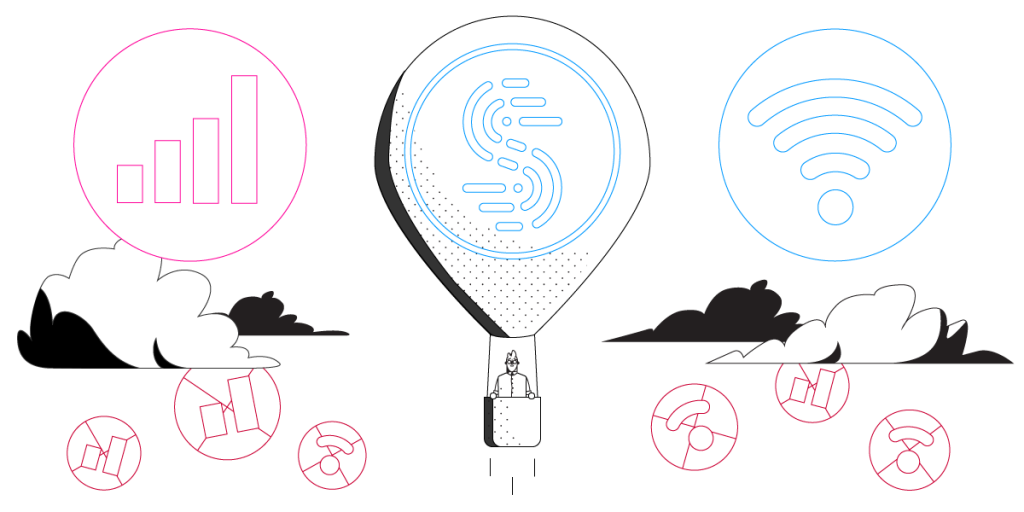
Walking down the street with music playing, your phone jumps onto a free provider hotspot and the music stops. That is what a bad hotspot does – your phone sees a network name it recognizes and joins it automatically, without ever checking whether data can get through, and plenty of those public hotspots are overloaded or completely dead. Speedify is an app that runs your internet over Wi-Fi and 4G/5G cellular data at once, so a useless hotspot cannot cut you off. This piece explains where bad hotspots come from and walks through the three steps that get you fast, steady internet with Speedify.
Speedify keeps your devices online when Wi-Fi drops.
Wi-Fi cuts out for all kinds of reasons: a weak signal, a tired router, a phone clinging to the wrong access point. Speedify bonds your Wi-Fi with any second connection, often 4G/5G cellular, and switches the moment one drops. Nothing has to reconnect.
Where Do Bad WiFi Hotspots Come From?
There are a few main reasons why you might get stuck on a dead hotspot:
- Sometimes it’s the location where WiFi hotspots are placed – this can result in spotty signal strength or even dead zones – “zombie” hotspots. That’s why you may see you’re connected to the WiFi network, but the Internet doesn’t work.
- If you are on the move (on the street, bus, etc.) you could also run into problems when moving between different hotspots. Your smartphone will navigate between available public WiFi networks and chances are you will be stuck on a bad hotspot every now and then.
- Or, it’s as simple as this: by default, smartphones are bad at detecting poor WiFi networks, and they default to WiFi instead of LTE, when it’s available. Connecting to a bad WiFi hotspot is often the same as having no Internet at all.
How Speedify Helps You to Avoid Being Stuck on a Bad Hotspot
Here’s an idea: what if you would be able to use all available connections on your computer or smartphone so that if WiFi doesn’t work, you’d still have Internet from cellular data or a wired connection?
By being able to use multiple Internet connections at the same time with Speedify, your iPhone, iPad, Android smartphone or laptop will avoid being stuck on a dead hotspot. Plus, if your device connects to a WiFi network with no Internet functionality, by using the other connection, Speedify will keep you online. So, your Spotify will not stop, your Skype business call will not jitter and your video stream will still be online.
Apart from fixing situations where you get stuck on bad hotspots, Speedify is also a fast bonding mobile VPN. When you use Speedify to optimize your WiFi hotspot Internet, you are also getting fast, reliable, and secure data encryption. Speedify protects you against fake routers, snooping ISPs, and other cyber threats without sacrificing the speed you demand out of your Internet connections. And that’s very important to keep your data safe and avoid data throttling.
Three Steps to Get Fast and Stable Internet when Stuck on a Bad Hotspot
Unfortunately, the many situations where people get stuck on dead hotspots leads most of them either telling their phones to “Forget” certain WiFi networks so it won’t connect, or actually turning off their phone’s WiFi to get off the broken hotspot. But once they do this, their phone won’t join other working WiFi hotspots either, wasting valuable 4G data.
Speedify’s patent-pending channel bonding technology allows using two or more Internet connections, so that you’ll get a fast and stable Internet connection.
Here are 3 steps to fix issues when stuck on a bad hotspot:
- Get Speedify on your device.
- Leave all your Internet connections active. For iPhones and Android smartphones – enable both WiFi and mobile data. Don’t worry – you can set data caps from within the Speedify app, so you won’t exceed it and pay extra. For laptops – you may have an additional 4G/LTE dongle or integrated card – activate that connection as well.
- Enjoy faster, more reliable Internet. Speedify will automatically detect any new active Internet connections and toss them into the mix to create a faster and dependable Internet connection. Its smart algorithms can detect if you connect to a bad WiFi hotspot and fix it so that you’ll always be connected.
While other VPNs can be clunky and slow, Speedify is improves the speed and quality of your Internet connection, and it doesn’t drain your battery either.
If you are regularly getting stuck on bad hotspots, get started with Speedify today – no strings attached, no email sign-up necessary, no logging of data!
Speedify
Get started with Speedify today.
Combine Wi-Fi, 4G/5G cellular, Ethernet, Starlink, and more into one faster, steadier connection. Free to try — no credit card required.
🚀 Speed
Faster uploads and downloads by bonding all your connections at once.
📶 Stability
Automatic failover in under a second when any connection drops.
🔒 Security
AES-256 encryption on every connection, on every network you join.





15M+ downloads worldwide. 75K+ five-star reviews on iOS and Android.