

Speedify’s Starlink Control Center Monitors Your Starlink Dish and Uses It Together with Another Internet Connection for Faster Upload and Download Speeds To monitor your Starlink internet connection, open Statistics in the Starlink app, or type dishy.starlink.com or 192.168.100.1 into a web browser on your Starlink Wi-Fi. You’ll see your speed, ping, uptime, recent outages and how much of your … Read More
Starlink Antenna Placement Tips, Plus How Speedify Adds Speed

Speedify Keeps Your Starlink Online Even When Antenna Placement Isn’t Perfect Starlink antenna placement is the biggest thing you control that decides how fast and steady your Starlink internet connection is. The antenna is the Starlink dish itself. Starlink sells three main antenna types, and placement matters for all of them. Mount the Starlink dish high, with a clear view … Read More
Why Use Two Starlink Dishes Together: Speedify Combines Both Starlinks

Speedify Combines Two or More Starlink Dishes into One Faster, More Reliable Internet Connection Yes, you can use two Starlink dishes together, and the second Starlink dish doesn’t have to sit idle as a spare. Starlink doesn’t combine the speeds of two Starlink dishes for you, but Speedify does: it uses both Starlink internet connections at the same time, for … Read More
Why Starlink Disconnects Every 15 Seconds and How Speedify Covers the Drops

Starlink drops for a moment about every 15 seconds, because your Starlink dish switches from one satellite to the next. Those short drops are enough to freeze a video call, stall a live stream or cause lag in an online game. Speedify uses two or more internet connections at the same time, like Starlink plus a phone hotspot, so your … Read More
Starlink Internet for Office Use: How Speedify Keeps the Office Online
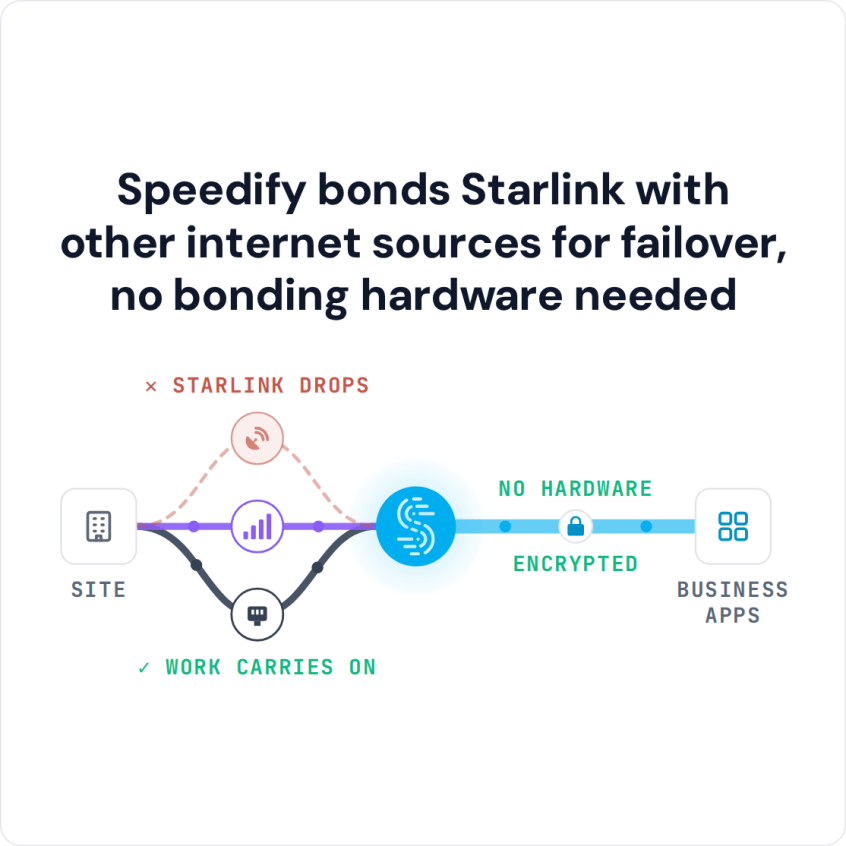
Speedify Gets Your Office Faster Upload and Download Speeds on Starlink Yes, you can use Starlink for office internet. Starlink brings fast downloads to offices where cable, fiber or DSL isn’t available or keeps failing, and Starlink’s Priority plans are made for business use. The weak spot is that a Starlink internet connection still drops for short moments, and in … Read More
Two Starlink Dishes at Once for Your Business: Speedify Combines Both for Faster Uploads and Downloads
Running Multiple Starlink Dishes for Business Internet with Speedify Yes, your business can run two or more Starlink dishes at the same location. On its own, though, each device uses only one Starlink dish at a time, so a second Starlink dish adds no speed and doesn’t take over on its own when the first one drops. Speedify is an … Read More