
Speedify Uses a Tethered iPhone as Backup for Starlink on Ubuntu Linux to Keep You Online Plug your iPhone into your Ubuntu computer with a USB cable, turn on Personal Hotspot, and Speedify uses your iPhone’s 4G/5G cellular together with Starlink. If your Starlink internet connection drops, Speedify switches your traffic to the iPhone automatically, so SSH sessions, downloads and … Read More
Combine Starlink and an Android Phone on a Mac with Speedify for Cellular Failover
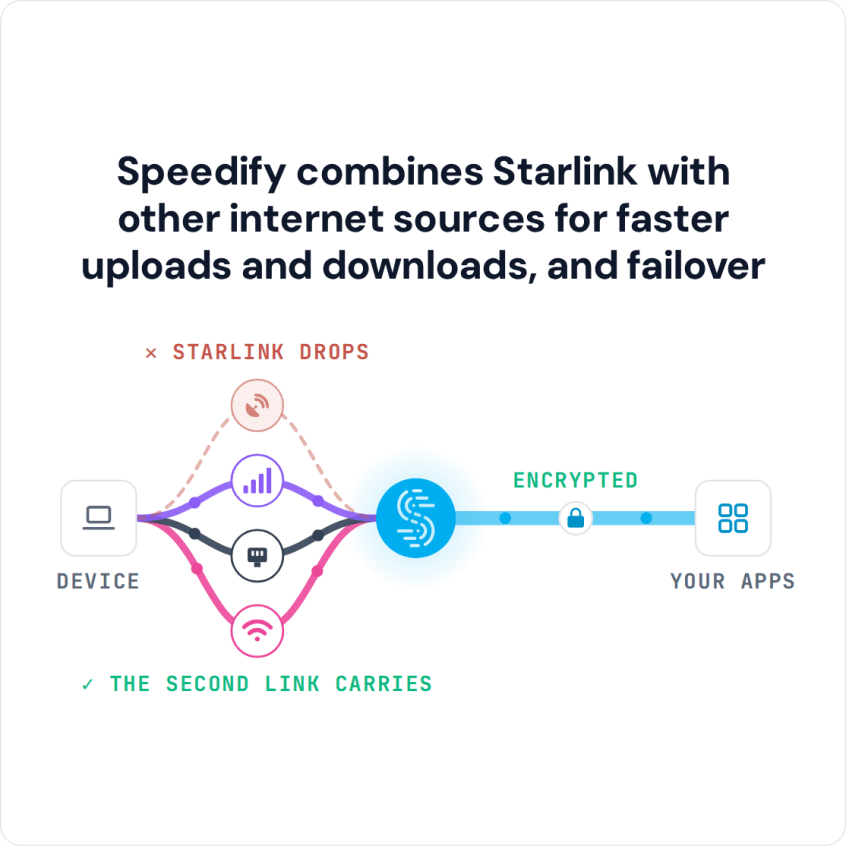
Speedify Uses a Tethered Android Phone as Backup for Starlink on Mac to Keep You Online Turn on your Android phone’s Wi-Fi hotspot, connect your Mac to it, and plug your Mac into the Starlink router with an Ethernet cable. Speedify uses your Starlink internet connection and your Android phone’s 4G/5G cellular at the same time, and if Starlink drops, … Read More
Combine Starlink and a Tethered iPhone on Windows with Speedify for Cellular Failover
Speedify Uses a Tethered iPhone as Backup for Starlink on Windows to Keep You Online Yes, a Windows PC can use Starlink and a tethered iPhone at the same time. Plug your iPhone into your Windows PC with a USB cable, turn on Personal Hotspot, and Speedify uses your iPhone’s 4G/5G cellular together with your Starlink internet connection. If Starlink … Read More
Starlink and 5G on Android: Add 4G/5G Cellular Failover with Speedify
Speedify Uses Your Android’s 4G/5G Cellular as Backup for Starlink to Keep You Online Your Android phone or tablet can use Starlink and 5G at the same time. With Speedify, it uses Starlink Wi-Fi and its own 4G/5G cellular together, and if your Starlink internet connection drops, Speedify switches your traffic to cellular automatically, so your call, video or upload … Read More
How to Use Starlink and 5G on iPhone at the Same Time with Speedify
Speedify Uses Your iPhone’s 4G/5G Cellular as Backup for Starlink to Keep You Online You can use Starlink and 5G on an iPhone together, so each one covers for the other. With Speedify, your iPhone uses Starlink Wi-Fi and 4G/5G cellular at the same time, and if one of them drops, Speedify switches your traffic to the other automatically, so … Read More
iPhone Keeps Disconnecting from Wi-Fi: Stay Online with Speedify Using Wi-Fi and 4G/5G Cellular at Once
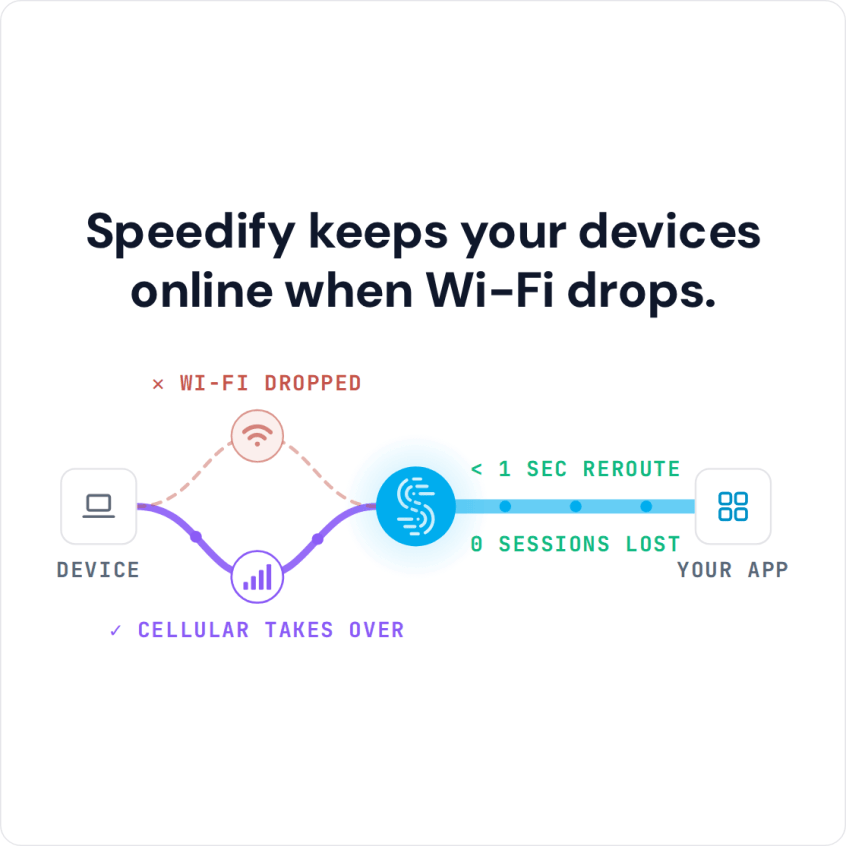
Speedify Stops iPhones from Disconnecting from Wi-Fi by Adding 4G/5G Cellular to the Connection. Find out why your iPhone keeps dropping Wi-Fi and fix it with proven iOS settings tips and Speedify channel bonding — combining Wi-Fi and 4G/5G cellular simultaneously for a connection that never drops.