
CBS Sports Fantasy Down? Or Sacked by a Connection Issue?
Minutes before the first snap you try to bench a player on CBS Sports Fantasy, and the app hangs on the confirmation screen. CBS Sports being down is the rare case. Far more often your internet connection blinked out (a single second is plenty), and the roster move was never registered. NFL Fantasy leagues moved to ESPN Fantasy for the 2026 season, and the ESPN Fantasy app fails the same way; here is why the ESPN Fantasy app stops working.
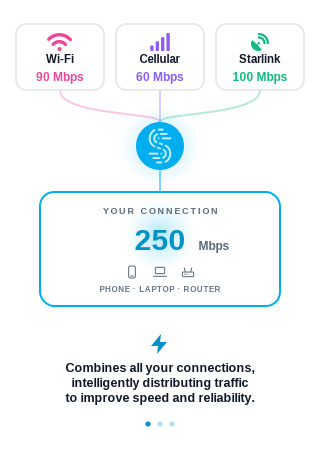
Speedify is an app that spreads one device’s internet traffic over Wi-Fi, 4G/5G cellular, wired Ethernet, Starlink and other internet connections together, so a blink on one is covered by another. With only one internet connection, Speedify works as an encrypted VPN and cannot stop that connection from dropping, so keep both Wi-Fi and 4G/5G cellular turned on.
Everything below covers why CBS Fantasy Football stalls, and how using Speedify gets your start-and-sit decisions saved before game time.
How to Keep the CBS Fantasy App Connected with Speedify
- Download Speedify on your iPhone or Android phone.
- Open Speedify and create a free account (the free tier includes 5 GB per month), or sign in.
- Keep Wi-Fi on and turn on 4G/5G cellular too, so Speedify has two internet connections to work with.
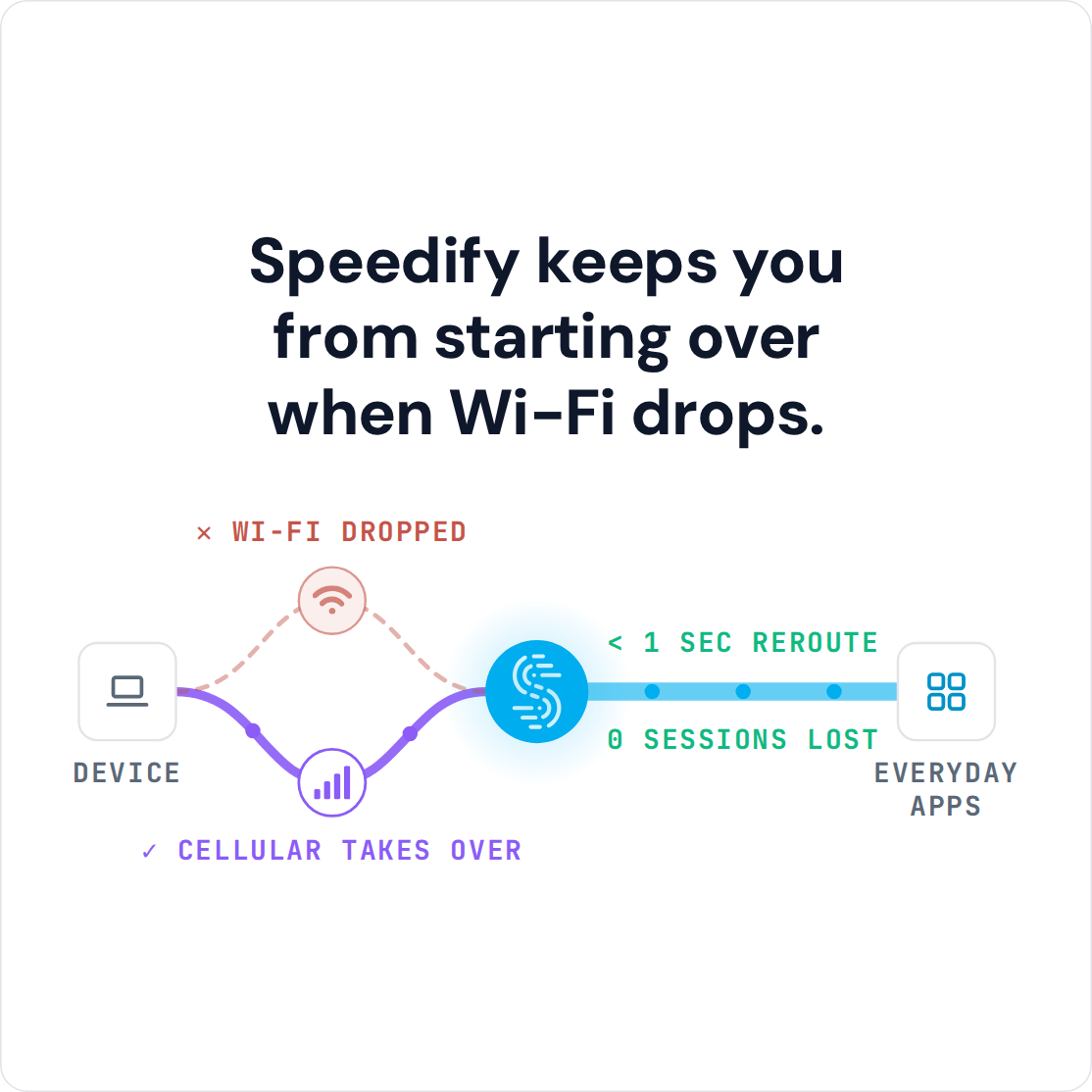
- Connect. Speedify uses both connections at once and moves your traffic to the working one when one drops.
- Open the CBS Sports app and make your lineup changes.
Why the CBS Fantasy Football App Is Not Working
First check whether CBS Sports is down for everyone on an outage tracker such as Downdetector, and update the CBS Sports app. If it still fails, the most common cause of CBS Fantasy Football not working is your network. When you have a slow or unreliable Internet connection, the service / app isn’t able to work properly.
CBS Sports Fantasy Football uses the internet to send and receive data about your actions: your phone sends each lineup change to the CBS servers, and the servers send scores and league updates back.
If your Wi-Fi connection has a momentary blip or your cellular connection fluctuates, some of the flow of those packets gets interrupted. It can take a few moments for the data to catch up.
This results in the CBS Fantasy Football app failing to update teams or save other actions, or not working at all.
How Speedify Keeps the CBS Fantasy App Online When Wi-Fi Drops
Speedify makes your CBS Fantasy Football experience better by improving the internet connection underneath it. The Speedify app monitors the quality of your internet connections in the background and can combine your Wi-Fi and 4G/5G cellular connections in a single “pipe” on your mobile device. With two connections working, a drop on one no longer stops the CBS Fantasy Football app from saving your moves.
Speedify also reroutes data when something happens to one of your connections. If you are moving between Wi-Fi networks, or your Wi-Fi or cellular network suddenly goes out, you stay connected because Speedify intelligently and automatically reroutes your data until you are connected again to both networks. Best of all, Speedify takes care of it all in the background.
Speedify is available for iOS, Android, macOS, Windows and Linux devices.
Encrypt CBS Fantasy Traffic on Public Wi-Fi
Speedify does more than manage your internet connections. Speedify also works as a VPN that combines connections, and it encrypts all of the data you send and receive from your device. This helps keep your private information and conversations secure from digital eavesdroppers and cyber thieves even on public Wi-Fi networks.
Speedify doesn’t just fix your CBS Fantasy Football network connection issues. It makes your Internet-driven apps more stable and secure, and improves your overall Internet experience.
Most VPNs slow down your internet connection. Speedify combines two or more internet connections and adds encryption, so it can add speed instead; on a single connection, Speedify works as an encrypted VPN and can be a little slower.
If you are tired of CBS Fantasy Football not working, fix your problems now and get Speedify today!
Speedify
Get started with Speedify today.
Speedify combines Wi-Fi, 4G/5G cellular, Ethernet, Starlink and satellite into one faster, more reliable internet connection. Free to try: 5 GB a month with a free account. No credit card required.
🚀 Speed
Faster uploads and downloads, because Speedify uses all your internet connections at once.
📶 Stability
If one internet connection drops, Speedify moves your traffic to the others in milliseconds.
🔒 Security
AES-256 encryption on every internet connection, on any network you join.


15M+ downloads worldwide. 75K+ five-star reviews on iOS and Android.