
Dealing with a Slow Internet Connection
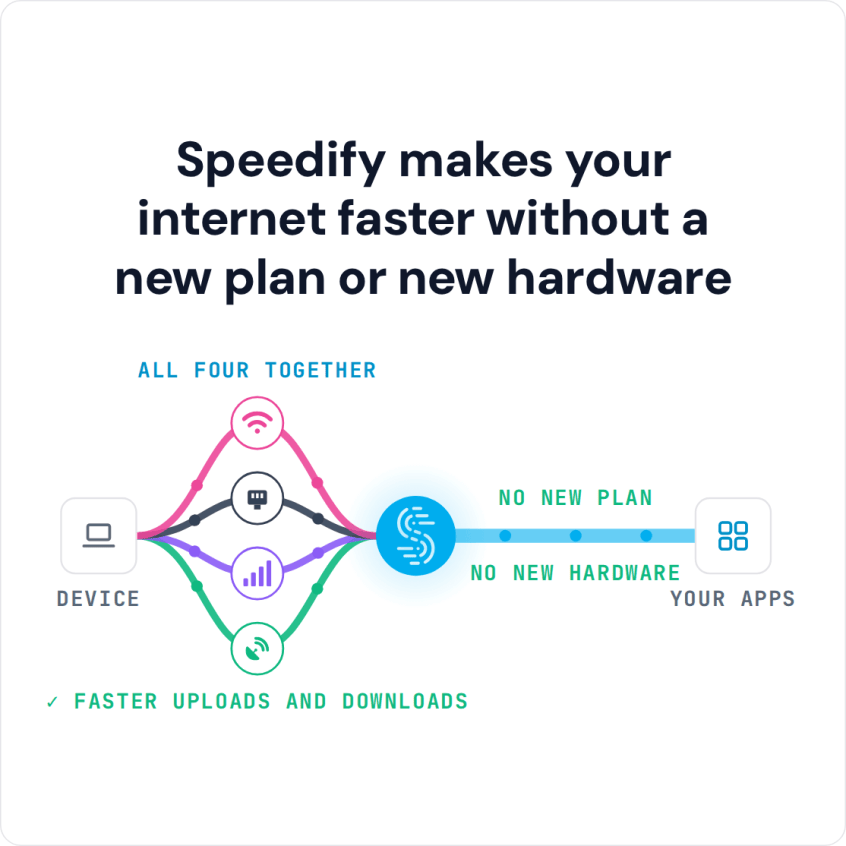
To fix slow internet, first rule out the usual causes (your internet provider, a weak Wi-Fi signal, too many devices), then use more than one internet connection at once instead of just one. Speedify is an app that combines Wi-Fi, Ethernet and 4G/5G cellular at the same time, giving faster upload and download speeds and staying online if one connection drops out. With only one internet connection, Speedify works as an encrypted VPN and cannot make that connection faster.
Below are quick checks for a slow connection, and how Speedify removes the limit of using one connection at a time.
How do I use WiFi and 4G/5G cellular at the same time with Speedify?

Pick your two internet connections and your device below and we'll take you to the step-by-step setup guide.


Why Your Internet Is Slow and How to Troubleshoot It
If your internet is slow, you are not the only one. Most people blame their ISP or bad Wi-Fi hotspots, and both are real causes of slow downloads and uploads. But there is another cause: most devices connect to the internet over just one connection at a time.
Your smartphone can run more than one internet connection at a time, but iPhone and Android send all internet traffic over a single connection by default: either Wi-Fi or 4G/5G cellular. Read how to get uninterrupted internet on iPhone and Android.
With computers, you can use the internal network adapters, as well as external USB dongles, to connect to the Internet through different networks, such as Wi-Fi, a 4G/5G cellular dongle and wired Ethernet. But Windows and macOS still use only one connection at a time.
Start with these quick checks to fix slow internet on the connection you have. If your internet is still slow afterwards, or slows down at busy times, one connection is not enough for what you do, and adding a second internet connection with Speedify is the next step.
Quick Checks to Fix Slow Internet on Your Current Connection
- Run a speed test on your computer, ideally over a wired Ethernet cable, and compare the result with the speed in your internet plan. If it is far below, contact your internet provider.
- Restart your modem and router: unplug them for 10 seconds, plug them back in, then restart your computer or phone.
- Get a stronger Wi-Fi signal: move closer to the router, move the router to a central spot in your home, or add a Wi-Fi repeater.
- Use a wired Ethernet connection for your computer where you can, to avoid Wi-Fi interference.
- Check how many devices use your Wi-Fi network, and set a Wi-Fi password if devices you do not recognize are connected.
Causes of Slow Internet That a Speed Test Does Not Show
A speed test measures one connection at one moment, so these common causes of slow internet can pass it and still slow you down.
Slow switching on phones: an iPhone or Android phone takes a few seconds to move from one Wi-Fi network to another, or from Wi-Fi to 4G/5G cellular, and apps stall while it switches.
Packet loss: when data packets fail to arrive, video calls and live streams stutter even on a connection with a good speed test result.
Throttling of specific services: some internet providers slow particular services, such as video streaming, so the speed test looks fine while video buffers. Encrypting your traffic stops the provider from singling those services out.
On public Wi-Fi away from home, there is no internet provider to call. Using a second internet connection at the same time, such as 4G/5G cellular next to the Wi-Fi, helps with all three: traffic keeps flowing while one connection struggles, and Speedify resends lost packets over the other connection.
How Speedify Works to Fix Slow Internet Connections
Speedify is an app for computers, smartphones and tablets that combines internet connections: it lets your device use all available connections at once, splitting traffic across Wi-Fi, 4G/5G cellular, Ethernet, Starlink and satellite. With two connections working together, downloads and uploads run faster than on either one alone.
Speedify also monitors the quality of each connection and runs an automatic failover protocol in the background.
When a connection drops, Speedify moves all your internet traffic to the connections that are still working until the dropped one comes back. Calls and streams keep going, so you get a smooth, uninterrupted Internet experience instead of buffering or spinning wheels.
On a phone, leave both Wi-Fi and 4G/5G cellular turned on. If your cellular plan has a data cap, set a data limit for the cellular connection in the Speedify app so you do not go over the plan.
Speedify Fixes Slow Internet Connections While Keeping Your Online Privacy Safe
Speedify also encrypts your traffic like a VPN, so it does more than increase your connection speeds. With advanced encryption, Speedify protects your data from snooping hackers, man-in-the-middle attacks and other threats on the networks you use.
Encryption matters most if you are often on the go and join different Wi-Fi networks: the more networks you use, the more chances someone has to intercept your data. With Speedify, your traffic is encrypted on every network you join.
You don’t have to put up with a slow Internet connection. Download Speedify, add a second internet connection such as your phone’s 4G/5G cellular, and run the built-in speed test to see the combined speed. The free tier includes 5 GB per month with a free account.
Speedify
Get started with Speedify today.
Speedify combines Wi-Fi, 4G/5G cellular, Ethernet, Starlink and satellite into one faster, more reliable internet connection. Free to try: 5 GB a month with a free account. No credit card required.
🚀 Speed
Faster uploads and downloads, because Speedify uses all your internet connections at once.
📶 Stability
If one internet connection drops, Speedify moves your traffic to the others in milliseconds.
🔒 Security
AES-256 encryption on every internet connection, on any network you join.



15M+ downloads worldwide. 75K+ five-star reviews on iOS and Android.