
How is Distance Learning Affecting Students?
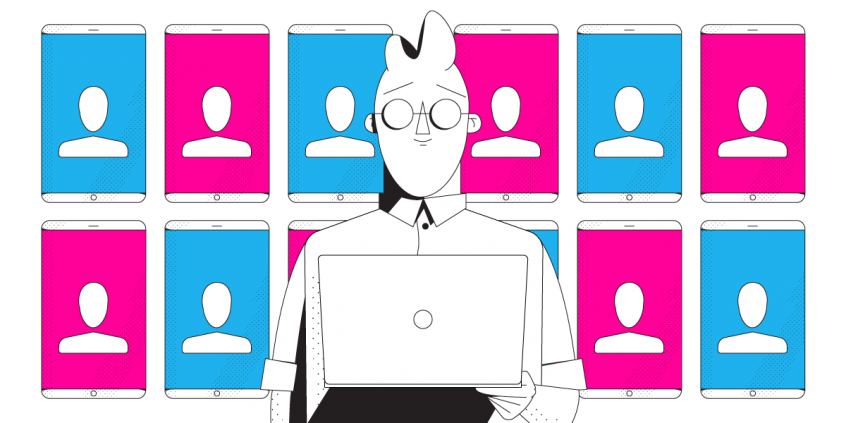
Today's social distancing lifestyle has made distance learning more popular than before. This type of learning was purely optional before and would usually apply to online courses for post-graduates. Nowadays students of all ages are doing this, whether it's children in school, young people in universities or full-time employees.
Luckily, students are easily adaptable - they already know how to handle a tablet or a computer. So now they're using that to learn as well. But there are some distance learning challenges students often can't handle:
- the lack of in-person tutoring is easily noticeable especially for younger students, who can have problems focusing or actually learning.
- some miss the human touch - interacting with their teachers and peers.
- many, especially in rural areas, don't have reliable Internet connections where they live, so they're anxious about not being able to join and maintain access to online classes and assignments
This article explains how you, as a student, can avoid any distance learning challenges related to your Internet connectivity. See how to get fast, reliable and secure Internet so you can focus on learning, not on making sure you are seen or heard.
Use Speedify to increase your upload and download speeds: combine internet connection sources like Wi-Fi, 4G, 5G, Starlink and wired broadband

Combine Wi-Fi, 4G, 5G, Starlink and wired broadband to fix slow upload and download speeds
Speedify is the only app that seamlessly combines all of your connections, including Wi-Fi, 4G, 5G, Ethernet, and Starlink, into one stronger connection to keep you online and secure.
In most cases, Speedify will automatically detect and start using any available Internet connections on your device while intelligently distributing your online traffic between them for optimal performance. If you need help we have quick start guides available for most common set ups.

Combine personal hotspots for better upload and download speeds
Speedify's Pair & Share feature enables you to connect to multiple hotspots at the same time and wirelessly share LTE, 4G, and 5G cellular connections back and forth between multiple Speedify users on the same local network to create a faster, more reliable connection for everyone.
For the first time, it's possible to share cellular data between multiple devices, including PCs, Macs, iPhones and Androids. Use multiple phones as hotspots for internet access and get increased bandwidth and mobile failover for all paired devices.
Use Speedify to combine...
Combine these connections on:



Slow and Unreliable Internet Connectivity Pains Students the Most when Learning Remotely
Many students worldwide complain about distance learning in the sense of not having a fast and stable Internet connection for synchronous courses. While it's not a general rule, we find this issues usually in rural areas or within households that don't afford paying for a faster Internet plan. Unfortunately inequities are a real thing when it comes to remote learning.
Getting back to the symptoms of unstable Internet: just count the times you or somebody in your online class says "can you hear me?" or "I can't understand what you're saying". If those phrases come too often in the conversation, then you've got a hardware, software or an Internet problem you need to address.
Troubleshooting Internet Connection Problems for Students
Disclaimer: we won't focus here on whether your webcam and microphone are set up correctly. Or if the settings are right for your Zoom / Google Classroom / other remote learning tool you're using. We'll just assume those are all good.
The real distance learning challenge for students is that troubleshooting Internet connection issues takes time. It's like taking a second job as your own IT support person. You have to at least follow these steps:
- Restart your modem / router.
- If possible, use a wired connection to your computer. Or at least move closer to the Wi-Fi router.
- Close non-essential teaching apps that might be hogging the bandwidth. Also ask your family to restrain from streaming videos or getting on video calls while you're attending remote classes.
- Test your Internet speed to make sure you're getting the speed you're paying for.
- Call your Internet Service Provider and wait until they solve the issue... that's days, usually.
In certain situations there's the possibility of recording your class so you can download them and watch later. But most of the classes are still happening live.
So, the essence of making the most out of online learning is a solid Internet connection that's fast, stable. Meet Speedify, your solution to avoid distance learning challenges for students and teachers.
Get Rid of Connectivity-Related Distance Learning Challenges for Students with Speedify
Speedify is an app you can install on the device you're using to attend your online classes - computer, tablet, smartphone. It is a bonding VPN service that allows you to use all of your Internet connections at once. By doing this, you will get a "super-pipe" with faster speed and increased reliability, as well as being protected from online snoops that are after your data.
The increased Internet speed is achieved through a technology called channel bonding, which Speedify uses. That also allows you to remain connected online even if one of your connections drops.
How do you get a second Internet connection to use at the same time, you ask? It's simple: you probably have a smartphone - you can just tether that to your computer and use its cellular data. It's even simpler if you use a tablet or the smartphone to teach - just enable the cellular connection. Don't worry about paying more - with Speedify you can specify how much cellular data it should use, so you don't go over your plan.
Now you know: solve Internet connection related distance learning challenges for students by using Speedify! Try it now and focus on learning new things, not on doing IT support!


Speed
Stability
Security
Speedify devs love talking tech on YouTube, Tiktok, and Instagram!
Alex Gizis and the Speedify devs discuss and explain technology including Starlink satellites, Wi-Fi 7 routers, Apple networking features, fiber optics, broadband internet, 5G mobile networks, AI, networking protocols, and much more. Follow Speedify on YouTube, TikTok, Instagram, and LinkedIn!
Alex and the Speedify team are always exploring the latest in networking and security technology—like 5G, 6G, WiFi 7, laser and satellite internet—and sharing it in new discussion content across YouTube, TikTok, Instagram, and LinkedIn every week.
Got a tech question? Let's go deeper! Pop into Speedify Office Hours live every Wednesday at 10 AM Eastern. Speedify CEO Alex Gizis and our network engineers are standing by to break down your questions about networks, tech updates, and Speedify features.
