
You Can Combine Multiple Internet Connections Together – Like Starlink, Wi-Fi, 4G, 5G, and DSL – with Speedify, to Fix Instagram Connection Issues
Instagram not working on Wi-Fi shows up as grey boxes where photos should be, Stories that never open, filters stuck loading, or a “No internet connection” message: Instagram cannot pull down the content it needs. Photos and video take real download speed, and a phone leaning on one weak Wi-Fi or cellular signal does not have enough of it. Posting needs upload speed as well, which is why Instagram gets stuck uploading on a weak signal.
Speedify is an app that combines Wi-Fi, 4G/5G cellular, Ethernet, Starlink and satellite internet connections and encrypts your traffic like a VPN. On a phone it runs Instagram over Wi-Fi and 4G/5G cellular at the same time. On a single connection, Speedify works as an encrypted VPN and cannot stop that connection from dropping. If the app shows “Couldn’t refresh feed”, see how to fix that Instagram feed error.
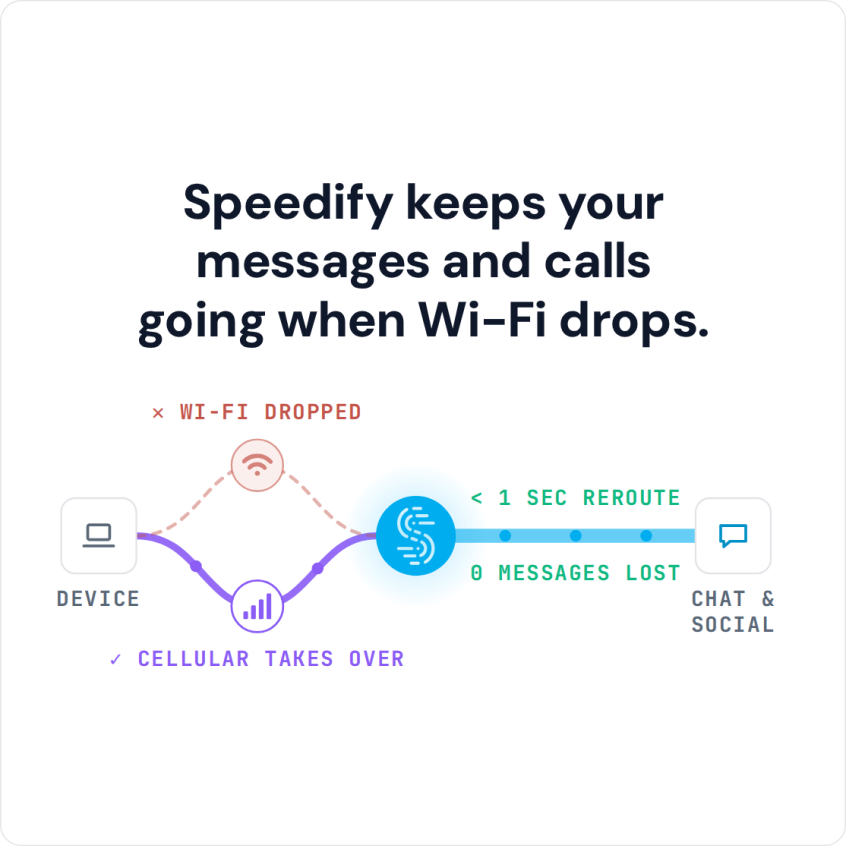
Speedify keeps your messages and calls going when Wi-Fi drops.
Five Steps to Keep Instagram Loading with Speedify
- Download Speedify on your iPhone or Android phone.
- Open Speedify and create a free account (the free tier includes 5 GB per month), or sign in.
- Keep Wi-Fi on and turn on 4G/5G cellular too, so Speedify has two internet connections to work with.
- Connect. Speedify uses both connections at once and moves your traffic to the working one when one drops.
- Open Instagram and use it as usual.
Why Instagram Is Not Loading or Says No Internet Connection
Instagram cannot load content on a poor internet connection, one that is slow and unstable. By default, iPhones, Android phones and tablets use only one internet connection at a time, Wi-Fi or 4G/5G cellular. If that signal is weak or spotty, your device loses small pieces of data called packets, so things take forever to load or Instagram does not load at all. If Instagram works on 4G/5G cellular but not on Wi-Fi, the Wi-Fi network is the problem: restart the router, or forget the network and join it again.
If Instagram works on Wi-Fi but not on mobile data, check that your phone lets Instagram use cellular data (on iPhone: Settings > Cellular, called Mobile Data in the UK; on Android: the app’s mobile data settings) and that Low Data Mode or Data Saver is off.
The fixes below start with the app, then the connection.
How To Troubleshoot Instagram Not Loading
Poor internet is the usual cause of Instagram not loading, but rule out other potential causes first by:
- Restarting Instagram
- Clearing the app’s cache
- Updating the Instagram app
- Restarting your phone
If you still cannot load the app or its content, the next step is to work on your internet connection. Speedify is an app you can get for iOS or Android that lets your phone use 4G/5G cellular and Wi-Fi at the same time, instead of one connection at a time, so Instagram gets the bandwidth of both and keeps loading when one signal drops.
Speedify monitors the quality of your Wi-Fi and 4G/5G cellular all the time. With its priority rules you can set cellular to Secondary, so Speedify leans on Wi-Fi and adds cellular when it is needed. Speedify automatically reroutes data away from slow and unreliable Wi-Fi to 4G/5G cellular and goes back to Wi-Fi when it recovers, without you doing anything.
Faster Uploads and Encryption with Speedify
Speedify is also an encrypted VPN, so all of your data is encrypted between your phone and the Speedify server. That keeps your private information secure on public networks and keeps your ISP from spying on you.
Speedify was created to help you use the Internet on your terms. You get to upload and watch all of the Instagram posts and stories you want, without waiting for the app to catch up to you. Here is more on uploading to Instagram faster. You also get advanced security, so you can post to Instagram with the peace of mind of knowing that your data and device are safe, even on public Wi-Fi networks.
With Speedify, Instagram keeps loading when one connection dips. Get started now with a free account, which includes 5 GB per month.
Speedify
Get started with Speedify today.
Speedify combines Wi-Fi, 4G/5G cellular, Ethernet, Starlink and satellite into one faster, more reliable internet connection. Free to try: 5 GB a month with a free account. No credit card required.
🚀 Speed
Faster uploads and downloads, because Speedify uses all your internet connections at once.
📶 Stability
If one internet connection drops, Speedify moves your traffic to the others in milliseconds.
🔒 Security
AES-256 encryption on every internet connection, on any network you join.



15M+ downloads worldwide. 75K+ five-star reviews on iOS and Android.