
How to Boost Your Internet Connection
A slow, unreliable connection gets faster and steadier when a device uses every available internet connection at once instead of just one. Speedify is an app that combines Wi-Fi, Ethernet, and 4G/5G cellular at the same time, giving faster upload and download speeds and staying online if one connection drops out.
Below are practical tips to speed up a connection, plus how Speedify ties them together.
<1 sec
With Speedify, your internet stays on when one connection fails.
When one of your internet connections drops, Speedify shifts your traffic to your remaining connections in under a second — so calls don’t cut out and downloads don’t stall.
Should you have a backup 4G, 5G, Starlink, or cable internet connection?
Yes — every internet connection goes down, including Starlink, which drops for ~34 minutes a day on average. A backup connection from a different provider means one outage never takes you fully offline. The most common options are a 4G/5G cellular hotspot, a cable or DSL line, or a second satellite dish.
4G/5G cellular
Works anywhere. Just a SIM or hotspot — no installation needed.
Learn more →Cable / DSL
Best for fixed locations. Different network, so outages rarely overlap.
Learn more →Second Starlink
Adds redundancy and throughput for remote sites or heavy usage.
Learn more →Speedify bonds any two connections into one — automatic failover, more speed, no dropped calls.
Try Speedify free →

Before You Begin: Test Your Internet Speed and Check for ISP Issues
How to improve your Internet connection? First – you need to rule out the ISP cause. If you determine that the Internet provider is responsible for the slow and reliable Internet, you can take action – contact them to report the issue, upgrade your plan or even change your ISP.
Is your ISP the cause of bad Internet? Here are some things to check:
- Run an online speed test on a wired Ethernet connection on your computer. Are the numbers you’re getting too far off what’s in your contract?
Action: contact your ISP.
- Do you see slower speeds on bandwidth-intensive activities such as streaming and online gaming? Your ISP could be throttling your connection – learn more how to determine that for sure. If that’s the case…
Action: use a fast VPN or contact your ISP to see how you can avoid being throttled.
- Is there a reported Internet outage in your area? Or is your ISP doing some maintenance work? Find out using their service status page – e.g. Comcast, Cox.
Action: contact your ISP about the outage. You can use an alternative Internet connection until the work is done, like the cellular data from your smartphone or a nearby public Wi-Fi network.
- You may be experiencing slow Internet if your plan has data caps and you went over that. This is usually the case for cellular connections.
Action: check your ISP contract or the live info from your online account with them. You can also contact your ISP for more details. If you’re regularly going over that cap, maybe it’s time to upgrade your Internet plan.
5 Tips to Make Your Internet Faster and More Reliable
After you ruled out any of the ISP causes, you should get the speeds you’re paying for. Not really? Then it’s time to start troubleshooting your slow Internet connection. Here are 5 tips for the most common issues:
Tip #1: Restart your modem / router, as well as your computer / mobile device.
Your modem / router is like a mini computer which specializes in sending and receiving traffic to and from the Internet. Just unplugging it from the power outlet and then plugging it back after 10 seconds will fix most connectivity related issues.
Pro tip: some modern routers have a scheduled reboot functionality you can activate from within the admin interface. If not, you can also use an outlet with a timer or a smart outlet.
For best results, also restart your computer or mobile device.
Tip #2: Get a Stronger Wi-Fi Signal. Move the wireless router to a central part of your home. Use a Wi-Fi repeater.
Poor Wi-Fi signal is most often the cause for slow and unreliable Internet. You can easily improve your connectivity by moving closer to the wireless router. Or moving your router to a more central part of your home, so the Wi-Fi range covers all the areas in your home.
If that’s not enough, you can also use a Wi-Fi repeater – see how you can create one using your Windows PC.
Tip #3: Use a wired connection where possible.
If possible, you should use a wired Ethernet connection for your computer or laptop instead of connecting to the Internet via Wi-Fi. This will eliminate any issues related to wireless signal strength, wireless interference, overlapping channels, etc.
Tip #4: Secure your Wi-Fi hotspot. Eliminate unwanted connected devices.
There may be too many connected devices to your router, which eat up your available bandwidth. Some of them may not even be yours. It’s time to secure your Wi-Fi hotspot with a password – or change the existing one, if you already have one. Check out your router manual on how to do that.
As you’re connecting your devices to the Wi-Fi hotspot with the new password, you’ll know who can access the Internet.
Tip #5: Use all available connections at the same time
When the Internet is still slow and unreliable and you have an alternate connection to use, you can switch to that. And then switch back again when the original connection improves.
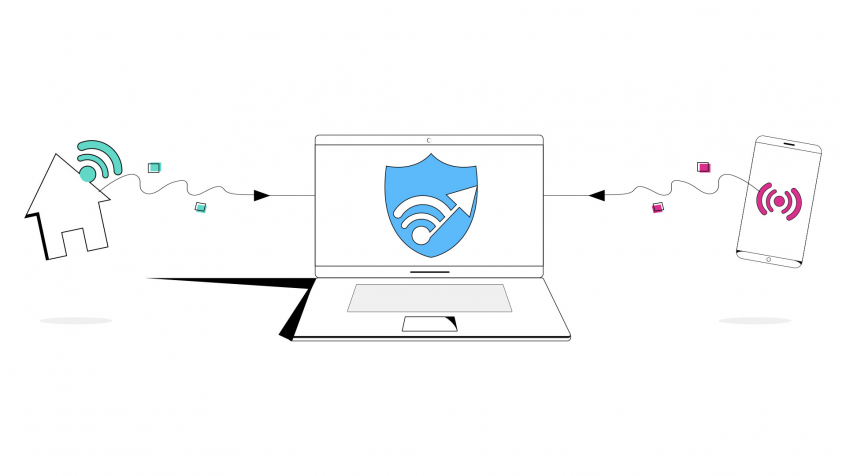
But you can also use all available connections at the same time, so the switch is seamless and you don’t have to reconnect to the video conference or restart any streaming app you may be using. Just use a bonding VPN for that, like Speedify.
Pro tip: a bonding VPN service also encrypts your traffic, so no one can spy on your online activities. This way, you’ll get all three coordinates for good Internet checked: speed, stability and security.
How to Improve Your Internet Connectivity: Use All Available Connections at Once with Speedify
Speedify is a fast bonding VPN that allows you to use all of your Internet connections at the same time, providing speed, stability and security. As long as you’re connected to more than one ISP, chances are you will not get disconnected completely from the Internet, thanks to Speedify’s automatic failover protection.
Creating an Internet “super-pipe” that provides increased speed and reliability is especially important when:
- working remotely – you will stop getting pixelated video or buffering in video conferences, as well as being in touch with your colleagues in real time, not waiting for messages or attachments to go through.
- live streaming – Speedify actually prioritizes live streams over other types of Internet traffic. So your Twitch, YouTube or other streams should be protected.
- online gaming – you will not lose the game because of an Internet glitch or be thrown out of the game because of laggy Internet.
More is better than one – that’s why Speedify is the best solution to boost your Internet connection and make it faster, more reliable and secure.
Alex and the Speedify team are always exploring the latest in networking and security technology—like 5G, 6G, WiFi 7, laser and satellite internet—and sharing it in new discussion content across YouTube, TikTok, Instagram, and LinkedIn every week.
Got a tech question? Let's go deeper! Pop into Speedify Office Hours live every Wednesday at 10 AM Eastern. Speedify CEO Alex Gizis and our network engineers are standing by to break down your questions about networks, tech updates, and Speedify features.

Speedify
Get started with Speedify today.
Combine Wi-Fi, 4G/5G cellular, Ethernet, Starlink, and more into one faster, steadier connection. Free to try — no credit card required.
🚀 Speed
Faster uploads and downloads by bonding all your connections at once.
📶 Stability
Automatic failover in under a second when any connection drops.
🔒 Security
AES-256 encryption on every connection, on every network you join.



15M+ downloads worldwide. 75K+ five-star reviews on iOS and Android.