


Can You Stream on a Wireless Connection?
WiFi is the most popular way to connect to the Internet nowadays, thanks to the fact that it’s wireless and very convenient. Every device – whether it’s a laptop, computer, smartphone, tablet – comes equipped with built in WiFi. And for good reasons – you can get WiFi almost anywhere:
- in your home, via your wireless router
- on the street, in restaurants, cafes, on buses, subways, etc. – via public WiFi networks
- on you – via your smartphone or dedicated MiFi device.
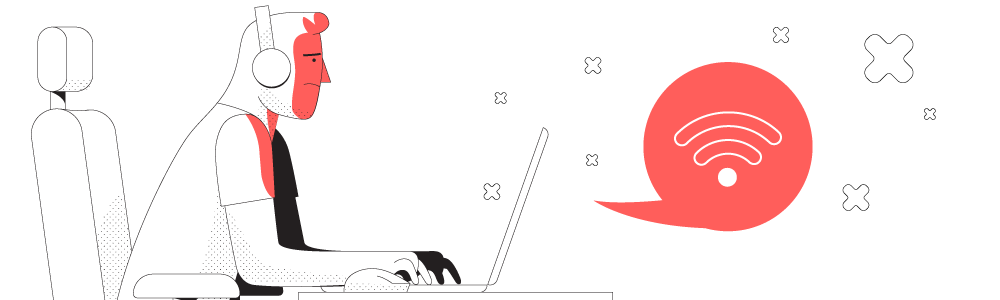
When it comes to live streaming on wireless connections, things tend to get more complicated. You need a certain bandwidth to be able to stream in HD at least and you also need a stable Internet connection. This is actually the biggest challenge when it comes to live streaming on wireless connections such as WiFi or cellular data.
This article explores how you can always get the best out of your available Internet connections by using them at the same time for speed, stability and issues-free live streaming sessions.
Should you have a backup 4G, 5G, Starlink, or cable internet connection?
Yes — every internet connection goes down, including Starlink, which drops for ~34 minutes a day on average. A backup connection from a different provider means one outage never takes you fully offline. The most common options are a 4G/5G cellular hotspot, a cable or DSL line, or a second satellite dish.
4G/5G cellular
Works anywhere. Just a SIM or hotspot — no installation needed.
Learn more →Cable / DSL
Best for fixed locations. Different network, so outages rarely overlap.
Learn more →Second Starlink
Adds redundancy and throughput for remote sites or heavy usage.
Learn more →Speedify bonds any two connections into one — automatic failover, more speed, no dropped calls.
Try Speedify free →Reasons Why Live Streaming on Wireless Connections Can Go Bad
We’ve all experienced the situation when the Internet was slow and unreliable. And it’s a sure thing that it will keep on happening. If you’re just browsing the Internet or replying to emails, you can probably wait until the problems are resolved. Or switch to a metered connection, such as cellular data, to get things done and not wait for WiFi to get back within parameters. But what if you’re live streaming? Can you afford to put your audience on hold while you switch connections? Or live stream in 4k only on cellular data?
Here are some common, real-world cases when wireless connections (such as WiFi, mobile data, satellite) have stability issues:
- Most common: signal strength drops when the distance from the WiFi router or cell tower to your device increases. And when there are walls or other objects that obstruct the direct signal path.
- There is wireless interference from other devices.
- Your Internet service provider has issues – outages, temporary maintenance works, etc.
- The WiFi hotspot is “broken” (out of order, no connectivity, etc.) and your device clings onto the sticky WiFi network.
As you’re live streaming, the issues above are translated into:
- lower quality video, if you’re using adaptive live stream transcoding, or if the platform you’re streaming to has this capability itself (e.g. YouTube)
- buffering – remember the loading wheel? Or the “hiccups” in video and audio?
- disconnects – if you’re offline for a longer period of time, the live stream may be dropped altogether.
So where does this leave you? You may lose channel followers, viewers or even the game you’re streaming.
5 Tips to Improve Live Streaming on Wireless Connections
Now that you understand the importance of fast and reliable Internet connectivity when live streaming on wireless connections like WiFi or cellular data, here are some tips to make it better:
- Make sure your Internet plan meets the bandwidth / speed requirements of your live stream. Generally speaking, a 10 Mbps upload speed should be enough for a full HD live stream at 30 fps. And if you want to have some overhead available for parallel online tasks – you need some extra upload bandwidth.
- Use Ethernet instead of WiFi / cellular data whenever that’s possible. If you’re streaming at home from your computer, it’s worth running a cable from your router to your streaming device. At least you’ll get rid of the signal drop and interference factors.
- Upgrade your router / modem and any WiFi repeaters you may have. This can impact your speed an stability, as equipment manufacturers constantly identify issues and release firmware updates for their products. Plus – modern networking devices can better handle higher bandwidths and live streams.
- Avoid crowded areas and live streaming on shared Internet connections. For example, if someone else is using the same WiFi network you’re streaming on, it impacts the available bandwidth.
- Use all your available wireless connections at once. If you’re at home, you’ve got your WiFi connection and your cellular data connection from your smartphone. Same goes when you’re traveling or outdoors – with public WiFi and your mobile data. You can live streaming using both connections simultaneously using Speedify, the only app that can combine multiple internet sources into one bonded super-connection for more stable and secure live streaming, video calling, and web browsing.
Speedify – The Answer to Hassle-Free Live Streaming on WiFi and Cellular Data
Speedify uses channel bonding technology to combine multiple Internet sources at once. As long as you’re connected to more than one Internet source, chances are you will not get disconnected completely from the Internet, thanks to Speedify’s automatic failover protection.
This is especially important when having no Internet connection can impact your real time online activities:
- live streaming – Speedify actually prioritizes live streams over other types of Internet traffic. So your Twitch, YouTube or other streams should be protected.
- working remotely – being unable to attend online meetings and video conferences, as well as being in touch with your colleagues.
- online gaming – you shouldn’t lose the game because of an Internet glitch.
In conclusion – live streaming on wireless networks is definitely doable as long as you use all available Internet sources at once, for more stable connectivity. This will make every streamer’s nightmares, like buffering and connection drops, disappear.
Alex and the Speedify team are always exploring the latest in networking and security technology—like 5G, 6G, WiFi 7, laser and satellite internet—and sharing it in new discussion content across YouTube, TikTok, Instagram, and LinkedIn every week.
Got a tech question? Let's go deeper! Pop into Speedify Office Hours live every Wednesday at 10 AM Eastern. Speedify CEO Alex Gizis and our network engineers are standing by to break down your questions about networks, tech updates, and Speedify features.


Speedify
Get started with Speedify today.
Combine Wi-Fi, 4G/5G cellular, Ethernet, Starlink, and more into one faster, steadier connection. Free to try — no credit card required.
🚀 Speed
Faster uploads and downloads by bonding all your connections at once.
📶 Stability
Automatic failover in under a second when any connection drops.
🔒 Security
AES-256 encryption on every connection, on every network you join.





15M+ downloads worldwide. 75K+ five-star reviews on iOS and Android.