
My Internet Keep Dropping – How to Solve This
On home or public networks, your Internet connection might drop unexpectedly for no obvious reason. An Internet that keeps dropping can be especially frustrating, whether it happens on your smartphone, tablet or computer.
If it helps, you’re not the only one whose Internet keeps dropping. This is annoying simply due to the fact that you lose Internet connectivity. Your Spotify playlist stops playing, YouTube videos freeze – in fact, any kind of streaming or online gaming will be down.
Read below how you can easily fix an Internet connection that keeps dropping without wasting time to contact your ISP or restarting all your devices.
Reasons Why Internet Keeps Dropping
If you encounter Internet drops, there are multiple reasons why this can happen. Here are just to name the obvious ones:
- Issue with the ISP’s infrastructure.
- You are connected to a bad Wi-Fi hotspot.
- Defective cable from your modem / router to your computer.
- Wi-Fi hotspot strength is insufficient – you may be near the edge of the WiFi network.
- Wi-Fi network is overloaded – happens in crowded areas – on the street, stadiums, concerts, etc.
- Wireless interference with other Wi-Fi hotspots or devices nearby.
- Network adapter outdated drivers or modem / router outdated firmware
How to Fix Internet Connection Drops – May or May Not Work
Here are some potential fixes for your Internet keeps dropping connection issues:
- Move closer to the Wi-Fi router / hotspot. In case of suspected interference – move your router in a different place
- Update your network adapter drivers and modem / router firmware by checking the manufacturers’ websites.
- Power cycle (restart) your router, smartphone and computer.
- Check the cable that runs into your modem / router and the one that connects that to your computer.
- If on a public Wi-Fi network, check whether you have to login again to the network. Or just connect to another Wi-Fi hotspot.
Ultimately, you can contact your ISP about the Internet drops – they might be having a temporary issue.
Tired of trying all sorts of things? Want the guaranteed solution to your Internet keeps dropping issues? Get Speedify, the only VPN for using multiple connections at the same time!
Solve the Internet Keeps Dropping Problem with Speedify
The key to solving Internet connection drops is using an app that can allow your device to use all the available connections. That way, the overall Internet connectivity would not be affected.
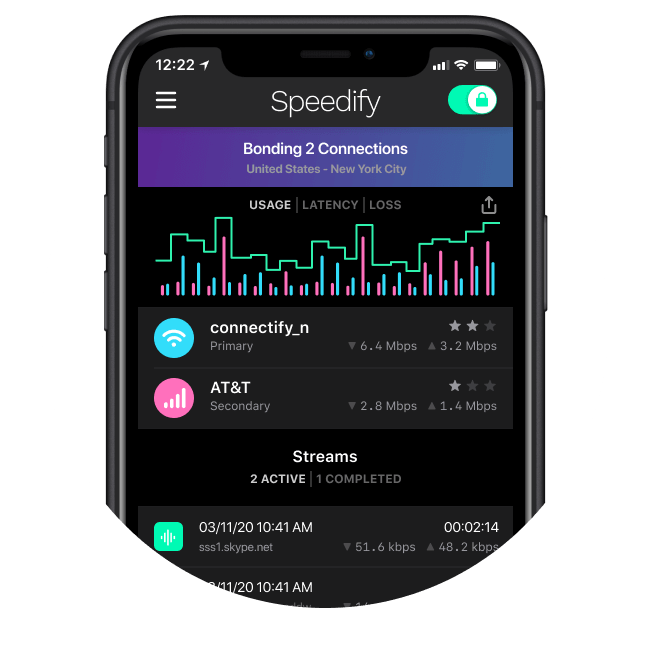
Speedify is the only app that can combine multiple internet sources into one bonded super-connection for more stable and secure live streaming, video calling, and web browsing. It works by constantly monitoring the quality of your Internet connections in the background.
The nice part is Speedify will also prioritize sending data over Wi-Fi and Ethernet to keep your metered connections (such as celluar data) at a minimum. If your Wi-Fi network drops, you stay connected with the mobile data for only as long as it takes to restore the Wi-Fi connection.
Combine connections
Browse, stream, watch, and play at the speed of all your Internet connections combined.
Enhanced streaming
Speedify automatically prioritizes real-time streaming traffic such as video calls and VoIP calls, live streaming, and gaming.
Extreme encryption
Speedify uses the latest encryption standards to secure your data. Stay safe when browsing on any network including public Wi-Fi hotspots.
Use on all your devices
We have apps for all major platforms including Windows, macOS, Linux, iOS, and Android.
Access the global internet
We have servers in more than 50 locations around the globe to mask your IP address and protect your browsing activities.
Ultimate privacy
We don’t record, monitor, store, log, or share anything you do.
Solve Internet Drops with Channel Bonding, Not Load Balancing!
Speedify is not a load balancer – it uses channel bonding technology to provide a fast, stable and secure Internet connection. With Speedify, you are able to keep enjoying a solid connection while it automatically takes care of all of your connection issues. Unlike other so-called smart network switch apps, Speedify never switches you to an inferior Wi-Fi network.
Speedify is also a fast mobile VPN that uses advanced encryption to keep your data safe. But, it works differently than traditional VPN apps that slow down your Internet: Speedify uses multiple sockets to send date to and from the VPN server.
Internet keeps dropping? Use Speedify for uninterrupted connectivity, fast and secure Internet. Get Speedify now!
Get started with Speedify today!
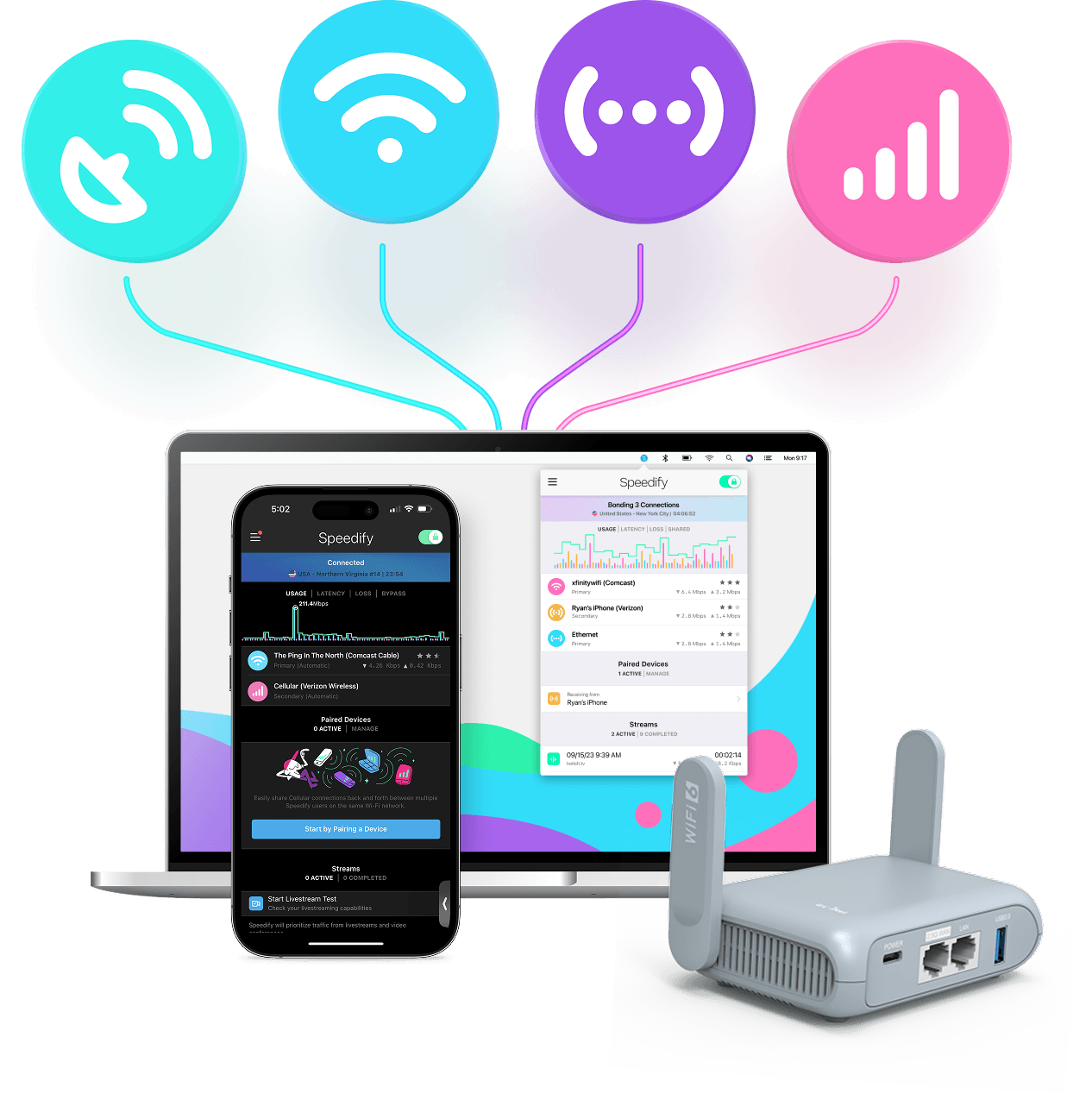
With Speedify you can combine Wi-Fi, 4G / 5G cellular, Ethernet, Starlink and other satellites into one bonded super-connection to improve livestreaming, video calling, gaming, web browsing, and everything else you do online.




Speed
Stability
Security
Speedify engineers love talking tech on YouTube, Tiktok, and Instagram!
Alex Gizis and the Speedify engineers discuss and explain technology including Starlink satellites, Wi-Fi 7 routers, Apple networking features, fiber optics, broadband internet, 5G mobile networks, AI, networking protocols, and much more. Follow Speedify on YouTube, TikTok, Instagram, and LinkedIn!
Alex and the Speedify team are always exploring the latest in networking and security technology—like 5G, 6G, WiFi 7, laser and satellite internet—and sharing it in new discussion content across YouTube, TikTok, Instagram, and LinkedIn every week.
Got a tech question? Let's go deeper! Pop into Speedify Office Hours live every Wednesday at 10 AM Eastern. Speedify CEO Alex Gizis and our network engineers are standing by to break down your questions about networks, tech updates, and Speedify features.

Should you have a backup 4G, 5G, Starlink, or cable internet connection?
Yes — every internet connection goes down, including Starlink, which drops for ~34 minutes a day on average. A backup connection from a different provider means one outage never takes you fully offline. The most common options are a 4G/5G cellular hotspot, a cable or DSL line, or a second satellite dish.
4G/5G cellular
Works anywhere. Just a SIM or hotspot — no installation needed.
Learn more →Cable / DSL
Best for fixed locations. Different network, so outages rarely overlap.
Learn more →Second Starlink
Adds redundancy and throughput for remote sites or heavy usage.
Learn more →Speedify bonds any two connections into one — automatic failover, more speed, no dropped calls.
Try free →Speedify Feature · Pair & Share
Cellular sharing that works better than a mobile hotspot.

Speedify Feature · Pair & Share
Speedify Pair & Share: share cellular between your devices, both ways
Most hotspots give. Speedify's Pair & Share gives and takes. Two devices running Speedify pair up and each uses the other's cellular connection simultaneously, so you both get faster uploads, faster downloads, and a steadier connection. No extra hardware, no new data plans, no setup beyond a tap.
Learn how Speedify's Pair & Share works ›More speed
Every device you pair with adds its cellular to yours, and yours to theirs.
Stays connected
If a paired device drops out, Speedify keeps you online on the remaining links.
Always private
Every shared connection runs through AES-256 encryption. Your traffic is yours.
No new gear
Runs on devices already running Speedify, over your local network. Pair once, reconnects automatically.

