


You Can Combine Multiple Internet Connections Together - Like Starlink, Wi-Fi, 4G, 5G, and DSL - with Speedify, to Get Reliable Starlink Internet
Starlink is a great Internet option for those who live in remote areas and where the other ISPs don’t offer high speed connectivity. According to various Reddit threads, as of the end of 2022, Starlink download and upload speeds can go as high as a few hundred Mbps. Ookla reported data for Q2 2022 and it seems that the fastest average SpaceX speeds were recorded in Brazil - 123 Mbps for download and in Portugal - 28 Mbps for upload.
But speed is not everything. A good Internet connection has to also be reliable and not to disconnect randomly or whenever there are clouds in the sky - specific for satellite Internet connections such as Starlink, HughesNet, etc.
Bottom line: your Starlink speed is slow and unreliable. You can boost your slow Starlink: combine it with another Internet source like another Starlink or DSL, 4G, 5G. Whether at home, work, or on-the-go, Speedify works with all live streaming software and social platforms to get you faster, more reliable and secure Internet.
In this article we'll show you how you can get reliable Starlink Internet for a better overall online experience.
Use the Speedify software app to avoid Starlink internet dropouts

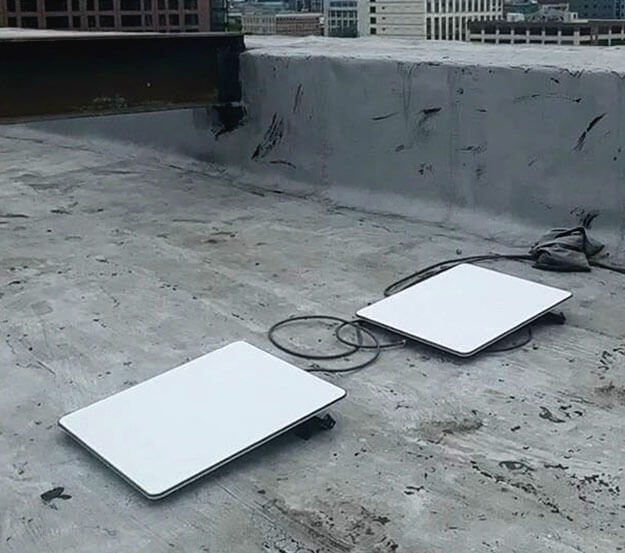
Speedify alerts you about your Starlink dish status

Use Speedify to Increase Your Upload and Download Speeds: Combine Wi-Fi, 4G / 5G Cellular, Ethernet, Starlink and Other Satellites
Speedify combines Wi-Fi, 4G / 5G cellular, Ethernet, Starlink, and other satellites for faster internet uploads and downloads
Speedify is the only software app that combines Wi-Fi, 4G / 5G cellular, Ethernet, Starlink and other satellites at once for secure, faster, and more reliable internet uploads and downloads so you stay online without interruptions.
Speedify will automatically detect and start using any available Internet connections on your device while intelligently distributing your online traffic between them for optimal performance. If you need help we have quick start guides available for most common set ups.
Speedify wirelessly joins multiple phone personal hotspots together for faster internet upload and download speeds
Speedify's Pair & Share feature enables you to connect to multiple hotspots at the same time for faster upload and download speeds and more reliable internet for everyone. Speedify's Pair & Share feature allows you to wirelessly share 4G / 5G cellular connections back and forth between multiple Speedify users on the same local network when live streaming from an event, calling from the commute or sharing from the field.
Speedify is the only app that allows you to share 4G / 5G cellular data between PCs, Macs, iPhones and Androids. Use multiple iPhones and Android phones as hotspots for internet access and get faster upload and download speeds and mobile failover for all paired devices.
See how you can use Speedify to combine different Internet connections:
Combine these connections on:



How to Use Starlink and a Secondary Connection for Reliable Internet
When you make the transition to Starlink Internet, you definitely have at least one cellular connection available - the one from your phone. Plus the old Internet option you have, whether it’s cable, DSL or another type. Here’s an article on how to find secondary Internet connections.
You have 2 options of using Starlink with a secondary Internet connection:
- Use a backup connection only if Starlink drops
- Use both Starlink and the secondary connection(s)
In the first case, the operating system on your computer or mobile device will make the switch to the backup connection once Starlink drops. In this case, it may take minutes until Windows, MacOS, Android or iOS detects that the Starlink connection is not reliable. During this time, your video calls may drop and your live streams may buffer or even disconnect.
The best way to make use of Starlink Internet and a secondary connection is to use them both at the same time (instead of switching) with Speedify. This will completely eliminate the poor video quality, the buffering and the disconnects when Starlink will be flaky.
[GUIDE] Getting Started with Starlink and Speedify
As of January 2023, Starlink comes by default with their Wi-Fi router. But there’s an option of getting a Starlink Ethernet adapter that fits between the company’s dish cable and the Wi-Fi router, providing a wired Internet connection as well.
So, you can connect to Starlink Internet either via Wi-Fi or wired Ethernet. It’s very simple:
- Connect to Starlink via Wi-Fi or wired Ethernet
- Connect to the other Internet connection - secondary Wi-Fi adapter, cellular adapter, tethered phone, wired Ethernet
- Get Speedify and run it on your computer or mobile device. It should automatically detect both the Starlink connection and the secondary one.
- Click the switch and connect - you are bonding your Starlink Internet with another connection for better speed, security and reliability!
Keeping that in mind, here are instructions on how to set up combinations between Starlink and a secondary connection with Speedify:
- Starlink Internet via Wi-Fi used together with cellular data on iPhone, iPad, Android smartphone or tablet
- Starlink Internet via Wi-Fi used together with a cellular adapter on Windows, Mac or Linux
- Starlink Internet via Wi-Fi used together with a tethered iPhone on Windows, Mac or Linux
- Starlink Internet via Wi-Fi used together with a tethered Android smartphone on Windows, Mac or Linux
- Starlink Internet via Wi-Fi used together with wired Ethernet on Windows, Mac or Linux
- Starlink Internet via Wi-Fi used together with another Wi-Fi connection on Windows, Mac or Linux
- Starlink Internet via wired Ethernet used together with another Wi-Fi connection on Windows, Mac or Linux

Get started with Speedify today!
With Speedify you can combine Wi-Fi, 4G / 5G cellular, Ethernet, Starlink and other satellites into one bonded super-connection to improve livestreaming, video calling, gaming, web browsing, and everything else you do online.



Speed
Stability
Security
Speedify devs love talking tech on YouTube, Tiktok, and Instagram!
Alex Gizis and the Speedify devs discuss and explain technology including Starlink satellites, Wi-Fi 7 routers, Apple networking features, fiber optics, broadband internet, 5G mobile networks, AI, networking protocols, and much more. Follow Speedify on YouTube, TikTok, Instagram, and LinkedIn!
Alex and the Speedify team are always exploring the latest in networking and security technology—like 5G, 6G, WiFi 7, laser and satellite internet—and sharing it in new discussion content across YouTube, TikTok, Instagram, and LinkedIn every week.
Got a tech question? Let's go deeper! Pop into Speedify Office Hours live every Wednesday at 10 AM Eastern. Speedify CEO Alex Gizis and our network engineers are standing by to break down your questions about networks, tech updates, and Speedify features.

