
Solved: How to Unblock Streaming on Any Website from Anywhere
The app says this content is not available in your area, and a show that played fine at home will not start. Streaming sites work out roughly where you are from your internet address, then filter what they will serve you.
Speedify is an app that encrypts what your device sends and routes it through a server in the country you choose, while running your internet over Wi-Fi, 4G/5G cellular, Ethernet, Starlink and satellite internet connections together so video still loads fast.
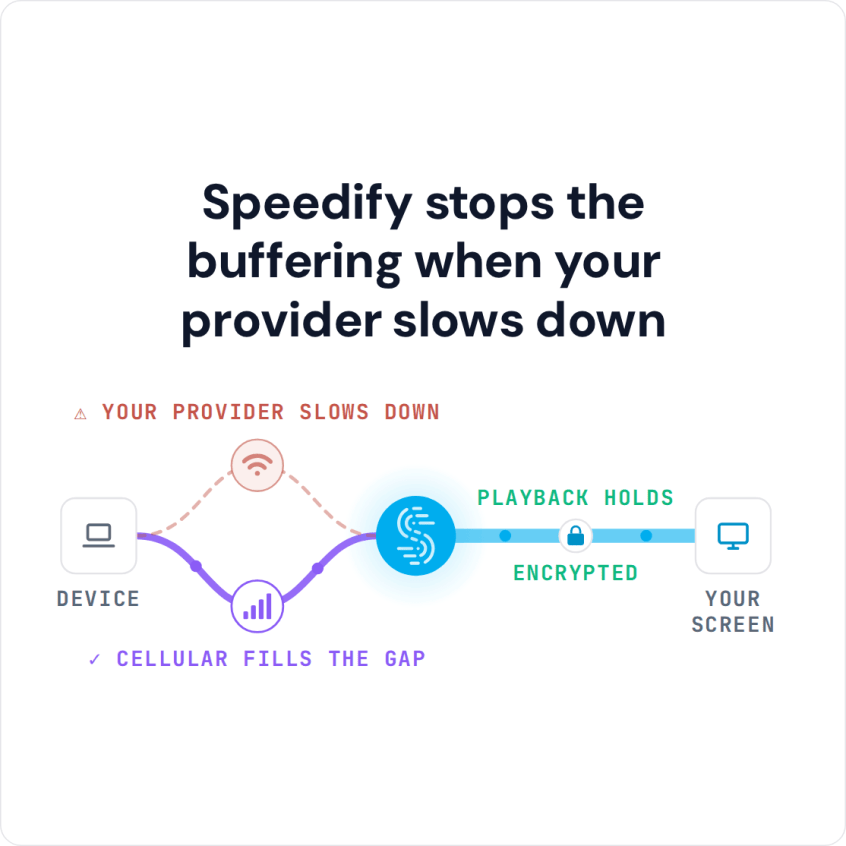
Speedify stops the buffering when your provider slows down
Below you will find how region filtering works, why companies use it, and the four steps to unblock streaming with Speedify. Each streaming service’s own terms still apply.
Why Streaming Content Is Unavailable in Your Area: How Region Restrictions Work
You are not the only one who has hit this: a streaming service that works at home shows as unavailable when you travel abroad, or a video on YouTube is blocked in your area. Unblocking streaming means getting that content to play where you are.
Region restrictions typically work by determining your physical location based upon your IP address or DNS. The restrictions are usually put in place by the developers of different apps and websites. Once your physical location is determined, a filter is applied to the content you can access. Companies such as YouTube, Netflix, and Hulu use region restrictions.
While region restrictions are usually based on the country you are in, sometimes content is restricted inside of the same country. For example, many sports games may not be accessible to you in certain regions of the United States and Canada.
Some countries also block whole services, usually social media platforms such as Facebook, Twitter, WhatsApp and Telegram.
Why Streaming Services Use Region Restrictions
The main reason for restricting streaming video and music platforms is licensing. Netflix, for example, offers TV series and movies in many countries and pays media companies for distribution rights country by country. As a result, the same title is often available in one country and missing in another.
Other reasons for restricting content:
- Compliance with local laws: local governments may consider certain content inappropriate.
- Protecting marketing partners: some movies, TV shows and sports events are licensed to be shown only in certain countries or regions by specific providers.
How Speedify Unblocks Streaming by Changing Your Server Location
Speedify is a mobile VPN that masks your real IP address and DNS and gives you an IP address in the server country you choose, so streaming services see you as a local viewer. Unlike most VPNs, Speedify does this without slowing down your Internet connection, by combining 2 or more Internet connections at the same time.
Using 2 or more connections also cuts buffering on your streaming video or music and protects you from disconnects. If you connect to a dead Wi-Fi hotspot, for example, Speedify’s Internet failover protection moves your traffic to your other connections, such as Ethernet or 4G/5G cellular, until you are back on working Wi-Fi.
Four Steps to Unblock Streaming Apps and Websites with Speedify
Here is how to unblock streaming video and music with Speedify:
- Download Speedify on the device you want to watch on. Speedify runs on Windows, macOS, iOS, Android and Linux.
- Open Speedify and pick a server in a country where the content is available, for example a US server for Hulu or a UK server for BBC iPlayer (paid plans include servers in more than 50 locations).
- For the best streaming quality, connect a second internet connection while Speedify is running, for example Wi-Fi and 4G/5G cellular, Ethernet and Wi-Fi, or two Wi-Fi networks.
- Watch your favorite unblocked streaming content online.
With Speedify you choose the server country your streaming apps see, and your connections work together to keep video playing smoothly.
Speedify
Get started with Speedify today.
Speedify combines Wi-Fi, 4G/5G cellular, Ethernet, Starlink and satellite into one faster, more reliable internet connection. Free to try: 5 GB a month with a free account. No credit card required.
🚀 Speed
Faster uploads and downloads, because Speedify uses all your internet connections at once.
📶 Stability
If one internet connection drops, Speedify moves your traffic to the others in milliseconds.
🔒 Security
AES-256 encryption on every internet connection, on any network you join.



15M+ downloads worldwide. 75K+ five-star reviews on iOS and Android.