
You Can Combine Multiple Internet Connections Together – Like Starlink, Wi-Fi, 4G, 5G, and DSL – with Speedify, to Fix WhatsApp Disconnecting
A WhatsApp call that keeps dropping, or cutting out every few minutes, is almost always the internet connection under the call failing for a few seconds, not your phone and not WhatsApp. Wi-Fi at the edge of its range does this, and so does 4G/5G cellular that fades as you move around. If the call stays up but the picture freezes, see WhatsApp freezing on video calls.
Speedify is an app that combines Wi-Fi, 4G/5G cellular, Ethernet, Starlink and satellite internet connections and encrypts your traffic like a VPN. With two internet connections, such as Wi-Fi plus your phone’s 4G/5G cellular, a break in one does not end the call: Speedify moves it to the other one and keeps the same public IP address, so the call does not see a new address. On a single connection, Speedify works as an encrypted VPN and cannot stop that connection from dropping. For other calling apps, see the best VPN for VoIP calls.
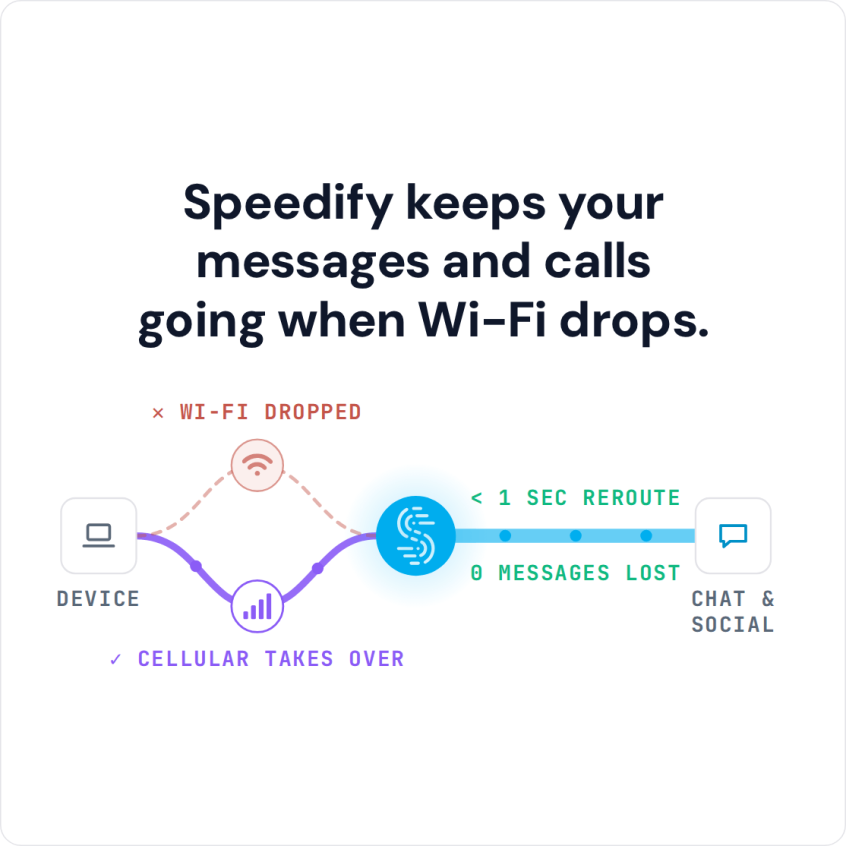
Speedify keeps your messages and calls going when Wi-Fi drops.
How to Keep WhatsApp Calls Connected with Speedify
- Download Speedify on your iPhone or Android phone.
- Open Speedify and create a free account (the free tier includes 5 GB per month), or sign in.
- Keep Wi-Fi on and turn on 4G/5G cellular too, so Speedify has two internet connections to work with.
- Connect. Speedify uses both connections at once and moves your traffic to the working one when one drops.
- Open WhatsApp and call as usual.
Why a WhatsApp Call Keeps Dropping or Cutting Out
WhatsApp calls need a steady flow of data in both directions, so when a call keeps dropping, look at your internet connection first. Either your internet connection is too slow for an HD voice or video call, or it is losing small pieces of data along the way, which is called packet loss. Both get worse on the move, because a phone cannot hand a call from one Wi-Fi network or cell tower to the next without a gap, and a gap of a few seconds is enough for WhatsApp to end the call.
Before you blame the connection, rule out the quick fixes: check whether WhatsApp itself is down on a status site such as Downdetector, update WhatsApp, turn off Low Power Mode on iPhone or battery saver on Android while you call, and move closer to the router or switch to its 5 GHz network if the Wi-Fi is weak. If calls still drop, the internet connection is the cause.
WhatsApp does not publish any time limit on voice or video calls. A call that hangs up by itself, or keeps kicking you out, ended because the internet connection on one side stopped long enough for WhatsApp to give up reconnecting. By default a phone carries the call over one internet connection at a time, Wi-Fi or 4G/5G cellular, even when both are switched on, so one weak signal is enough.
How Speedify Keeps WhatsApp Calls Connected on Two Internet Connections
Speedify changes how your phone uses its internet connections. Instead of one at a time, Speedify lets your phone connect to the internet over Wi-Fi and 4G/5G cellular at the same time and spreads the call’s data across both. When the Wi-Fi fades, the call carries on over 4G/5G cellular, and because the traffic leaves through a Speedify server, the public IP address stays the same.
Speedify also watches the quality of each internet connection. When a signal gets weak or too slow, Speedify moves the data to the other connection, in milliseconds according to Speedify, and starts using the first one again once it recovers, without you doing anything. If WhatsApp freezes or stops responding altogether, here is how to fix WhatsApp hanging and not working.
Speedify Encrypts Your Internet Traffic
Speedify also encrypts the traffic between your phone and the Speedify server, which protects you on compromised Wi-Fi networks and keeps snooping ISPs from seeing which sites you visit. To keep 4G/5G cellular use down, you can set cellular to Secondary priority and give it a data cap in the app, so Speedify leans on Wi-Fi and adds cellular when the Wi-Fi is not enough.
Get Speedify Free for WhatsApp Calls on iPhone and Android
With Speedify running on Wi-Fi and 4G/5G cellular together, a WhatsApp call keeps going when one of them drops, whether you are at home, in the office or on a train. Download Speedify for iPhone or Android and create a free account: the free tier includes 5 GB per month.
Speedify
Get started with Speedify today.
Speedify combines Wi-Fi, 4G/5G cellular, Ethernet, Starlink and satellite into one faster, more reliable internet connection. Free to try: 5 GB a month with a free account. No credit card required.
🚀 Speed
Faster uploads and downloads, because Speedify uses all your internet connections at once.
📶 Stability
If one internet connection drops, Speedify moves your traffic to the others in milliseconds.
🔒 Security
AES-256 encryption on every internet connection, on any network you join.



15M+ downloads worldwide. 75K+ five-star reviews on iOS and Android.