

Speedify Is Essential to Church Live Streaming Setups: Use Wi-Fi, 4G / 5G Cellular, Ethernet, Starlink and Other Satellites at Once
If you're live streaming church services, use Speedify to combine 4G, 5G, Wi-Fi, wired Ethernet, Starlink, and other Internet sources to fix connectivity issues. Speedify works with all church live streaming software and social platforms to get you faster, more reliable Internet.

NEW!
Miri X510 Bonding Router
POWERED BY SPEEDIFY
Bond up to 7 Links Simultaneously
Combine wired, Wi-Fi, 5G, and LTE connections plus Pair & Share with other Speedify users.
Battery-powered Portability
How to Live Stream Church Services with Speedify
Speedify delivers fluent live service to your community from your church, temple, synagogue, mosque, etc. Use all available Internet connections for best live video performance on YouTube, Facebook Live and any other social platform from your house of worship.
Live streaming church services is not something new. Unreliable Internet is something you'll stumble upon at some point when you're live streaming from houses of worship. This can happen due to several reasons:
- Your Wi-Fi hotspot can be faulty.
- If you also have people attending the service live inside your church, synagogue, mosque or temple - they might eat up the available Wi-Fi and cellular bandwidth for that area.
- Your ISP is doing maintenance work right when you’re broadcasting live streams. Or if they’re throttling your connection.
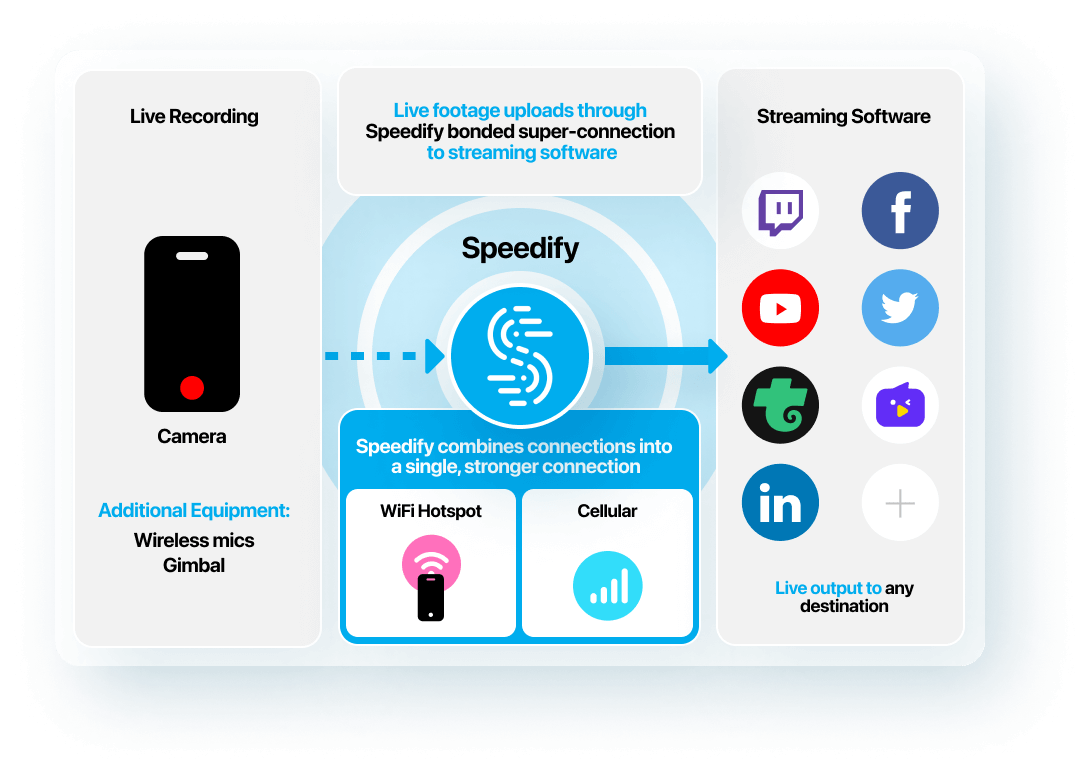
Speedify is a must have tool in your church live streaming video tech stack. It’s a powerful Internet connection bonding software app that gets you faster, more reliable and secure Internet. Speedify dynamically optimizes live streams based on your connectivity. Get a powered by Speedify bonding router or run Speedify on computers, smartphones, tablets, OpenWrt routers and other various devices that run Linux.
You can combine any mix of two or more Wi-Fi networks, cellular networks and wired networks. By doing that, you’re not only solving the reliability aspect of live streaming through the automatic Internet failover mechanism, but also the bandwidth and latency issues.
Houses of Worship Live Streaming Setup Checklist
What You Need to Live Stream Virtual Services for the Chruch Besides Speedify
Streaming Device
Whether a laptop, tablet, smartphone, computer, etc., this is the heart of your live streaming from the house of worship. You will use it to live stream to native social apps or to multi stream using streaming software to your comunity
Dedicated Microphones
When live streaming from a house of worship, it's important to also capture the audio - whether it's the minister's speech or the gospel music. Make sure you have several microphones placed in critical locations and connected to your streaming devices (can be via Bluetooth, for example).
Video Camera
It should be able to stream video at least 1080p / 30 fps. You can go with your smartphone, a dedicated camera with HTMI output or maybe try the GoPro live streaming functionality.
Streaming Apps
You can go with either the native apps for each social platform you wish to stream to - Twitch, YouTube, Facebook Live. Or you can use streaming software that also has the capability to stream to multiple destinations at once - Streamlabs, Streamyard, Wirecast, Ecamm Live, Melon and others. There are also dedicated church streaming solutions.
Speedify Internet Bonding
This will help you combine all the connections available to you at once. No more buffering or stream disconnects! You can get either an out-of-the-box bonding router or use the Speedify app directly on your streaming device.
Internet Cellular Data Connections
You should definitely have these available, as a backup to the house of worship's own Wi-Fi / wired Ethernet connection. Just connect them all to the streaming device and combine them together with Speedify.
Get in touch with Speedify
Get in touch today to discuss your business’s needs and discover how Speedify can help deliver faster, more reliable, and more secure online experiences.