
Use Speedify as Your Starlink Companion The Starlink “Motors Stuck” alert means the motors that tilt and turn your Starlink dish can’t move, so it can’t aim itself at the best part of the sky, and your internet weakens or drops. The usual causes are something in the way of the Starlink dish as it moves, ice or snow, a … Read More
Starlink “Thermal Throttling”: How to Stay Online with Speedify While the Dish Cools
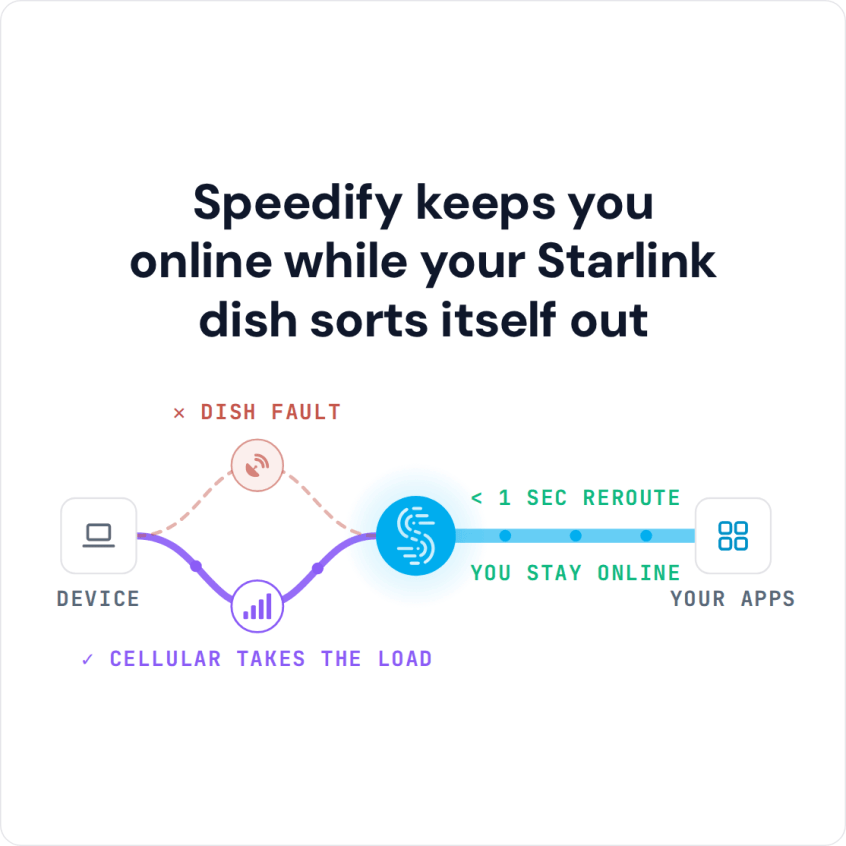
Use Speedify as Your Starlink Companion Starlink “Thermal Throttling” is an alert in the Starlink app that means your Starlink dish is too hot, so it slows your internet down to cool off. If it keeps getting hotter, the Starlink dish shuts off until it cools, and the app shows “Starlink Overheated”. Heat does affect Starlink: the Starlink dish works … Read More
Starlink Mini Overheating: How to Stay Online with Speedify While the Dish Cools
Use Speedify as Your Starlink Companion Yes, Starlink can overheat. Starlink says its devices work normally when the air around them is below 50°C (122°F). Above that, your Starlink dish first slows itself down to cool off, and if it keeps heating up, it stops working until it cools. This goes for standard Starlink dishes and the Starlink Mini. Speedify … Read More
Fix Starlink Weak Signal with Speedify: Stay Online When Starlink Shows “SNR Persistently Low”
Use Speedify as Your Starlink Companion A weak Starlink signal usually means something is blocking your Starlink dish’s view of the sky, like trees, buildings or snow. Rain and heavy snow can weaken the signal too. When the signal stays weak, the Starlink app shows the “SNR Persistently Low” alert. SNR stands for signal-to-noise ratio: how strong the satellite signal … Read More
Starlink Obstruction Errors: Stay Connected with Speedify While You Clear the Dish
Use Speedify as Your Starlink Companion Starlink “Obstructed” means something, like a tree, a building or part of your roof, blocks part of your Starlink dish’s view of the sky. Every time a satellite moves behind that obstruction, your Starlink internet connection drops for a moment, which freezes video calls and games. “Partially obstructed” means only a small part of … Read More
Starlink Dish Alerts: What Each Alert Means and How Speedify Shows Alerts Live

Starlink dish alerts tell you what’s wrong with your Starlink dish, like a stuck motor, overheating, a waiting software update or something blocking its view of the sky, often before you notice the internet is acting up. Most people only find out when a video call freezes. Speedify, an app that uses all of your internet connections at the same … Read More