
How to Watch FIFA World Cup Live Stream Online from Anywhere in the World
Watching a World Cup match online means you cannot afford a pause: a live stream that stops to reload part-way through, turns blocky or disconnects will cost you the goal. Live video is unforgiving because it cannot slow down and catch up later.
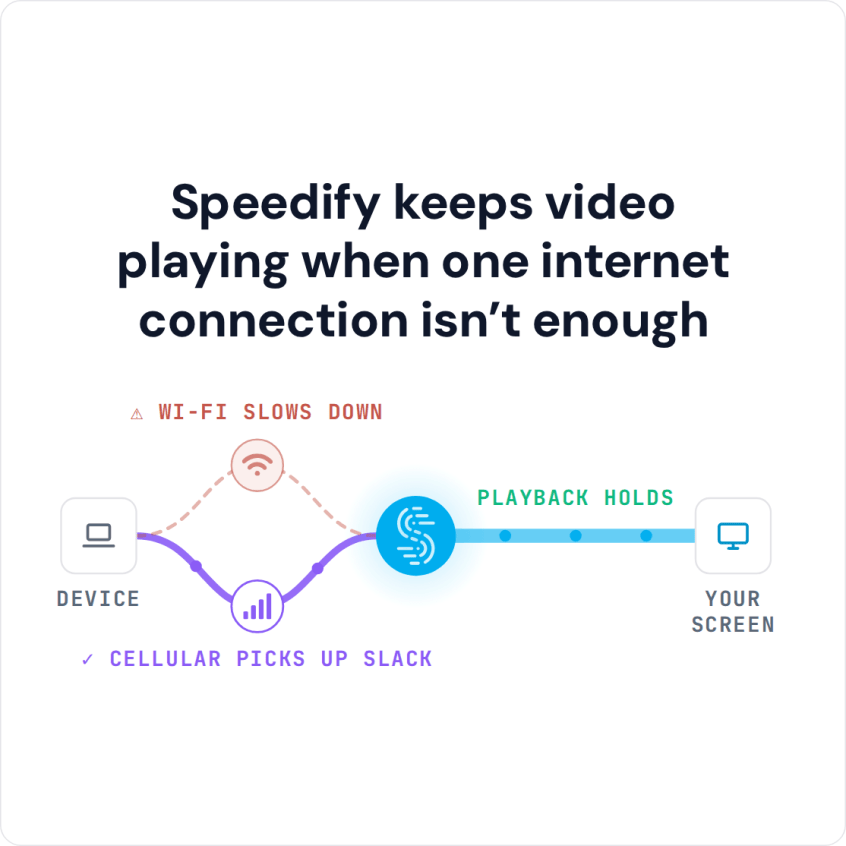
Speedify is an app that streams over Wi-Fi, 4G/5G cellular data, wired Ethernet, Starlink and other internet connections all at once, so a dip on one internet connection does not interrupt the match. Compare watching on television with streaming online below, and see what using Speedify does for a live football stream.
FIFA World Cup Matches: Watch on TV or Stream Online?
Watching World Cup matches on TV is the smoothest option when you can: broadcast TV does not buffer. The next tournament is the 2030 FIFA World Cup. Under FIFA’s proposed schedule, it opens on June 8 and 9, 2030 with centenary matches in Uruguay, Argentina and Paraguay, moves to Spain, Portugal and Morocco from June 13, and ends with the final on July 21. Broadcasters are still being announced: the BBC and ITV hold the UK rights, and Netflix holds the rights in Spain and Andorra. Check this list of official broadcasters for your region as more deals are confirmed.
However, if you’re on a distant time zone or can’t watch all the matches live, streaming them online is a viable alternative as long as you have a fast and dependable Internet connection.
Potential Live Streaming Issues for FIFA World Cup
Generally, if you encounter issues when watching a live stream (poor quality video, buffering, disconnects), the culprit is your internet connection: low bandwidth, high latency or high packet loss. Here are five common situations where this happens and what to do about each:
- Your Wi-Fi connection may be spotty, especially if you’re far away from the hotspot location
What to do >> move around until signal strength is better - You may be connected to a non-working Wi-Fi hotspot that has no Internet connectivity
What to do >> connect to a different Wi-Fi hotspot - Your ISP may have temporary functionality issues, resulting in low bandwidth, high latency and high packet loss.
What to do >> contact your ISP - Your ISP may have temporary peering issues with Twitch, YouTube, Fox, DirecTV or other streaming platforms. Usually these should not last for more than a couple of days.
What to do >> contact your ISP - Your ISP may be throttling your connection. Since watching live streams online can require a lot of bandwidth, ISPs may try to limit users in the sense of not allowing more than a certain bandwidth to be used with streaming servers.
What to do >> contact your ISP
If you want to skip the troubleshooting steps above and fix FIFA World Cup live stream issues, install Speedify on your computer or mobile device.
FIFA World Cup Live Stream: Speedify Fixes Buffering, Disconnects and Choppy Video Quality
Speedify is an app that combines 2 or more internet connections at the same time and encrypts your traffic like a mobile VPN. This way, you can have all the bandwidth you need to watch the FIFA World Cup live stream on official online platforms such as BBC iPlayer and ITVX in the UK. Because Speedify combines internet connections, you also get failover protection: if one internet connection drops, the stream moves to the others.
Plus, you get 2 for the price of 1: an app to fix streaming issues and also a VPN to secure your online privacy. When it comes to bandwidth-hungry applications like live audio and video streaming, Twitch or YouTube, online gaming and business calls, other VPNs slow down your connection, as all the traffic has to be encrypted before being sent over one internet connection. Speedify encrypts too, but with two or more internet connections it adds their capacity together, so the stream gets more bandwidth than any one connection gives. On a single internet connection, Speedify works as an encrypted VPN and can be a little slower.
If you don’t have a way to watch the FIFA World Cup on TV and need to live stream the matches, make sure your stream gets the best quality. Get started with Speedify. Not only will you be able to use all your bandwidth, you will also benefit from online security and privacy, and increased Internet reliability.
Speedify
Get started with Speedify today.
Speedify combines Wi-Fi, 4G/5G cellular, Ethernet, Starlink and satellite into one faster, more reliable internet connection. Free to try: 5 GB a month with a free account. No credit card required.
🚀 Speed
Faster uploads and downloads, because Speedify uses all your internet connections at once.
📶 Stability
If one internet connection drops, Speedify moves your traffic to the others in milliseconds.
🔒 Security
AES-256 encryption on every internet connection, on any network you join.



15M+ downloads worldwide. 75K+ five-star reviews on iOS and Android.